 Qureco Screen Recorder
Record any meeting tool
Let AI write the notes
Share them with a link
No watermarks, no audio setup.
Try every feature right now, no credit card required.
WORKS WITH
Qureco records whatever is on your screen, so there is no integration to set up on the meeting tool.

Sound familiar?

Can't find a good recording tool
All you want is to record. But every meeting tool works differently, the audio setup fights you, and when someone else is hosting, the record button is not yours to press.

Mac screen recording misses the sound
You record with the built-in screen recorder, then find the other side of the call is missing. Your mic is there, but the sound coming out of your Mac is not. You notice once the meeting is over.

Annoying watermarks on free tools
A huge logo sits in the middle of your recording. You would rather not send that to a client. And paying just to remove it feels like too much.

Writing the notes is only half of it
After the call you rewatch the recording and write the notes by hand. Then you paste them into chat, share the video separately, and half a day is gone.
Qureco solves all of this.
No good tools. Watermarks everywhere. Manual work. Time-consuming notes.
One app handles it all.
Qureco Screen Recorder works the moment you install it. No virtual audio setup needed. No watermarks. Unlimited recording time. Just create an account to get started. With the Pro plan, AI automatically generates meeting notes that you can share with a single link. They also sync straight to Notion, so you go beyond "record and forget" — turning your recordings into valuable assets with a single app.
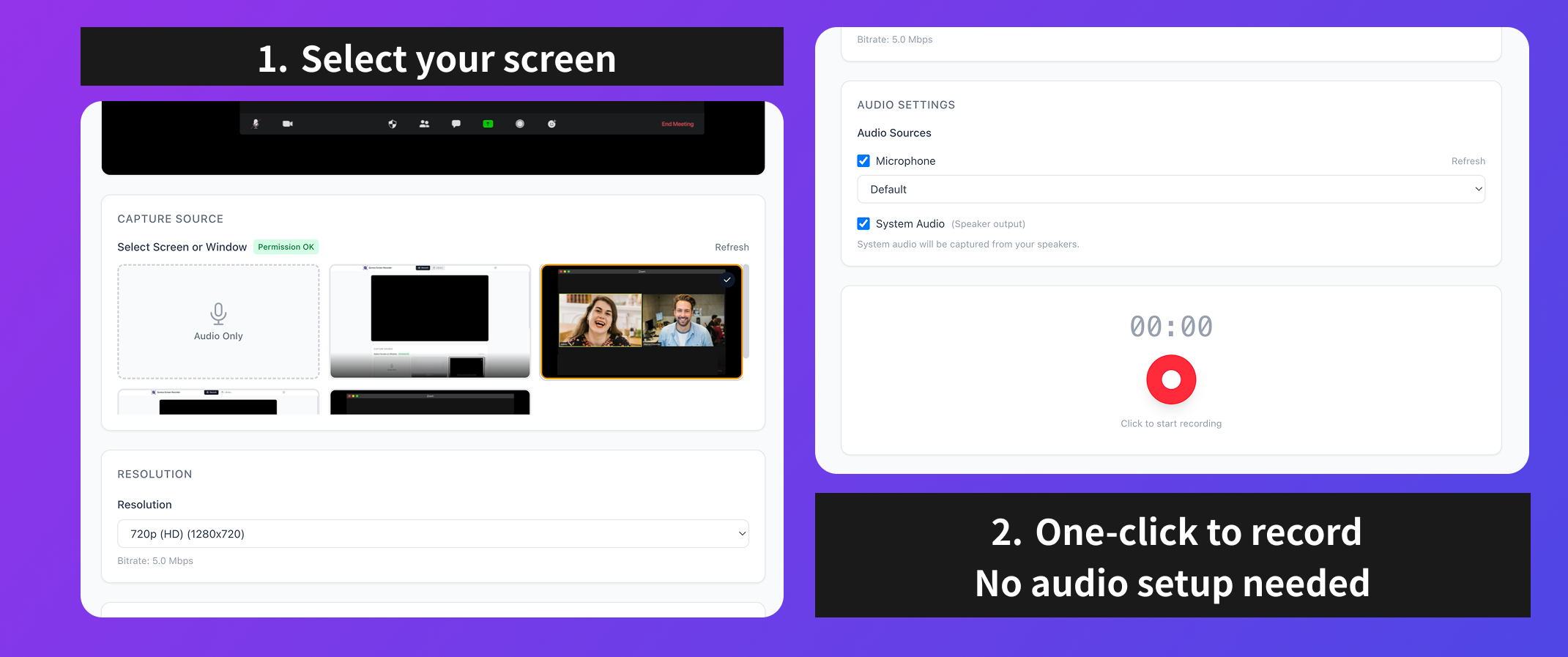
Mac system audio, with no setup
Recording the sound of your screen on a Mac often means installing a virtual audio driver first. Qureco captures system audio from the moment you install it, and this part stays on the free plan.
- Toggle the microphone and the system audio separately
- The other side of the call is captured from your speaker output
- No virtual audio driver to install
Recording and system audio capture stay free, with no time limit.
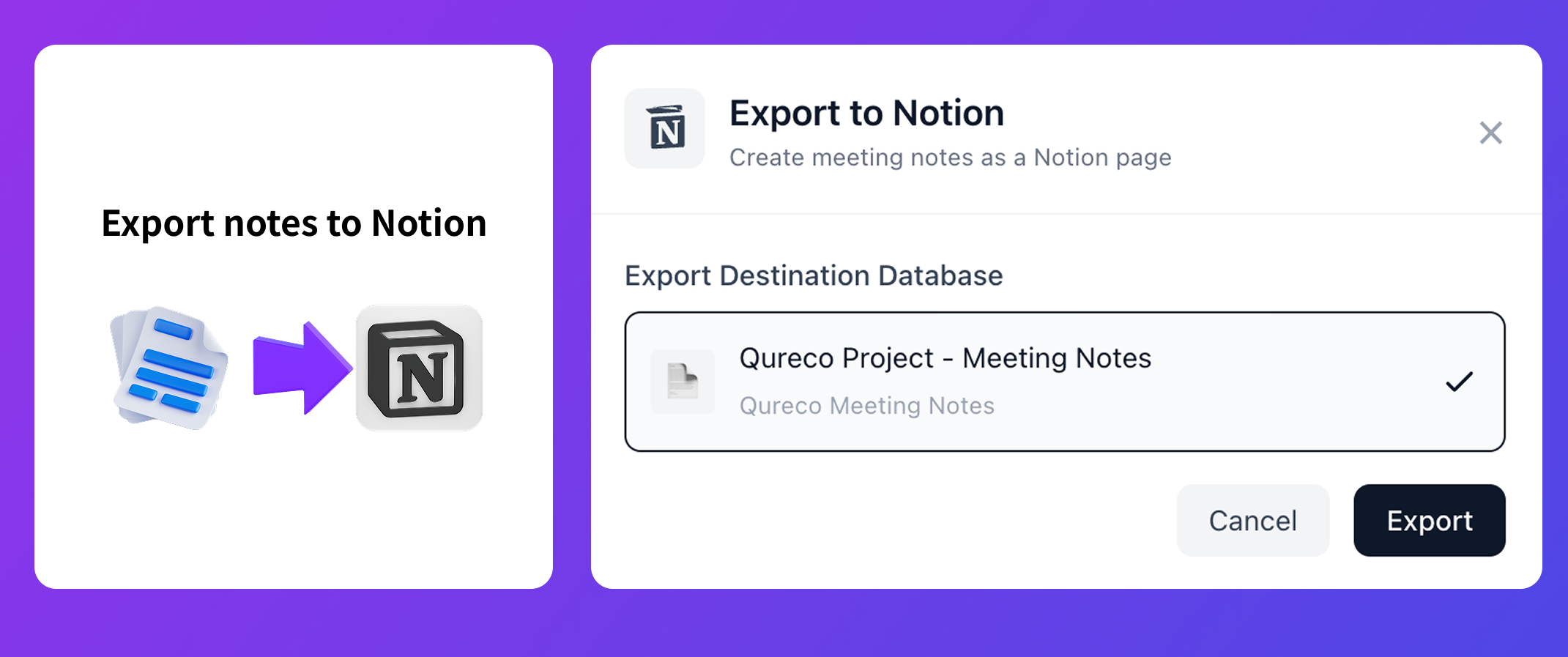
Send your notes straight to Notion
A link is enough when you just want to share. But if your team keeps its records in Notion, Qureco writes the notes directly into a Notion database, so there is nothing to copy and paste after a meeting.
- Choose which workspace and database the notes are written to
- Notes land in Notion as a page of their own
- Connect several workspaces and switch between them
The Notion integration is part of the Pro plan, free for your first month.
Get started in 3 simple steps
Download the app
Just install. No complicated setup or virtual audio configuration required.
Record your meeting
Hit record and you're rolling. Screen and audio captured together. No watermarks, no time limits.
AI writes the notes, you share the link
AI generates the meeting notes automatically. Send the link and everyone has them.
Meeting ends. The notes are written and ready to send.
That's how smart people run meetings.
Pricing
Full recording capabilities with a free account. No time limits, no watermarks.
- Screen & system audio (no setup)
- Local Storage
- MP4 / MP3 Export
Launch price (locked forever)
Everything in FREE plus cloud storage, AI meeting notes, and more.
- Everything in FREE
- 30GB Cloud Storage
- AI Meeting Notes
- Notion Integration
- Cloud Auto-backup
Launch pricing remains as long as you stay subscribed. Upgrade to Pro anytime within the app.
Frequently Asked Questions
Yes. After a free account signup, the FREE plan includes unlimited screen and audio recording with no watermarks. Local storage and MP4/MP3 export are all free. Consider Pro only when you need AI meeting notes or cloud storage.
Currently we only offer a Mac version. A Windows version is under consideration for the future.
You can subscribe to Pro from within the app. Start with the FREE plan, and upgrade in-app when you need cloud features or AI meeting notes.
If you subscribe to Pro during the launch discount period, you'll keep your discounted rate for as long as you stay subscribed — unaffected by future price increases. Limited spots available, so don't wait too long.
Pro plan cloud storage is encrypted and secure. With the FREE plan, recordings are stored locally on your device and never sent externally.
AI identifies speakers and summarizes content into structured notes. If adjustments are needed, you can provide additional instructions and regenerate as many times as you like.
Your next meeting, powered by Qureco.
Record. Let AI handle the notes. Read them in Notion.
Start that experience with your very next meeting.
No credit card required