You were sure the team had agreed on Option B in the morning meeting. By 5 p.m., when you sit down to write the Slack update, you freeze. Was it B? Or A? Or did you decide to revisit it next week?
Why your brain isn't built to remember meeting decisions
Working memory — the mental scratchpad you use during a meeting — holds roughly 4 to 7 items at once. A typical hour-long meeting generates dozens. By the time the call ends and the next meeting starts, the scratchpad is being overwritten in real time. Three meetings later, the morning's decisions feel like they happened to someone else.
This isn't fixable with "try harder to remember" or "take better notes by hand." Manual note-taking competes for the same attention bandwidth you're trying to spend on the actual conversation, which is why the more you focus on the notes, the less you participate in the discussion. The solution is to push the remembering job out of your head entirely, onto a system that doesn't have the same constraints.
Bringing AI into your meetings — bot-style vs recording-based
AI meeting notes split into two broad models. The mechanics and the use cases differ enough that picking the right one up front saves a lot of friction later.
Bot-style AI notetakers (tl;dv, Otter, Notta, etc.)
The setup is straightforward: you invite an AI bot to the meeting URL, and the bot joins the call to capture audio. It works well for recurring team meetings where everyone expects automated notes distributed afterward.
The friction shows up in personal, ad-hoc use:
- The bot appears in the participant list, which means client and external calls need a heads-up first
- If you aren't the host, you often can't invite the bot at all
- Compliance-heavy industries (legal, finance, healthcare) may outright forbid third-party meeting bots
- For "I just want a record for myself," it's more overhead than the job requires
For internal-heavy teams where "an AI is taking notes" is already normalized, bot-style is fine. For sales, consulting, customer success, or anyone who bounces between external calls, the friction stacks up.
Recording-based AI meeting notes
The other model: you screen-record the call on your own machine, and feed that recording to an AI for notes afterward. No bot in the participant list, no host privileges required, no org-wide rollout to negotiate. You can install it today and use it on the next call — including the ones you didn't schedule.
For solo users who want their own meeting archive without changing how the call looks to the other side, recording-based is the natural fit. The trade-off: the recording lives on your machine, so you own the storage and retention story.
Which one is for you?
A rough filter:
- Internal-heavy, host of most calls, comfortable with bots → bot-style
- Mixed external/internal, often a guest, want no bot in client calls → recording-based
- Compliance-sensitive industry → recording-based (or nothing)
- Solo or small team trying to start today → recording-based (lower setup cost)
Qureco: recording → AI notes → Notion in one Mac app
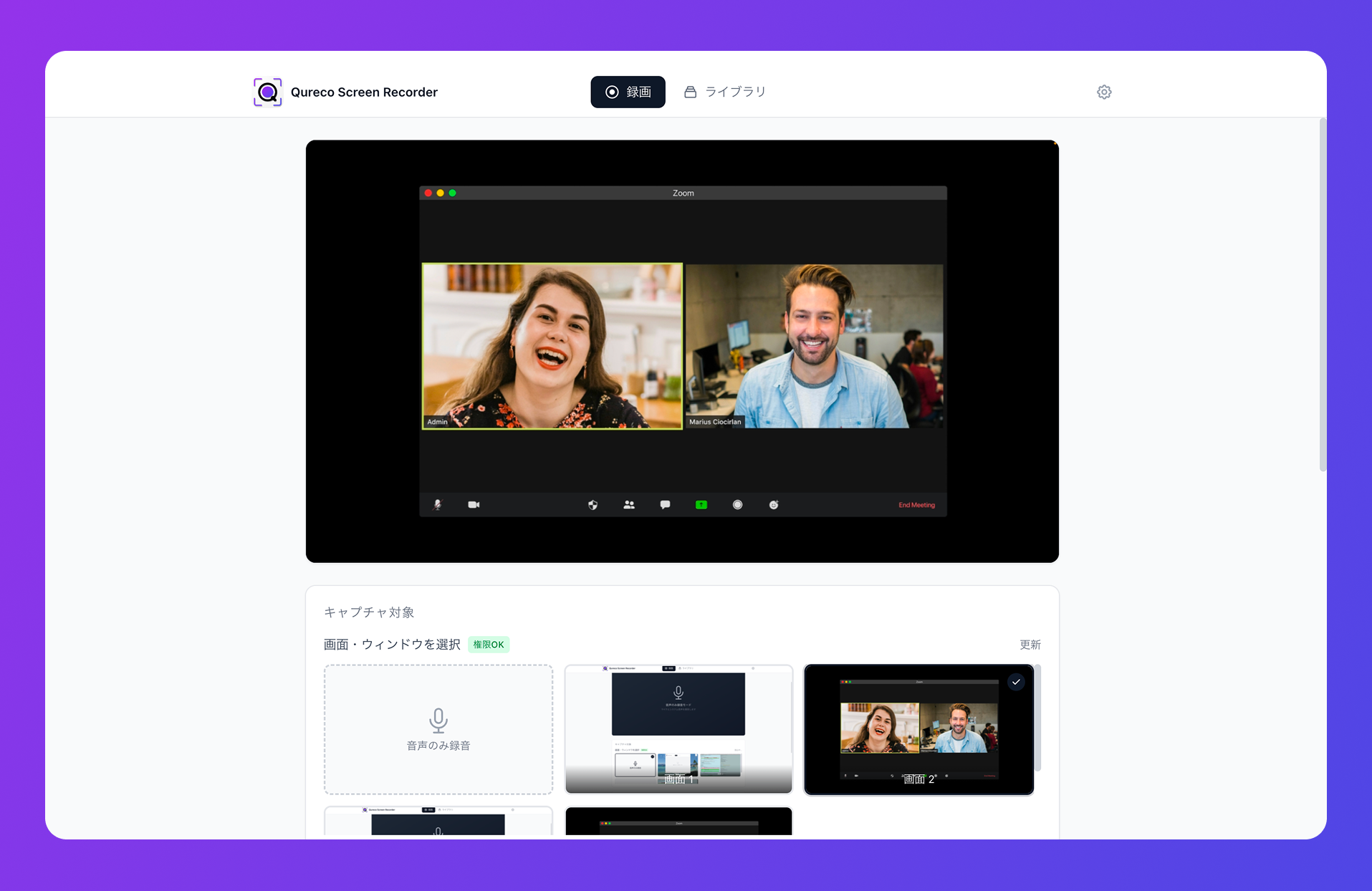
Recording, AI notes, and Notion archive — all in one flow
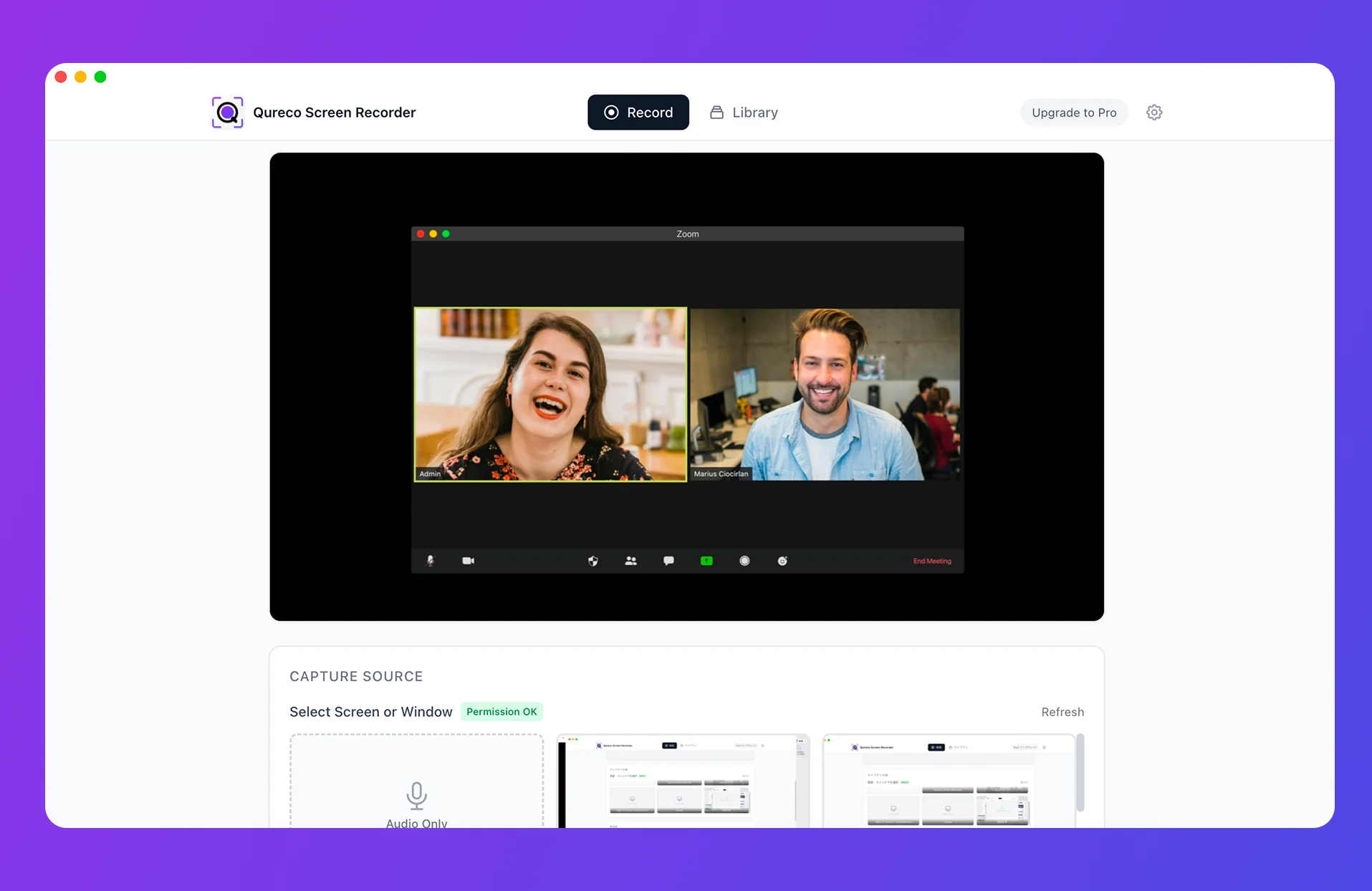
Instead of chaining a screen recorder, a transcription service, a summarizer, and a Notion integration, Qureco keeps the whole pipeline inside a single app.
- Recording: captures system audio (the other side's voice) and your mic together, with no virtual-audio setup.
Cmd + Shift + Rto start and stop - AI notes: structured notes generated from your recording — Decisions, Next Actions, and any other fields you can customize, with speaker identification
- Notion archive: one-click send to a Notion database, building a searchable meeting archive over time
"Screen recording → AI transcription → automated meeting notes → Notion archive" stays a single thread, not four loosely connected tools that someone has to glue together.
Built for solo use — no bot to invite
Because Qureco records locally on your Mac, there's no extra participant joining the call. Client meetings stay in their usual format. You don't need to be the host. You don't need IT approval for an org-wide rollout.
What changes in three moments — during, right after, and months later
Once recording-based AI meeting notes are in place, what actually changes in your week? Here's how the workflow lands across three time horizons.
During the meeting — you stop taking notes
The first shift is where your attention goes during the call itself. Because the recording captures everything, you no longer have to extract key points in real time. The same workflow applies whether it's a Zoom call or an in-person meeting recorded through your laptop's mic.
A second-order effect: meetings get shorter. When everyone trusts the recording is happening, "wait, let me write that down" pauses disappear from the discussion. Across a week, that easily saves 20–30 minutes of pure dead time.
Right after the meeting — five minutes to recap a one-hour call
The second shift is the few minutes immediately after the call. AI transcription plus automatic summarization collapses the "replaying a 60-minute meeting takes 60 minutes" problem from the recording-only era. If you've been manually feeding audio to a chatbot for notes, the labor of producing meeting notes drops to near-zero.
A concrete flow that works: meeting ends → open the recording in Qureco → click "Generate notes" → spend two minutes editing for clarity and adjusting action item owners → click "Send to Notion." From "call wraps" to "notes are filed" is genuinely under five minutes most days.
Months later — past decisions behind a single search
Ten minutes of trying to remember "what did we agree to?" becomes thirty seconds of searching. Every meeting captured adds another layer to a time-ordered archive, and that compounds in a way pure memory never will. The longer you run this system, the more disproportionate the return.
The really useful searches aren't the obvious ones. "When did we last talk about pricing for Acme Corp" is good, but "what concerns did the engineering team raise about the migration plan" is the kind of question that's genuinely impossible to answer from memory across a quarter — and trivial to answer from a Notion meeting archive.
| Moment | What AI handles | What you get |
|---|---|---|
| During the meeting | Automatic recording of the call | Attention back on the discussion |
| Right after | Transcription + AI-generated meeting notes | One-hour meeting recap in five minutes |
| Months later | Full-text search over the Notion archive | Any past decision, on demand |
A few common concerns, addressed
"Won't I just stop paying attention if I know it's recorded?"
The opposite tends to happen. When the pressure to transcribe in real time is off, attention actually goes up — you're free to think rather than write. The pattern is closer to "trusting the safety net makes you walk more confidently" than "removing the safety net keeps you sharper."
"What if I never go back and review the recordings?"
If you only had the recording, you probably wouldn't. That's why AI notes plus speaker identification matter — the notes are short enough to actually re-read in 60 seconds, and the recording is there only as a fallback when you need to verify something specific. The notes carry the day-to-day load; the recording is the appeal court.
"Is the recording itself a privacy risk?"
It can be, which is why announcing recordings at the top of a call is non-negotiable. Beyond that, sensible retention (delete recordings after 6 months, keep notes indefinitely) and storing in your own tools (Notion you control) keeps the surface area low.
"How do recurring meetings stack up over time?"
This is where the compound interest really shows. A weekly team sync recorded for six months produces 25+ entries in your Notion archive. The fourth time you need to remember "when did we decide to drop feature X," the archive is faster than asking a teammate. By month 12, it's the only practical way to find anything — institutional memory has been quietly replaced with a searchable database.
"What's the right cadence for reviewing the archive?"
For most people, "on demand only" works fine — you don't proactively browse the archive, you search it when a specific question comes up. Some teams add a monthly skim of "decisions from the last month" as a deliberate ritual, which catches things that didn't seem important at the time but turn out to matter. Both approaches work; the wrong move is forcing yourself to review every meeting (you'll stop within a week).
Wrap-up
- For solo use, recording-based AI meeting notes beat bot-style — no extra participant, no host privileges, lower setup cost
- Qureco bundles screen recording, AI meeting notes, and Notion archiving into a single Mac app
- The payoff lands in three moments: during the meeting (focus returns), right after (five-minute recap), and months later (searchable archive)
- The compound interest is real — every meeting captured today is a search hit you'll thank yourself for in six months
Designing around "I will forget" beats trying harder to remember. A Monday morning where nobody asks "what did we decide last week?" isn't a memory problem — it's a tooling problem, solved by AI meeting notes. Once you have a setup that captures, summarizes, and archives reliably, the question shifts from "did I remember" to "did I capture" — and the answer to that one is yes by default.
Qureco Screen Recorder
Powerful screen recording app for Mac
Record meetings, let AI handle the notes, just read what arrives in Notion.
Try all features free for the first two weeks.