"I'll send the notes later." Everyone says it. Then it's 11pm, you're rebuilding the call from three Slack screenshots and your own memory, and half the details are already gone.
Search "auto-save Zoom notes to Notion" and you get hit with a wall of options — Zapier flows, AI notetaker bots, Notion AI Meeting Notes, custom webhooks. They all look workable in a screenshot. Try setting one up and the cracks show up fast: Zapier flows die halfway through the config, the AI bot showing up on a client call feels off, and Notion AI Meeting Notes turns out to be Business plan only.
What "auto-save Zoom notes to Notion" really means
Before getting into the four options, it's worth pinning down what "automation" actually covers here. People mean wildly different things by it, and that's exactly where most setups disappoint.
The four steps between a Zoom call and a note in Notion
| Step | What happens | How hard to automate |
|---|---|---|
| 1. Record | Capture the meeting's audio/video | Easy |
| 2. Transcribe | Turn speech into text | Medium |
| 3. Summarize | Pull out key points and action items | Medium |
| 4. Save to Notion | Push into a specific database | Medium–hard |
For some people, "automated meeting notes" means just the recording happening by itself. For others, it means the call ends and a fully formatted page is already sitting in Notion — summary, action items, the lot.
The three things that keep tripping people up
In practice, three walls show up over and over:
- Zoom Cloud Recording is a paid feature. Most webhook flows assume Zoom Pro or above with Cloud Recording switched on.
- Notion AI Meeting Notes needs Business plan. The native feature is effectively off-limits on Personal and Plus.
- A bot in a client call is awkward. In some industries, "[AI Notetaker has joined]" on the participant list is a non-starter.
How each option handles these three is what really separates them.
Option 1: Notion AI Meeting Notes (the native path — if you qualify)
This is Notion's built-in feature. The most "native Notion" experience of the four — but the plan tiers bite.
How it works: type /meet in the desktop app, capture system audio
/meet, and an AI Meeting Notes block drops in. Hit record and Notion captures your computer's system audio. The meeting ends, the transcript and summary write themselves into the page.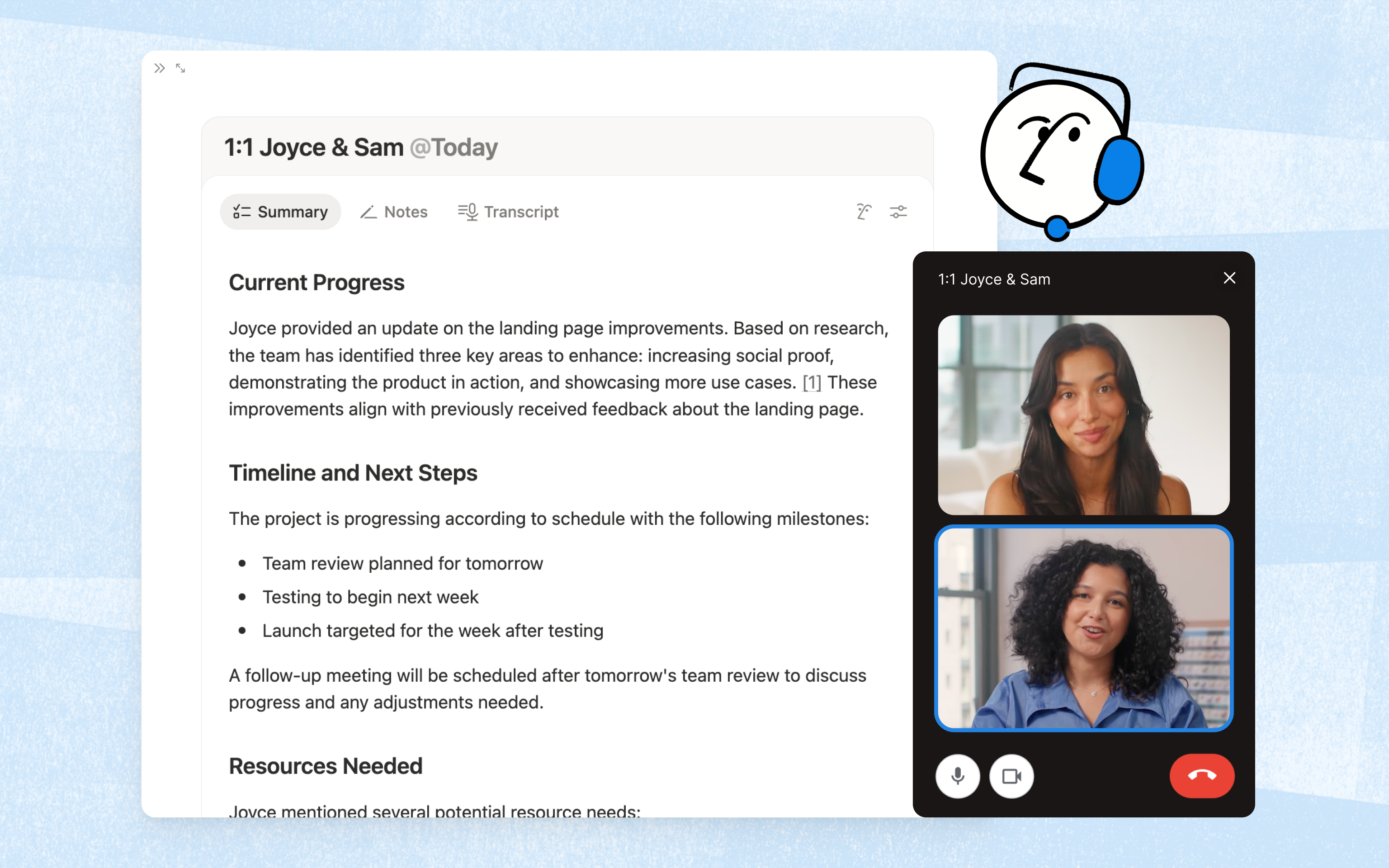
Best for: teams already on Notion Business or Enterprise
If your company's already on Business or Enterprise and every attendee has access, this is the obvious first pick. No extra cost, no extra app, fully inside Notion.
The catch: heavy limits on personal and free plans
A few more operational limits that catch people:
- Minimum 1 minute of audio (short ad-hoc syncs won't get summarized)
- 10 hours per user per day cap
- macOS 13+ or up-to-date Windows required
- Browser version isn't supported — desktop app only
- System audio occasionally drops when headphones are plugged in, depending on the setup
If you're personally on Notion without Business, or you bounce between client workspaces, you'll want to keep reading.
Option 2: Record on your Mac, then push AI notes to Notion
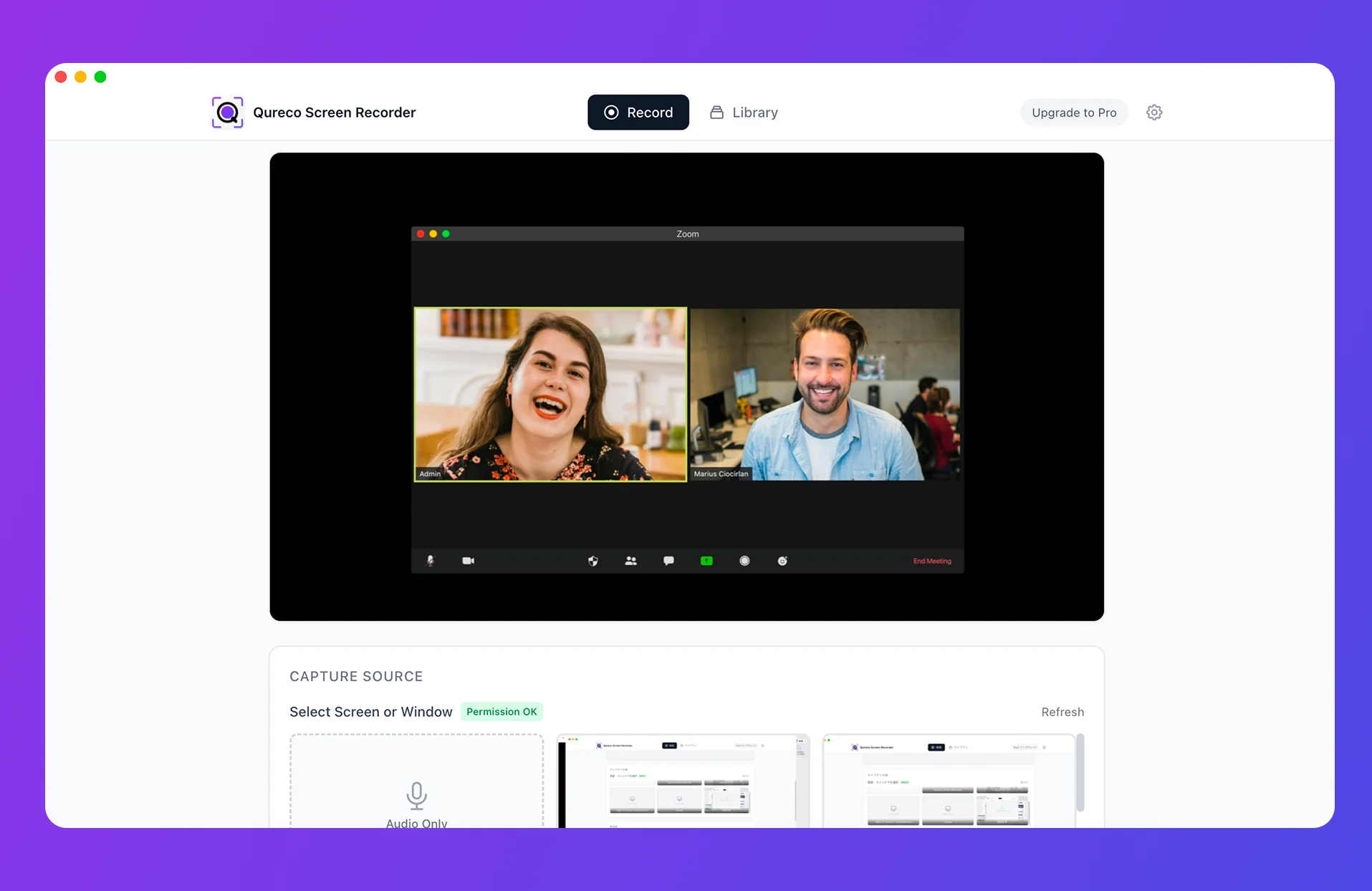
This one doesn't care about your Zoom plan or your Notion plan. You record on your Mac, AI generates the meeting notes from the recording, and they land in Notion — all in one app. Nothing in the participant list, nothing visible to the other side.
How it works: record on Mac → AI notes → save to Notion
The flow is short:
- Hit record on your Mac recording app before the meeting
- Run the Zoom call like normal
- Stop the recording when the meeting ends
- Generate AI meeting notes from the recording and push them to Notion
Best for: Mac users with a mix of internal and client meetings on a real-world budget
This is usually the right fit if several of these apply:
- You're on macOS
- You have client or external meetings where a bot in the room isn't appropriate
- You're not personally on Notion Business
- You don't want to maintain Zapier or n8n flows
- You'd rather not stack another $20+/month subscription
What it looks like with Qureco
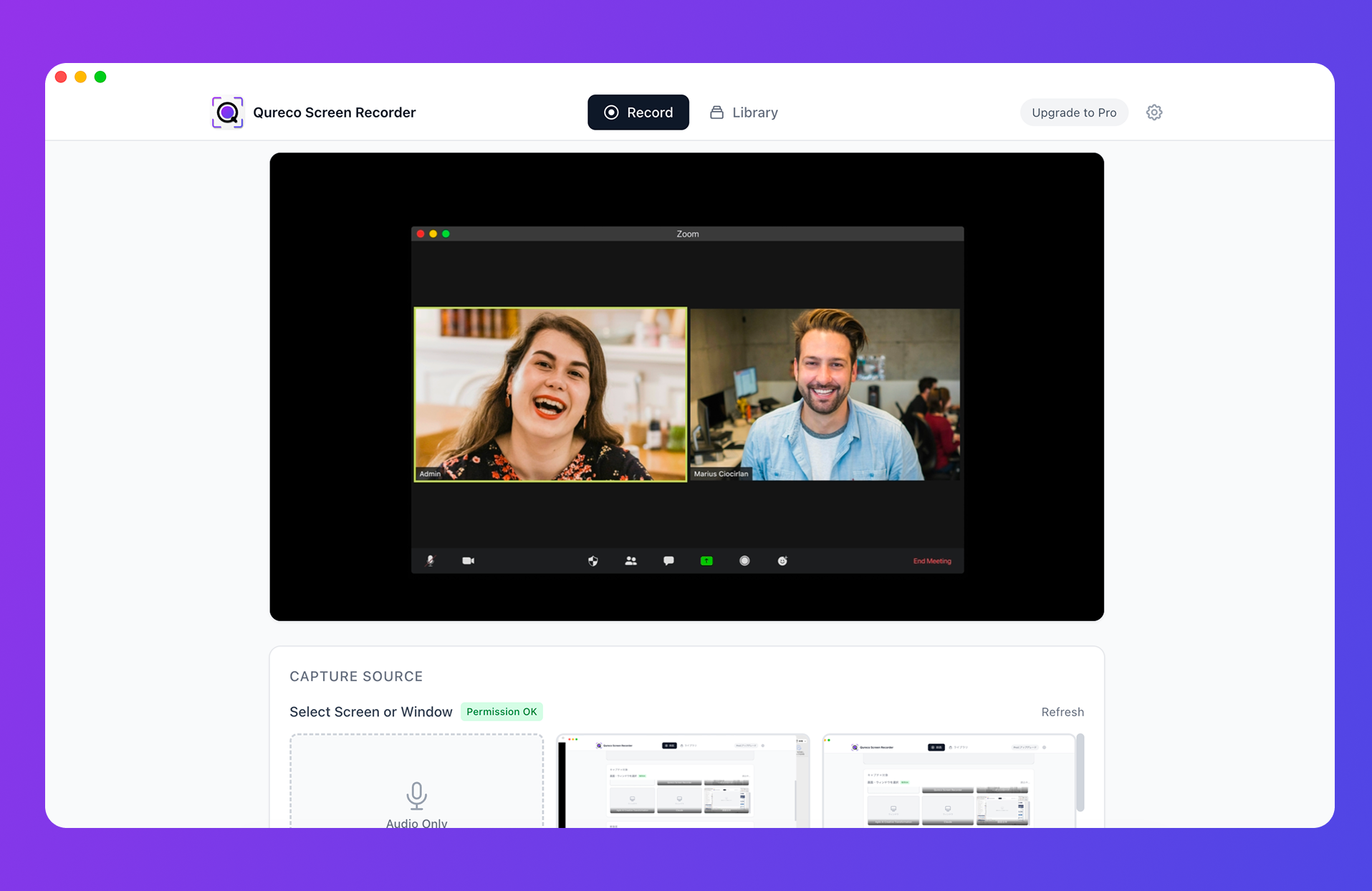
In practice:
- Install Qureco. Free download from the official site. No virtual audio setup — no BlackHole, no Loopback
- Hit record before the call. From the menu bar, or
Cmd + Shift + R - Run the Zoom meeting. Nothing shows up on the other side — you're recording on your own machine
- Generate AI notes after the call. Open the recording in your library and run the AI summary (Pro feature)
- Push to Notion in one click. Pick the connected workspace and database
Option 3: Invite an AI notetaker bot (tl;dv, Otter, Fireflies, Notta)
This category — tl;dv, Otter, Fireflies, Notta and friends — sends a bot into your call to handle recording, transcription, and summary. As far as SaaS polish goes, these are the slickest of the four.
How it works: a bot joins as another attendee
You give the bot your meeting URL ahead of time. It joins at the scheduled time, the host admits it, recording starts. After the call, the transcript, summary, and action items appear in the tool's dashboard.
Notion integration varies. Some write straight into a Notion database via the API; others go through Zapier as the middle layer.
Best for: internal-heavy teams where "an AI is on the call" is already normal
If most of your meetings are internal and your team's used to a notetaker bot being in the room, this is hard to beat. Transcript search, summary quality, and cross-meeting analytics are the real strengths — being able to grep across every standup from the last quarter is something the other three options can't really do.
The catch: bot presence is awkward on client calls
The single biggest downside is that the bot shows up in the participant list:
- "[AI Notetaker]" or the tool's brand name is visible on the client's screen
- In some industries, just the words "this is being recorded" change how the call goes
- For sensitive engagements, getting consent every single time is real overhead
And if you route the Notion sync through Zapier, you've quietly inherited the maintenance cost of Option 4 along with it.
Option 4: Roll your own with Zoom + Zapier (or n8n / Make)
Zoom Cloud Recording fires a webhook when a meeting ends, with the recording and transcript attached. You catch it in Zapier, n8n, or Make, reshape the data, and POST it to your Notion database. The engineer-friendly route.
How it works: Zoom Cloud Recording → webhook → Zapier/n8n → Notion API
Turn on Cloud Recording and transcription on the Zoom side. The meeting ends, the webhook fires, your automation tool catches it, formats the data, and writes into Notion via the API.
Best for: teams with Zoom Pro+ and someone who actually runs automation
If you're already on Zoom Pro and there's someone in the org who lives in Zapier or n8n, this fits. The upside is total flexibility — format the data exactly how you want, route different meeting types to different databases, the lot.
The catch: built once, maintained forever
It's tempting to think "set it and forget it." In reality:
- Webhook failures need monitoring and retries
- Zoom and Notion API changes need to be tracked
- Format or field changes mean revisiting the workflow
- Zapier task usage adds up faster than you'd expect
The 4 options side by side
The whole picture in one table.
| Criterion | Option 1: Notion AI | Option 2: Mac local recording | Option 3: Notetaker bot | Option 4: Zapier flow |
|---|---|---|---|---|
| Monthly cost | $20+/user | $9/month (launch) | $20–30/user | Zapier + Zoom Pro |
| Zoom plan | Any | Any (Free OK) | Any (Pro recommended) | Pro+ required |
| Notion plan needed | Business+ | Personal Plus+ | Personal Plus+ | Personal Plus+ |
| Setup difficulty | Low | Low | Low–medium | High |
| Bot in meeting | No | No | Yes | No |
| Mac fit | Fine | Best | Fine | Fine |
| Where notes live | Notion | Local + Notion | SaaS + Notion | Notion |
Quick filter: which one is yours?
- Already on Notion Business → Start with Option 1 (native, nothing else to buy)
- Mac, mixed external meetings, budget-conscious → Option 2 (lowest barrier to try)
- Internal meetings only, bot is fine → Option 3 (best transcript search and analytics)
- Zoom Pro+ and an automation owner in the org → Option 4 (most flexible)
When in doubt, try Option 2 first
Of the four, Option 2 has the smallest upfront cost and the cleanest exit if it doesn't fit. One Mac app to install, Pro free for a month with no card on file, one afternoon meeting to find out whether the workflow actually changes the way you work.
One call is enough to know whether "no bot, current Zoom plan, current Notion plan" can really get you to fully automated meeting notes.
3 things worth getting right before you automate
Whichever option you pick, three things matter:
Tell people at the top of the call that you're recording
In some regions this is legally required. In most professional contexts it's just basic courtesy. One line — "Heads up, I'm recording this so I can pull clean notes after" — and the friction is gone.
This matters a little more in Option 2, because nothing on the other side's screen tells them you're recording.
For sensitive meetings, double-check where the notes actually live
Match the storage destination to your company's security policy:
- Local disk: data-loss risk is yours to manage
- Your Notion workspace: get the access permissions right
- Third-party SaaS dashboard: read their data-handling terms and storage region
A human should read the final notes before they ship
AI transcription gets proper nouns, jargon, and technical terms wrong. For anything load-bearing, a 30-second human pass is worth it:
- Sales call notes with client names and deal sizes in them
- Meetings where dates, amounts, or deadlines drive the next decision
- Board or executive sessions where decisions ripple downstream
Stop saying "I'll send the notes later"
Four ways to auto-sync Zoom meeting notes into Notion:
- Option 1: Notion AI Meeting Notes — for teams already on Notion Business
- Option 2: Mac local recording → AI notes → Notion — most realistic path for individuals and small teams
- Option 3: AI notetaker bots — internal-heavy teams who don't mind a bot in the call
- Option 4: Zapier / n8n flows — Zoom Pro+ shops with an automation owner
If you want to skip the bot, skip the premium plan upgrade, and skip ongoing Zapier maintenance, Option 2 is the only one that hits all three.
Meeting notes earn their keep when they become inputs to the next meeting, not artifacts of the last one. End the "I'll send the notes later" cycle starting with this afternoon's first call.
Qureco Screen Recorder
Powerful screen recording app for Mac
Record meetings, let AI handle the notes, just read what arrives in Notion.
Try all features free for the first two weeks.