Someone asks why the spec changed, and you are typing "spec" into Slack search, deleting it, typing "change", deleting that too. You remember the decision. You remember someone posting a summary in a channel. You just cannot remember which channel, or which thread.
in: and from: will barely move the needle here.Three reasons meeting notes disappear in Slack
They are buried in conversation, with no heading
A meeting summary posted in Slack is one message among many. It does not become a page with a "Decisions" heading. In the same channel, above and below it, are side conversations, status updates, and interruptions.
That matters later. To search, you need to remember the words you used. Did you write "spec change", or "changing the spec", or just "going with option A"? Even the person who wrote it often cannot recall.
And if it was posted inside a thread, scrolling the channel will never surface it. It sits collapsed under a parent message, effectively invisible to anyone browsing.
On the free plan, anything past 90 days is gone from view
Sometimes "cannot find it" is not a figure of speech but a specification.
| Plan | Message history |
|---|---|
| Free | Only the most recent 90 days can be viewed and searched |
| Pro and above | Full history available |
Anything you review quarterly is out of range by the time you go looking. Checking a policy set at the start of the year, at the end of that year, does not work.
You are putting stock information into a flow container
The third reason is the structural one.
This is not a flaw. Broadcasting quickly, deciding something on the spot, letting information surface out of casual conversation: Slack's structure is ideal for all of it. Much of your team's decision speed probably exists because Slack exists.
The problem is only that content you will reread in three months is mixed in with it. That is a container mismatch, not a reason to leave Slack.
What belongs in Notion, and what can stay in Slack
Send everything and Notion becomes a second Slack
Here is where a lot of teams go wrong: assuming that connecting the two tools solves it.
Connect Slack to Notion, start forwarding every message that looks important, and the Notion database becomes an unsorted message dump. A year later you have two places you cannot find things in.
Selection has to come before aggregation. Wiring up an integration without deciding what moves through it just adds a container.
Only three things belong in Notion: decisions, commitments, and reasoning
The line is simple. Three categories go to Notion.
| Type of information | Where it lives | Why |
|---|---|---|
| What was decided | Notion | This is what gets referenced three months later |
| Who owes what by when | Notion | Referenced at the deadline and during any audit of loose ends |
| Why it was decided that way | Notion | Needed when deciding whether to reverse it. Also the first thing to get lost |
| Questions, side chat, brainstorming | Slack | Fine to let flow. Flowing is what keeps the barrier to posting low |
| One-line progress updates | Slack | Value is freshness. Nobody reads it next week |
| "Decided, details in Notion" announcements | Slack | Speed of reach is what Slack is good at |
That third row is the one that pays off. A record with decisions and owners but no reasoning reads, six months on, as a list of conclusions with no justification, and the whole argument gets relitigated. That is exactly the "why did we change it?" from the opening.
When unsure, ask whether anyone reads this in three months
One question settles most cases.
Will someone read this in three months? A new team member, someone taking over, or you after you have forgotten. If any one of them might, it is stock information and belongs in Notion. If nobody will, it is flow and can stay in Slack.
"Keeping it just in case" almost never gets read. The less you keep, the more likely what you kept gets used.
Three routes from Slack to Notion
With the line drawn, the question becomes how things move.
Route 1: Send it manually with the official integration
/notion create command or open a message's menu and choose "Send to Notion". Pick the destination database and you can fill in properties at the same time./notion create command works at the Slack channel level and not inside threads. Meeting discussion tends to live in threads hanging off a parent message, so the command is unavailable exactly where the discussion you most want to keep is happening.And nothing moves unless a person notices and acts.
Route 2: Forward it with an automation tool
Putting an automation service such as Zapier in the middle, so that messages tagged with a particular emoji reaction get forwarded to Notion, is a common setup. A human still decides what to tag, but the pasting is automated.
There is plenty of documentation, so it is reproducible. On the other hand you now pay for an automation service alongside Slack and Notion, and every additional flow adds to both the bill and the surface area you maintain. Someone has to debug it when it stops firing. For a small team, that upkeep tends to bite first.
Route 3: Do not route meeting content through Slack at all
The third option removes the transcription step entirely.
For meeting records specifically, there is no need to pass through Slack. Record the meeting, generate notes from the recording, and place them directly in Notion. What goes to Slack is one line and one link: "Decided, details are on this Notion page." Announcements are what Slack is for, so that part stays.
| Route | Setup effort | Does it last? | Original source kept? | Best for |
|---|---|---|---|---|
| 1. Manual send via official integration | Low (minutes to set up) | Requires a person to notice and act. Not available in threads | No | Discussion and decisions that originate in Slack |
| 2. Automation tool forwarding | High (build and maintain) | The mechanism lasts, but the judgment is still human | No | Recurring, predictable notifications and tasks |
| 3. Skip Slack entirely | Low (just record the meeting) | No human judgment involved | Yes (recording or audio) | Meeting decisions, commitments, and reasoning |
Route 1 for discussions that start in Slack, route 3 for anything decided in a meeting. There is no need to force everything down one path.
Why manual transcription stops after three weeks
"I will write it up later" is not a calendar entry
If you have started a Notion transcription habit and watched it die after two or three weeks, that was not weakness of will. It was the absence of a slot.
A habit only lasts if no human judgment is required
Break transcription down and it is three separate tasks.
- Decide what is worth keeping (capture)
- Sort it into decisions, commitments, and reasoning (select)
- Put it in the right place in Notion (paste)
If even one of those is still human work, it gets skipped in a busy week. Once a week is skipped, the database becomes "the place where some of it is written down", and people stop consulting it. Once nobody consults it, nobody has a reason to write in it. That is where it stops.
For it to last, all three have to leave human hands.
Text alone cannot be verified later
Transcription has a second structural weakness: what ends up in both Slack and Notion is text someone summarized.
Summaries contain interpretation. "We are going with option A" does not tell you whether that was a conditional agreement or an unqualified one. When recollections diverge six months later and text is all you have, you are comparing two memories.
With the original speech sitting next to the notes, that check takes minutes. You play back the relevant part and listen.
Getting from recording to Notion with no hands in between
Removing capture, select, and paste from human hands while also keeping an original source points to one approach: record the meeting itself.
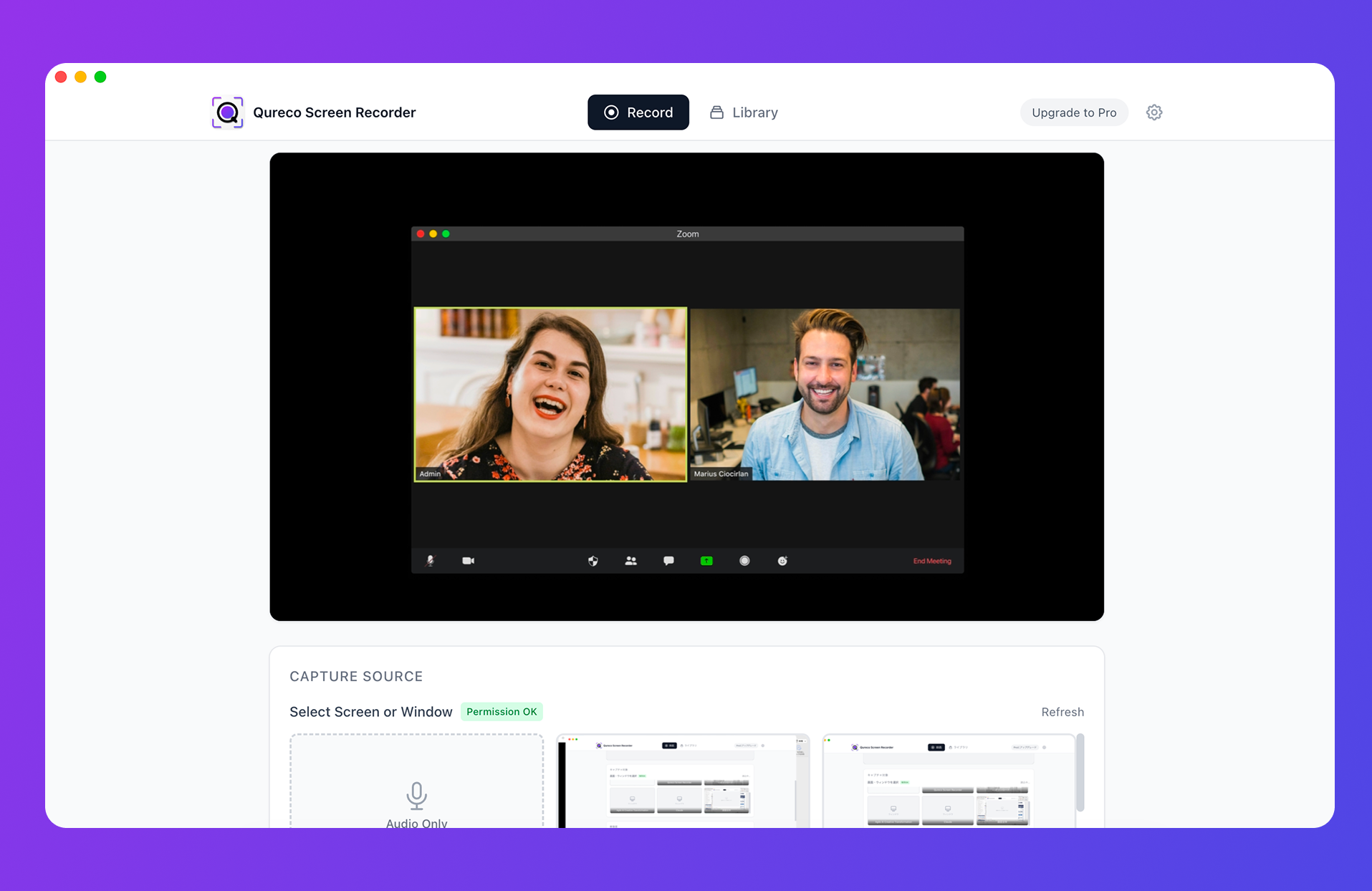
Slack drops out of the path entirely.
- Capture: the meeting is recorded, so nothing has to be judged after the fact
- Select: AI shapes it into decisions and action items, and the notes template is configurable
- Paste: the Notion integration exports it, so no copy-paste happens
- Original: the recording itself remains, so you can replay the basis for a decision
| Feature | Free | Pro |
|---|---|---|
| Screen and audio recording | Unlimited length, no watermark | Same |
| Storage | Local | 30GB cloud with automatic backup |
| AI meeting notes | Not included | Auto-generate, regenerate, custom templates |
| Notion integration | Not included | Export, multiple workspaces supported |
Recording is free, with no time limit and no watermark. The Pro plan, which adds AI meeting notes and the Notion integration, is $9/month at launch pricing, and the first two weeks require no credit card.
Putting it into practice in three steps
The setup takes about thirty minutes once. After that, each meeting costs nothing.
Step 1: Create one meeting database in Notion
Decide on a single location. Do not over-engineer the properties. Five are enough.
| Property | Type | Purpose |
|---|---|---|
| Meeting | Title | Identifying it in a list |
| Date | Date | Filtering chronologically |
| Attendees | Multi-select | Searching by who was there |
| Decisions | Text | Making the substance visible from the list view |
| Next actions | Text | Auditing open commitments |
Step 2: In Slack, post only "decided, details in Notion"
Stop writing long summaries in the channel. Switch to one line and one link.
Weekly sync done. Going with option A. Details and owners here (Notion link).
That returns Slack to its role as the announcement layer. Readers follow the link only when they need the detail. The place that goes dark after 90 days now holds only information whose value expires inside 90 days.
Step 3: Route meeting records straight to Notion
After that, all you do is record. With notes generated from the recording and exported to Notion, capture, select, and paste never happen.
For the first couple of weeks the urge to write it all in Slack will persist. When it hits, post the one-line announcement and add the detail to the Notion page instead. After about three rounds, the place you open when you go looking will be Notion.
Summary
Meeting notes are hard to find because of where they live, not because of how you search.
- Slack is a container built for flow. On the free plan, messages past 90 days leave the searchable window
- Only three things move to Notion: decisions, commitments, and reasoning. Send everything and Notion becomes a second Slack
- When unsure, ask whether anyone reads this in three months
- Manual transcription fails for structural reasons: capture, select, and paste are still human work
- For meeting content, going straight from a recording to Notion involves the fewest steps
Start by creating one meeting database in Notion and recording your next meeting. Replacing the long Slack summary with a one-line announcement changes how much you can still find three months from now.

Qureco Screen Recorder
Powerful screen recording app for Mac
Record meetings, let AI handle the notes, just read what arrives in Notion.
Try all features free for the first two weeks.