/meet, got excited about AI Meeting Notes — and then hit the wall: "Available on Business plan and above."Auto-transcribing meetings on Mac and dropping them into Notion sounds simple. Once you start looking, the realistic free options thin out fast. Notion AI Meeting Notes needs a Business plan. Mac's built-in Voice Memos can't pick up the other person's voice on Zoom without virtual audio setup. Whisper is great but its truly free version (the CLI) needs Python and a terminal you're comfortable with.
Why "auto-transcribe meetings on Mac → Notion" is harder than it looks
Notion AI Meeting Notes locks you out below Business
/meet command records, transcribes, and summarizes — all inside Notion. Beautiful. But per Notion's help docs, AI Meeting Notes requires a Business plan or higher (starting around $20/user/month). If you're on Plus, Personal, or a Free workspace, you simply can't use it.There are also fine-print conditions worth knowing: macOS 13+, Desktop app v4.7.0+, a 10-hour daily cap per user, and speaker labeling that only works reliably in English.
Mac built-in Voice Memos can't grab the other side of the call
BlackHole to loop system audio back into your mic input. Doable, but a real friction point — especially on Apple Silicon Macs where many people get stuck for an hour before realizing the issue.Bot-style notetakers are awkward to invite
The 4 ways to auto-transcribe meetings on Mac
With that context, here are the four realistic paths for "meeting audio → transcription → Notion" on Mac.
| Route | Free range | Other side's voice | Auto Notion sync | Setup effort |
|---|---|---|---|---|
| 1. Mac built-in (Voice Memos / Notes) | Fully free | △ needs virtual audio | × manual copy-paste | ★★★☆☆ |
| 2. Notion AI Meeting Notes | × Business required | ◯ | ◎ same tool | ★☆☆☆☆ |
| 3. Whisper (local) | △ CLI only is free | △ needs virtual audio | × manual copy-paste | ★★★★★ |
| 4. Recording + AI notes app | ◯ recording free / AI notes + Notion sync on Pro (free two-week trial) | ◎ no setup | ◎ one click | ★★☆☆☆ |
Route 1: Mac built-in (Voice Memos / Notes)
Record with Voice Memos, then tap the speech-bubble icon on the recording to view the transcript. Zero cost, zero install.
BlackHole and friends) is mandatory if you want the other person's voice from a Zoom call. Saving to Notion is manual copy-paste. Fine for "I just need notes of what I said" — heavy overkill for full meeting transcripts.Route 2: Notion AI Meeting Notes (official feature)
/meet, hit "Start transcribing." Recording, transcription, and summary all happen inside Notion.Route 3: Whisper (local transcription)
pip install route) is free. The Mac App Store Whisper Transcription app offers a 7-day trial, then a paid Pro tier (roughly $7/month or a one-time purchase).Route 4: Recording + AI notes app
So what's the shortest, most cost-effective path to Notion?
- Notion AI Meeting Notes — Business plan, ~$20/user/month
- Recording + AI notes app (Qureco) — Pro plan, $9/month (first two weeks free)
- Recording is free forever — unlimited duration, no watermark. And because it never invites a bot into the call, nothing shows up in the participant list, so client meetings stay comfortable
- AI notes + Notion sync are on Pro, but at roughly half the price of Notion AI — and the first two weeks are free with no card on file, so you can run it through a full month of real meetings and walk away with no charge if it doesn't fit
- No virtual audio configuration — the single most common Mac transcription rabbit hole, BlackHole setup, is just gone
Start with free recording, and if you ever need it, extend into AI notes + Notion sync for less than Notion AI charges. That headroom is what makes Qureco the shortest path.
Step by step: from a Mac meeting to a Notion transcript
The concrete flow, end to end.
Step 1: Download Qureco (free, no card)
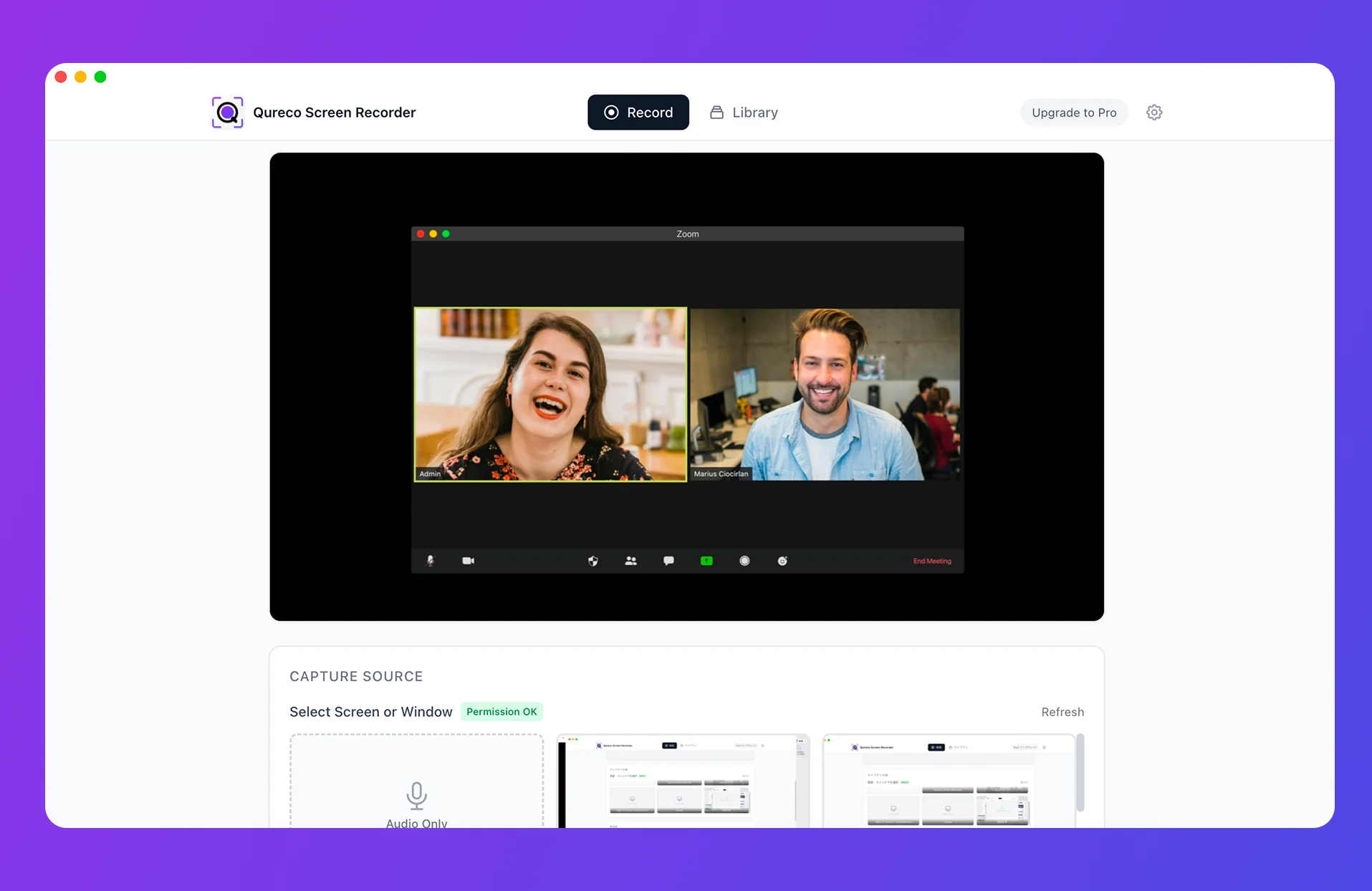
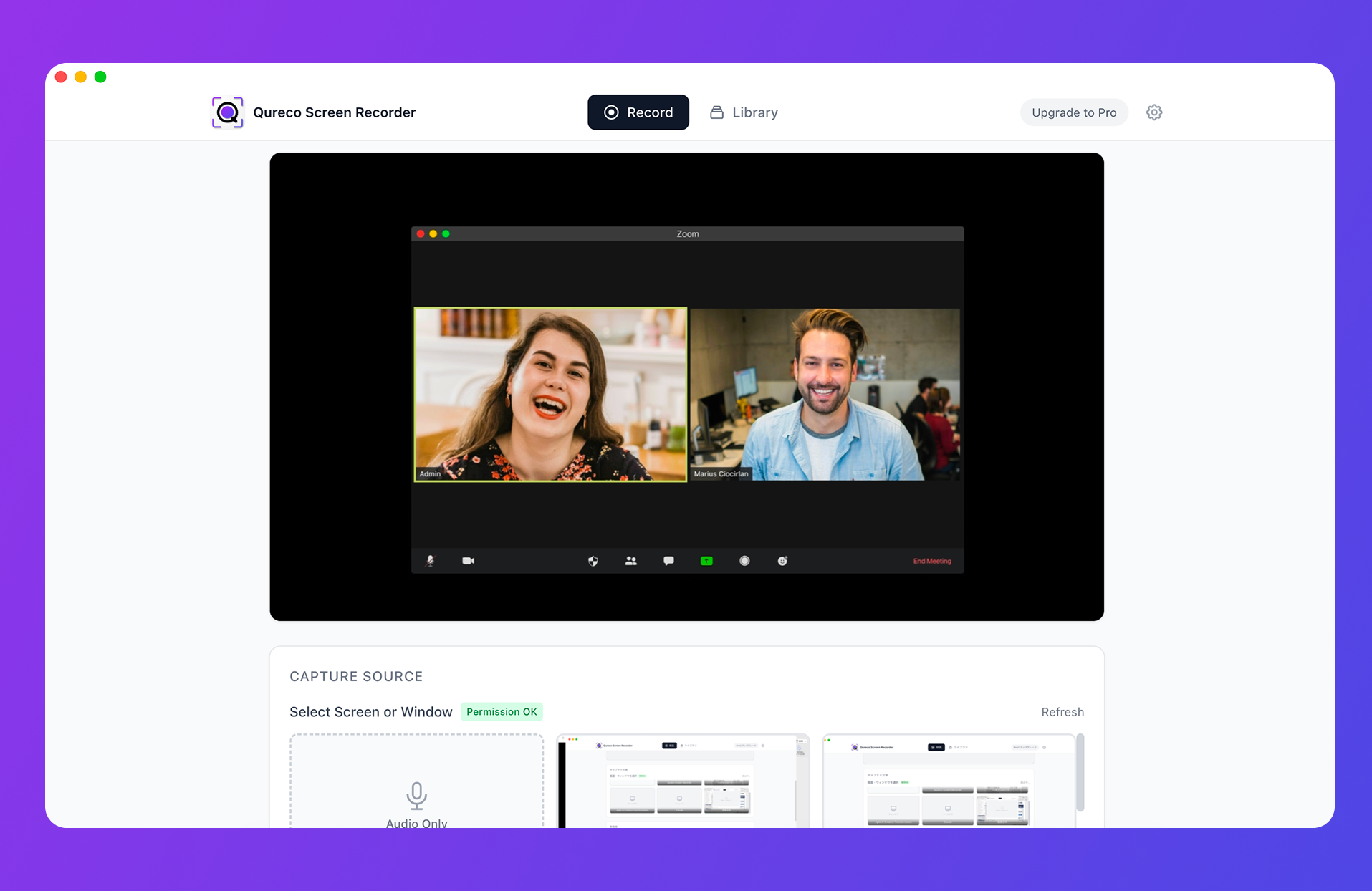
Step 2: Record the meeting (no virtual audio needed)
Cmd + Shift + R to start recording. On the source selection screen, enable both system audio and microphone. That single toggle is what lets you capture the other side's voice cleanly on Zoom, Google Meet, or Teams.Space to pause and resume. Recording is unlimited and watermark-free.Step 3: Generate AI meeting notes (Pro, first two weeks free)
After the call, pick the recording in your library and click "Generate notes." The AI analyzes the audio and outputs the notes in Markdown.
- Note templates are customizable (date, duration, and other variables embed cleanly)
- If the first pass misses nuance, re-generate with extra instructions
- Speaker diarization is supported (labels each segment with who's speaking)
Step 4: Sync to Notion
The first time, connect your Notion workspace from Qureco's settings (a standard Notion integration API connection). After that, hit "Send to Notion" on any notes page and it lands as a new page in your chosen Notion database.
You walk away from a call, switch over to Notion, and the transcript is already there.
When to upgrade vs stay free
Free for as long as you want is fine. The honest reasons to move to Pro:
- You record more than 2–3 meetings a week and the manual transcription tax adds up
- You'd rather have AI-generated summaries with decisions and action items than skim raw transcripts
- You want the recordings cloud-backed (Pro includes 30 GB)
- You want meeting notes to land in Notion automatically instead of copy-paste
If none of those apply, the free recording tier is genuinely enough. The pure recorder doesn't expire — there's no clock ticking on the free option.
FAQ: auto-transcribing meetings on Mac
Do I need to tell the other side I'm recording?
Recording a meeting you're part of, on your own device, is generally fine legally — but socially it's good practice to say "I'm recording this for our notes" at the start. Unlike bot tools, nothing appears in the participant list, so there's no surprise on their end. The transparency is on you.
Does it work with Zoom / Google Meet / Microsoft Teams?
Yes. Because it captures at the Mac OS level, any web conferencing tool running on your screen works — browser version or native app, no preference. Same flow regardless of which platform the meeting's on.
How accurate are the transcripts?
Won't recordings eat my disk?
You can drop the resolution from 1080p to 720p or 480p to shrink files. A one-hour 720p capture is a few hundred MB. On the Pro plan, recordings auto-back up to 30 GB of cloud storage, so your local SSD stays clear.
What about non-English meetings?
Whisper-class transcription handles most major languages well. Qureco's AI notes support English and Japanese as primary languages, with reasonable accuracy across other major ones. For niche languages or heavy regional dialects, the accuracy gap widens — worth testing on a real recording before committing.
Can I export the transcript to anywhere other than Notion?
Yes. The Markdown output is portable — copy into Slack, paste into Google Docs, drop into Obsidian. The Notion sync is the one-click default, but it isn't the only destination.
What if I need timestamps tied to specific moments in the audio?
Most AI meeting notes tools include timestamped transcripts as an option — Qureco produces them by default in Pro. The use case for timestamps is usually "I want to jump back to the exact 20 seconds where the budget was discussed." Notion doesn't natively play audio inline, but pairing the timestamped transcript with a link back to the source file (saved locally or in Qureco's library) covers the workflow cleanly.
How long does AI transcription actually take?
For a one-hour recording, you're looking at 1–3 minutes of processing time on most modern tools. That's fast enough to start the generation, grab coffee, and come back to finished notes. Real-time transcription (during the call) exists too, but for the "I'd like clean notes after the meeting" workflow, batch processing after the recording ends is faster and cleaner overall.
TL;DR — which route should you pick?
| Situation | Recommended route |
|---|---|
| Already on Notion Business or higher | Route 2: Notion AI Meeting Notes |
| Just need notes of what you said | Route 1: Mac Voice Memos |
| Engineer who wants fully free + local | Route 3: Whisper (CLI) |
| Want free-first, shortest path to Notion | Route 4: Qureco (record + AI notes) |
Qureco Screen Recorder
Powerful screen recording app for Mac
Record meetings, let AI handle the notes, just read what arrives in Notion.
Try all features free for the first two weeks.