You spend the whole meeting frantically scribbling notes instead of actually listening, then piece them back together afterward, and finally paste everything into Notion at 11pm. Sound familiar?
What "integrates with Notion" actually means
"Notion integration" can mean five completely different things depending on the tool. Pinning that down first makes the rest of the article a lot more useful.
A meeting workflow has five distinct slots
The work around any meeting falls into roughly five areas:
| Area | What it does | Example tools |
|---|---|---|
| Calendar | Scheduling and invites | Notion Calendar / Google Calendar |
| Video conferencing | Running the call | Zoom / Google Meet / Microsoft Teams |
| AI meeting notes | Transcription and summary | Notion AI Meeting Notes / Notta / tl;dv |
| Recording | Storing the video | Qureco / native cloud recording |
| Automation | Wiring everything together | Zapier / Make |
What "Notion integration" looks like depends entirely on which slot you're trying to fill. If you only need calendar visibility, Notion Calendar alone handles it. Want transcripts in Notion too? You need an AI notes tool. Want the video preserved? That's a recording tool.
"Notion integration" comes in three depths
- Direct (native): Built on the Notion API. One-click — or fully automatic — writes into your database
- Through Zapier / Make: No-code workflows, but you're paying for an extra subscription and adding one more failure point
- Manual copy/paste: A tool that "supports Notion" but where you're still doing the work by hand
Plenty of products marketed as "Notion-integrated" turn out to mean the third one. Knowing which level you're getting saves a lot of disappointment.
Four things worth checking before you commit
When comparing the 10 below, these four come up over and over:
- Integration depth — automated, semi-automated, or manual?
- Speaker identification — does "who said what" actually survive?
- Pricing — is the free tier usable, or does it force an upgrade fast?
- Recording — does the video persist, or only the transcript?
With that out of the way, here are the tools.
Two calendar tools to centralize meeting entry points in Notion
The workflow starts at the calendar. If you want everything to feel Notion-native, this is where to start.
1. Notion Calendar (official, free)
Notion's own calendar app. Released free in January 2024. You can attach Notion pages to events and auto-generate meeting links.
- Pricing: Free
- Integration depth: Native
- Why use it: If Notion is your home base, this is the obvious first install
- Caveat: A Google Calendar account is effectively required — it reads and writes Google Calendar under the hood
2. Google Calendar
The most widely used calendar on Earth. Standalone Notion integration is thin, but routed through Notion Calendar it's seamless.
- Connect a Google account in Notion Calendar and existing events show up
- Embed a calendar URL inside a Notion page to view events inline
- "When a calendar event is created, add a row to a Notion database" is a one-Zap workflow in Zapier
If your stance is "I don't want to leave Google Calendar, I just want it visible inside Notion too," routing through Notion Calendar is the cleanest path in 2026.
Three video conferencing services that plug into Notion
The tools that actually host the meeting. There's no real direct Notion API integration here, but via calendars and automation, the practical setups are solid.
3. Zoom
- Notion Calendar → Video calls → Zoom → OAuth
- Click "Add Zoom link" when creating an event; the meeting URL is generated
- Zoom cloud recordings can route into Notion through Zapier ("When recording is complete, add a row to a Notion database")
If you're on Zoom Pro or above, "cloud recording → Zapier → Notion" is the canonical flow.
4. Google Meet
The default for Google Workspace users. With Notion Calendar connected to your Google account, no extra setup is needed to attach Meet links.
- Meet cloud recording requires Business Standard or higher
- Recordings land in Google Drive, so Drive → Zapier → Notion is the practical automation
- Meet's native transcription is limited — pair it with a dedicated AI notes tool
5. Microsoft Teams
The standard for Microsoft 365 shops. Notion Calendar supports it natively for link attachment.
- Recording and transcription need an appropriate M365 license (E3 / E5 / Business Standard)
- Notion AI Connectors (Business+) make Teams messages searchable from Notion
- "When a Teams meeting ends, write to Notion" can be assembled in Zapier
Three AI meeting notes tools to send notes straight into Notion
These take your meeting audio or video, transcribe and summarize it, and drop the result into Notion. "How deep the Notion integration goes" varies most here.
6. Notion AI Meeting Notes (native)
Notion's first-party AI meeting notes feature, launched May 2025. The most "Notion-native" experience you can get.
/meet inside a Notion desktop page and the block drops in. Notion records your computer's system audio, transcribes, summarizes, and writes everything back into the same page automatically.
- Pricing: Notion Business or Enterprise required
- Integration depth: Native (the best you can get)
- Speaker ID: Yes — the desktop app estimates who's speaking
- Recording: Not kept — only the transcript and summary
- Caveat: Effectively unusable on Free / Plus plans. On Mac, you may need to check OS audio settings to capture system audio cleanly
If your company is already on Notion Business or above and you don't need to keep the video, this is enough on its own. If you're on Plus, or you actually need the recording preserved, keep reading.
7. Notta
A top-tier transcription tool, with strong support for Japanese, English, and several other languages. Pairs well with most video conferencing services for automatic transcription.
- Direct export to a chosen Notion database via Notta's official integration
- Pick what gets sent to Notion (AI summary only, timestamps, full transcript, etc.)
- Free plan: 120 minutes per month
- Paid plans start around $9/month
A solid entry point when you want to automate meeting notes but start cheap and small.
8. tl;dv
An AI meeting notes tool for Zoom, Google Meet, and Microsoft Teams. Records and transcribes the call live, then generates summary and action items.
- The Notion integration on tl;dv's official site auto-creates Notion pages from AI notes
- Zapier support unlocks more granular triggers (e.g. "when transcript is added")
- Free plan covers up to 10 hours of recording
- Video links can sit in Notion alongside the notes
A good match for "I can't use Notion AI Meeting Notes but I want something nearly as native, and I want the recording too."
How to finish recording + AI meeting notes entirely on Mac
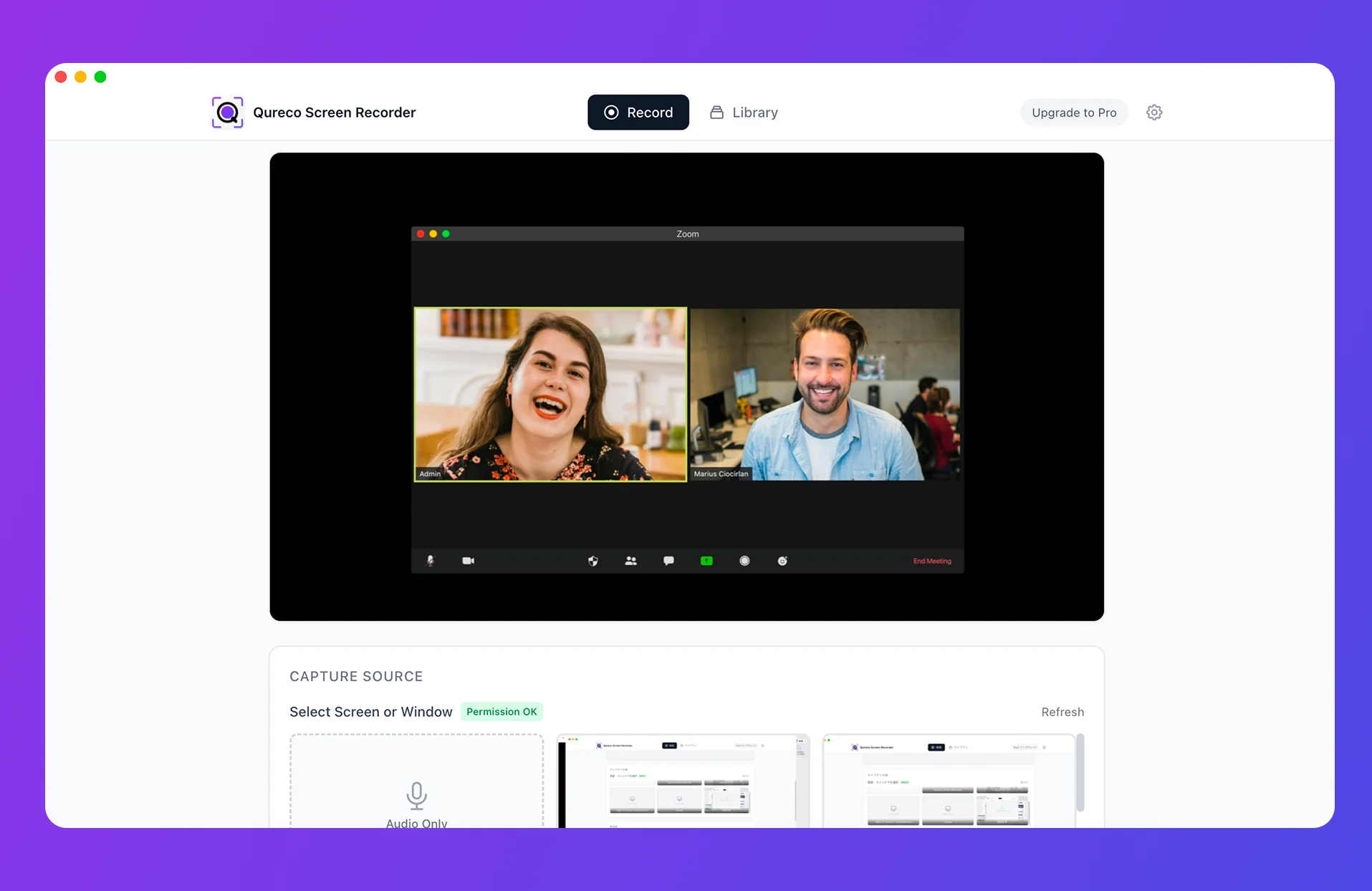
9. Qureco Screen Recorder
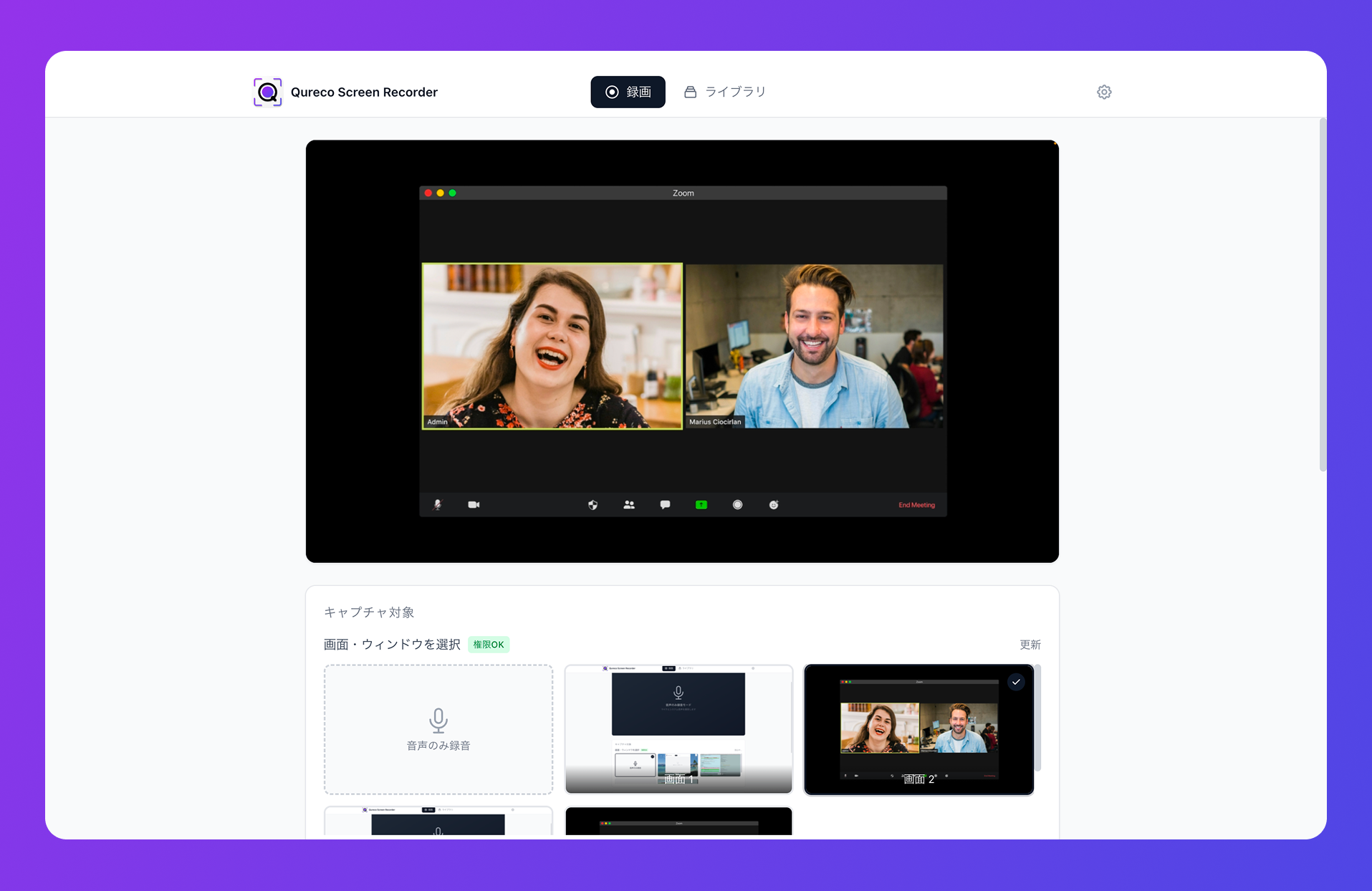
The free tier already covers:
- Screen recording and audio capture (no time limit, no watermark)
- No virtual audio setup — works the moment you install
- Export to MP4 / MP3 locally
The Pro plan ($9/month) adds:
- 30 GB of cloud storage
- AI meeting notes with speaker identification and customizable templates
- One-click Notion integration (recording + notes pushed together)
- Two-week free trial, no credit card
How Qureco sits next to Notion AI Meeting Notes:
| Aspect | Notion AI Meeting Notes | Qureco |
|---|---|---|
| Notion plan required | Business / Enterprise | Any plan, including Free |
| Recording (video) | Not preserved | Preserved |
| Speaker identification | Yes | Yes |
| Mac virtual audio setup | OS-level configuration may be needed | Not needed |
| Pricing (individual) | Notion Business or higher | $9/month (first two weeks free) |
If any of these apply, Qureco is usually the shortest path: "I don't want to upgrade my Notion plan further," "I want the recording sitting next to the notes in Notion," or "I'd rather not fight macOS audio settings."
One automation hub to glue anything into Notion
The platform layer that ties everything together.
10. Zapier
A no-code automation service supporting 5,000+ apps. In a Notion context, it shines as the fallback when an AI notes tool or recorder doesn't have its own direct integration.
- "When a Zoom cloud recording completes, create a new page in a Notion database"
- "When a tl;dv transcript is generated, add it to Notion and notify Slack"
- "When a file is added to Google Drive, append a row to Notion"
The free plan covers 100 tasks per month — enough to try. Anything resembling production typically requires the Starter plan (~$20/month). Make and n8n play the same role.
At-a-glance comparison
All 10 tools on one screen:
| # | Tool | Category | Notion integration | Pricing (individual) | Recording | Speakers | Mac |
|---|---|---|---|---|---|---|---|
| 1 | Notion Calendar | Calendar | Native | Free | — | — | ◯ |
| 2 | Google Calendar | Calendar | Via Notion Calendar | Free | — | — | ◯ |
| 3 | Zoom | Video conf | Calendar + Zapier | Free+ | ◯ | △ | ◯ |
| 4 | Google Meet | Video conf | Calendar + Zapier | Workspace req. | ◯ | △ | ◯ |
| 5 | Microsoft Teams | Video conf | Calendar + Zapier | M365 req. | ◯ | △ | ◯ |
| 6 | Notion AI Meeting Notes | AI notes | Native | Business+ | × | ◯ | ◯ |
| 7 | Notta | AI notes | Direct export | Free–$9/mo | × | ◯ | ◯ |
| 8 | tl;dv | AI notes | Direct + Zapier | Free+ | ◯ | ◯ | ◯ |
| 9 | Qureco | Recording + notes | Direct (Pro) | Free–$9/mo | ◯ | ◯ | ◯ |
| 10 | Zapier | Automation hub | API-based | Free–$20/mo | — | — | ◯ |
Picks for common stacks
If you're still asking "OK, but which combo should I actually pick?" — here are pairings for the most common setups.
Zoom-centric, Notion-centric
The single most common pattern.
- Notion Calendar to centralize scheduling (Zoom links attach automatically)
- tl;dv or Qureco to send recording + AI notes into Notion
- Add Zapier later when you need conditional branching
Think of tl;dv as the cloud-recording camp and Qureco as the local-recording camp — pick the side that fits how you already work.
Google Meet-centric on Mac
- Notion Calendar for automatic Meet link attachment
- Qureco for the recording + AI notes + Notion saving combo
- Meet's cloud recording lands in Google Drive, but Qureco gives you a reliable local + Notion duplicate
Mac × Meet × Notion is the stack Qureco fits most cleanly.
Companies on Notion Business or higher
- Notion Calendar + Notion AI Meeting Notes to keep scheduling and notes fully inside Notion
- Bolt Qureco on top to retain the video (the $9/mo Pro plan is low-friction for team rollout)
Even an organization with a "Notion-native only" stance can sensibly add Qureco for video durability.
Starting on a budget
- Notion Calendar (free) + Notta (120 free minutes/month) + Zapier (100 free tasks/month)
- On Mac, add Qureco for free recording — the free tier alone covers "schedule + recording + transcript + Notion saving"
For "I'll pay once I've validated the value," this combination is enough to run a real experiment, end to end.
Wrap-up
Ten tools that integrate with Notion, sliced across calendar, video conferencing, AI meeting notes, recording, and automation.
Three things worth taking away:
- You don't need to install everything. Pick one or two per category that match your stack.
- Always check how deep the Notion integration goes. Native, via Zapier, or manual copy-paste — the operational cost is wildly different.
- If you want the recording preserved on an individual plan and you're on Mac, Qureco is usually the shortest route.
The fastest first move is just to install Notion Calendar and centralize scheduling in Notion. Once that's in place, decide what sits in the AI notes layer — and tomorrow's meetings will already feel different.
Qureco Screen Recorder
Powerful screen recording app for Mac
Record meetings, let AI handle the notes, just read what arrives in Notion.
Try all features free for the first two weeks.