You went looking for a free Mac screen recorder with no watermark, landed on the name QuickRecorder, and then couldn't find it in the App Store. A search turns up GitHub pages in English and Chinese, and several repositories with the same name. None of them obviously says "this is the official one."
.dmg in that state is a reasonable thing to hesitate over.lihaoyun6/QuickRecorder, and there are exactly two ways to install it, GitHub Releases or Homebrew. This article covers how to identify the real repo, how to install it, what to do when macOS refuses to open it, and how to check whether the project is still being maintained. Everything below comes from the repository and the official site.The short answer: lihaoyun6/QuickRecorder
| What you're checking | Answer |
|---|---|
| Official repository | github.com/lihaoyun6/QuickRecorder |
| Official site | lihaoyun6.github.io/quickrecorder (GitHub Pages) |
| Distribution | A .dmg on GitHub Releases |
| Homebrew | brew install lihaoyun6/tap/quickrecorder |
| App Store | Not there (the README says there are no plans to publish it) |
| License | AGPL-3.0 |
| Requirements | macOS 12.3 or later |
| Latest release | v1.6.9 (June 11, 2025) |
| Stars / Forks | 8,637 / 513 |
All figures are what GitHub displayed on September 4, 2026.
Why the search leads to GitHub in the first place
QuickRecorder isn't in the App Store on purpose. The README states there are no plans to publish it there, and distribution happens only through GitHub Releases.
lihaoyun6.github.io, a GitHub Pages domain. For this app, looking for the official site and looking for the GitHub repo are close to the same task. That's why "quickrecorder github" is such a common search.Telling the real repo from forks and lookalikes
The same name, several times over
D2OKAY/quickrecorder, michalliu/lihaoyun6_QuickRecorder, yks2024/-QuickRecorder, daqing/QuickRecorder, and a Gitee mirror.Forks aren't inherently a problem. They're just copies of the code. But a copy may be behind on updates or carry someone's private changes, so it's worth standardizing on the original as the place you download binaries from.
Four things to check
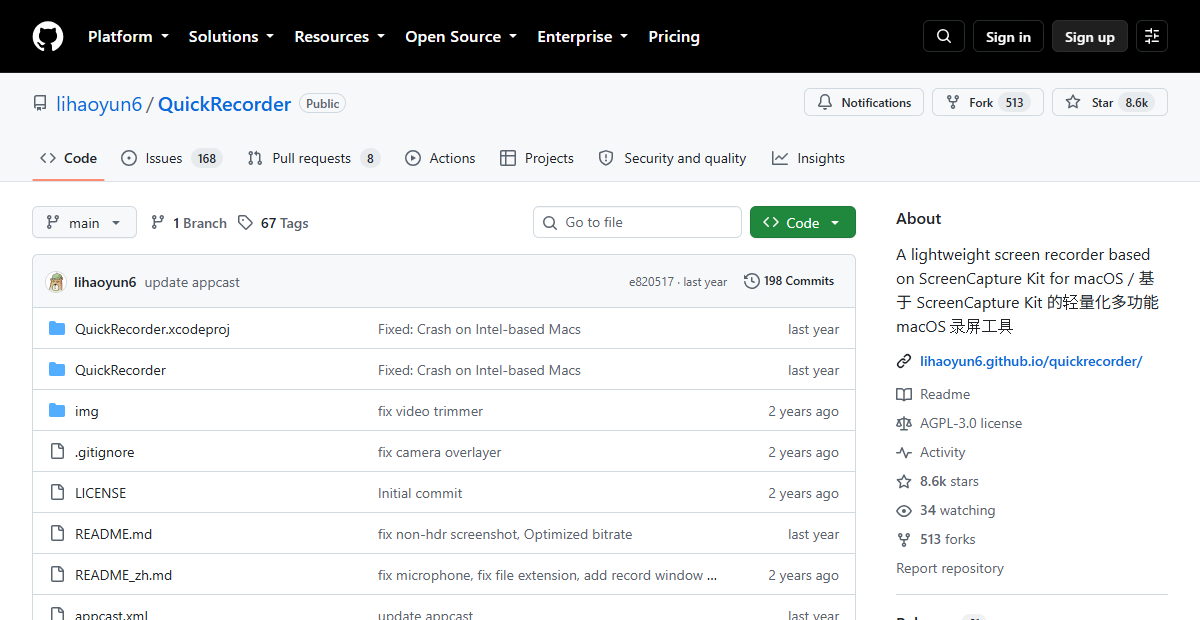
- The owner is
lihaoyun6, so the URL readsgithub.com/lihaoyun6/QuickRecorder - The star count is above 8,000 (8,637 as of September 2026). Forks sit at roughly zero
- The About panel links to the official site,
lihaoyun6.github.io/quickrecorder/ - Releases contains a current
.dmg. Most forks have no releases at all
If all four line up, you're in the right place. A repository with a two-digit star count is not a download source you need.
"QuickRec" in the App Store is a different app
Since the README explicitly rules out an App Store release, anything you find in the App Store is not QuickRecorder. Worth knowing before you install the wrong thing.
Installing it (Releases or Homebrew)
Option 1: download the .dmg from Releases
.dmg from the newest version. As of September 2026 that is v1.6.9, and the file is named QuickRecorder_v1.6.9.dmg.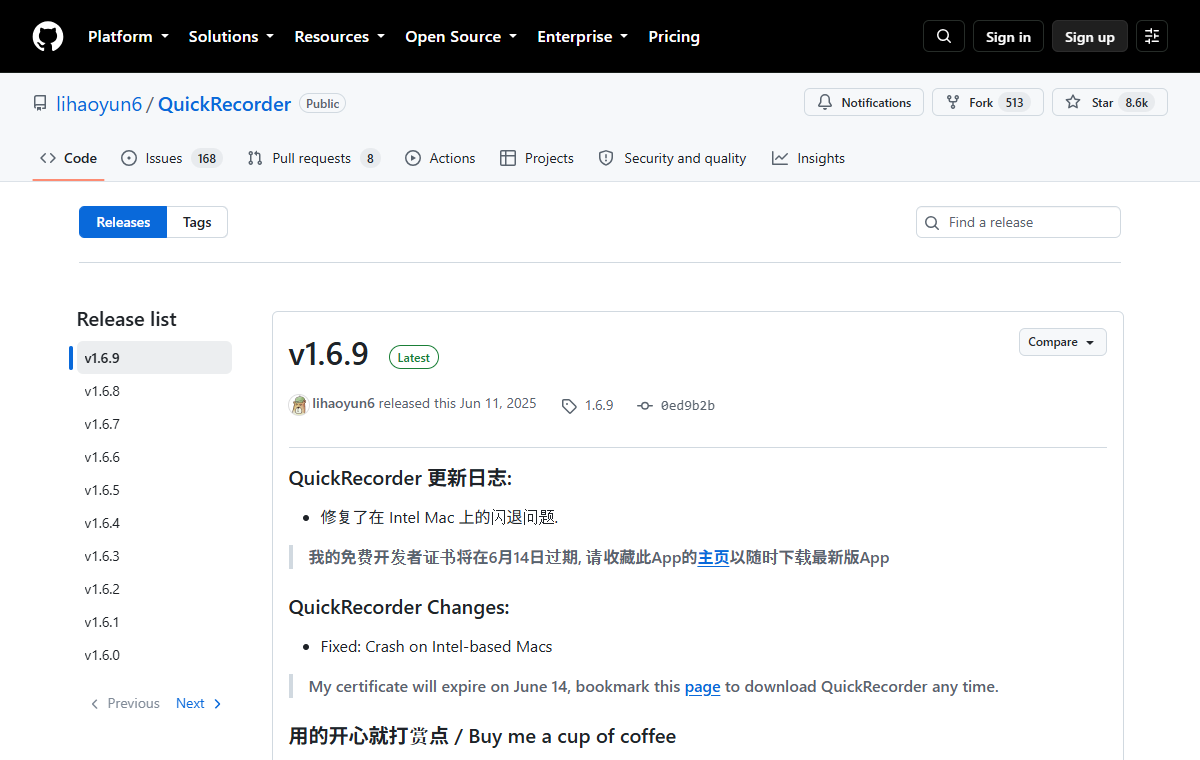
Update169-166.delta. Those are delta files used by the app's built-in updater to patch older versions. You don't download them by hand. The .dmg is all you need.Option 2: install with Homebrew
If you live in the terminal, the README gives this command.
brew install lihaoyun6/tap/quickrecorder
lihaoyun6/tap is a tap maintained by the developer, not a cask in Homebrew's main repository. Since you're adding the author's own tap, confirm the owner name reads lihaoyun6 before you run it.After that, updates are one command.
brew upgrade quickrecorder
Which one to pick
| .dmg from Releases | Homebrew | |
|---|---|---|
| Best for | A single Mac, GUI only | Several machines, frequent rebuilds, CLI-managed setups |
| Updates | Handled by the in-app updater | Explicit, via brew upgrade |
| Watch out for | Confirm you're on the real repository | Confirm the tap owner is the author |
When macOS says the developer can't be verified
Why the warning appears
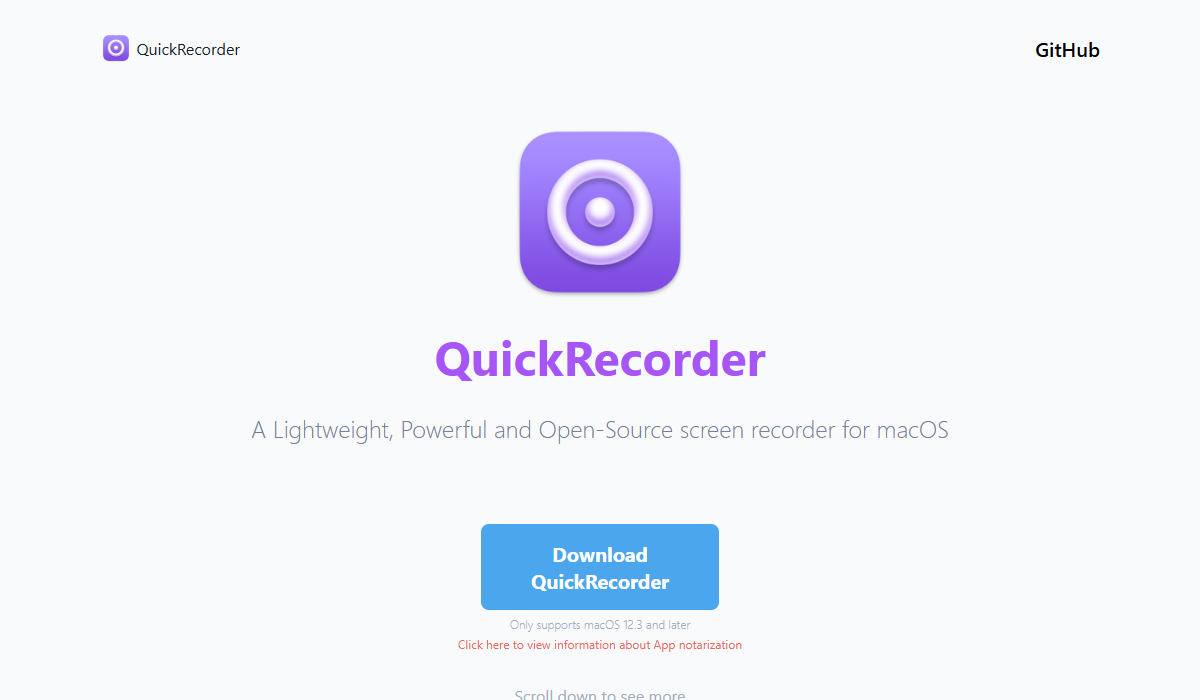
This isn't a bug in QuickRecorder. It happens broadly to apps distributed by individuals on GitHub. The site also mentions that the developer is in the process of applying to become an Apple certified developer.
The steps
Following the official guidance, the order is:
- Install the newest version over the old one. The site notes this resolves most cases where an older build stopped launching
- If it still won't open, right-click the app in Finder, choose Get Info, and check "Override malware protection"
- The change doesn't always take effect immediately, so wait a few hours and try again
Screen names and menu positions shift between macOS versions. What you're looking for is whatever the current version calls "allow this app to run."
If it's a work-issued Mac
This is the part worth pausing on. QuickRecorder is:
- not notarized by Apple
- distributed by an individual developer rather than a company
- licensed under AGPL-3.0
None of that is a legal problem, but plenty of companies restrict installation of non-notarized apps through device management policy. On a work machine, check with whoever runs IT before installing.
What GitHub actually tells you (reading Releases and Issues)
Releases show you the maintenance status
- The latest release is v1.6.9, published June 11, 2025
- The last code push to the repository is the same date
- Which means that as of September 2026, no new release has shipped in over a year
- The v1.6.9 notes say the developer's free certificate expires on June 14, and the official site adds that the free certificate did expire after its one-year validity, leaving older builds unable to launch
- The release history also notes that 1.6.x is the last line to support macOS 12
The repository isn't archived, so nobody has declared the project finished. But the activity has clearly stopped for now, and that's a fact worth weighing against your own use case.
Issues show you whether your problem is already known
There were 168 open issues as of September 2026, plus 8 open pull requests. Reports on the list include:
- recording stopping on its own partway through
- crashes when starting a recording
- audio capture failing with a conferencing app (a DingTalk report)
- recording becoming laggy while screen sharing in a conferencing app
- the menu bar icon not appearing on secondary displays
- errors on the macOS 27 beta, including not being able to stop or pause from the menu bar
is:issue plus a keyword such as audio or crash is the quickest way in.Most threads are in English or Chinese, but they usually include reproduction steps and screenshots, which is enough to work with.
There is no Japanese or localized UI
What AGPL-3.0 means here
The license is AGPL-3.0. That's why it's free, and it's why the source is public and you can build it yourself.
Would you run your meeting records on an app that stopped updating?
Laid out together, the facts point different directions depending on what you need.
| QuickRecorder | Qureco | |
|---|---|---|
| Distributed by | An individual developer (GitHub Releases) | Qurio Inc. (official site) |
| Apple notarization | Not notarized (stated on its own site) | Terms of service and privacy policy published |
| Last release | June 11, 2025 | Updates delivered in-app |
| Localized UI | No | Yes |
| Support channel | GitHub Issues | Support desk (support@qureco.jp) |
| After the recording | Export, and that's the scope | Transcription, AI meeting notes, Notion export (Pro) |
If you're recording the occasional how-to video, a stalled release cycle costs you almost nothing. It's free, there's no watermark, and it captures system audio. That's a genuinely good deal.
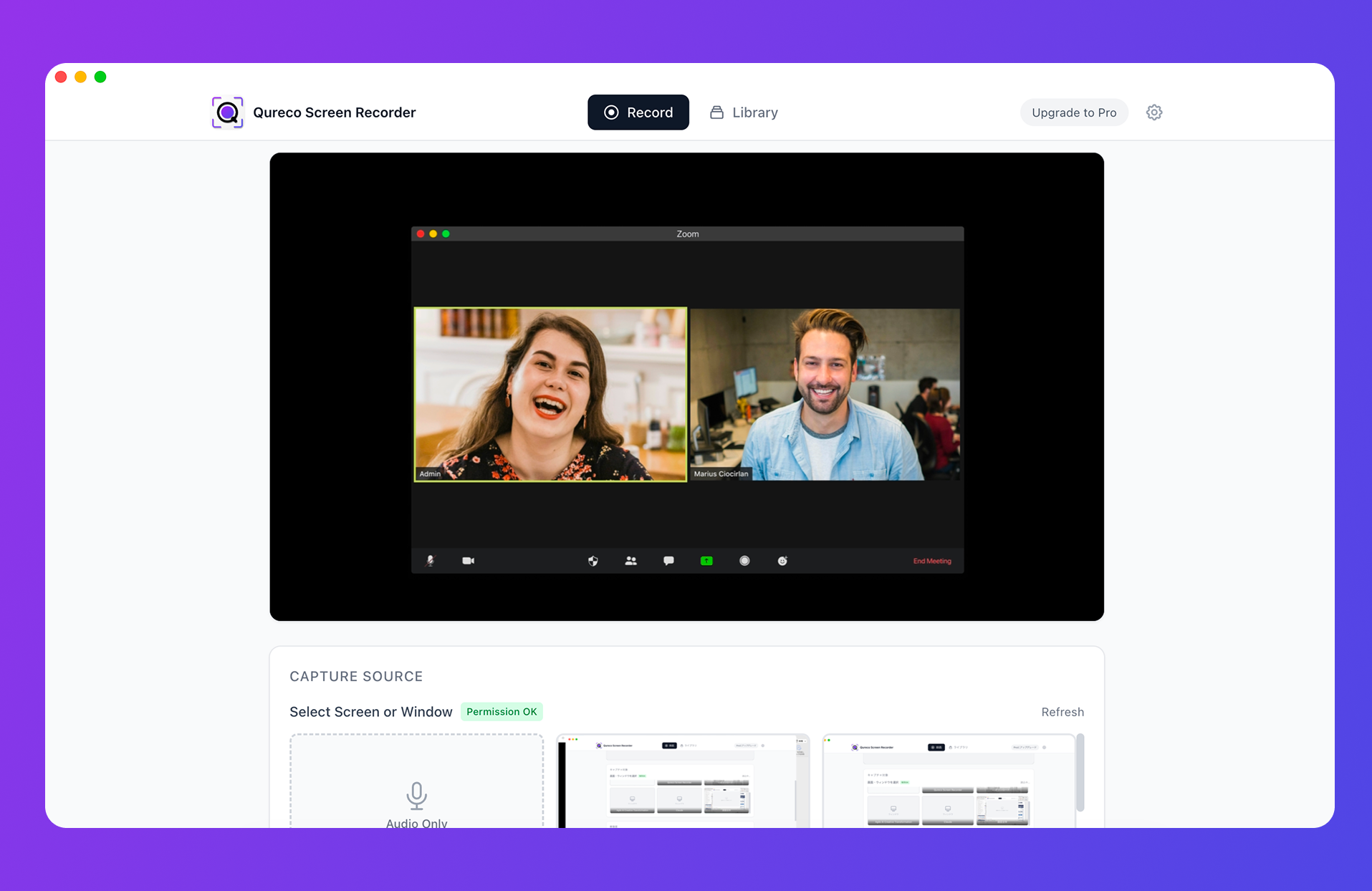
It runs on macOS 12.0 and later, on both Apple Silicon and Intel. It has no video editing features: recording and export are the scope, and editing belongs in another app.
To compare options side by side:
- Free apps that capture internal audio: Free Mac Screen Recording Apps With Internal Audio
- Apps with no watermark: Free Mac Screen Recorders With No Watermark
- What QuickRecorder can and can't do: QuickRecorder for Mac: Free, Open Source, System Audio
FAQ
Yes. It's open source under AGPL-3.0, with no paid tier or feature-limited edition. The site and repository include a donation link, which is optional.
Yes, older releases remain on the Releases page. Keep in mind what the official site says about the expired certificate: older builds may refuse to launch. The newest version is the intended target.
brew upgrade quickrecorder. Since it comes from a tap, running brew update first makes the upgrade more reliable.Yes. The source is public under AGPL-3.0 and written in SwiftUI, so you build it in Xcode. That's an option if you already have a development environment. Distributing a modified build brings the license obligations into play.
No. It's built on ScreenCaptureKit, a macOS framework, so it's macOS-only by design.
Wrapping up
- The real repository is
lihaoyun6/QuickRecorder. With 513 forks in circulation, check the owner name and star count - "QuickRec" in the App Store is a different app from a different developer
- Install from the
.dmgon Releases or withbrew install lihaoyun6/tap/quickrecorder. The.deltafiles are for the in-app updater - The "unidentified developer" warning comes from the missing notarization. Install the newest build, then Get Info and override malware protection, then wait a few hours
- Use GitHub for what it's good at: Releases for maintenance status, Issues for known bugs. The latest release is from June 11, 2025, over a year ago
- For one-off recordings it's plenty. For a weekly record of your meetings, weigh notarization, maintenance, and everything that happens after you hit stop
Most of the unease about installing an app from outside the App Store comes down to two questions: is this the real distributor, and is it still being maintained. GitHub happens to show you both.

Qureco Screen Recorder
Powerful screen recording app for Mac
Record meetings, let AI handle the notes, just read what arrives in Notion.
Try all features free for the first two weeks.