You tried recording a call with the built-in Mac screen recorder, the other person's voice wasn't there, and somewhere in the middle of a BlackHole setup guide you gave up. That's usually how people find QuickRecorder: free, open source, no watermark, and system audio without installing a driver. It sounds good enough to be suspicious.
Here's what QuickRecorder does, what to know before installing it, and what it deliberately doesn't do.
The basics
| Item | Details |
|---|---|
| Price | Free |
| Licence | AGPL-3.0 (open source) |
| Supported OS | macOS 12.3 or later |
| System audio | Recordable with no third-party driver, macOS 13 or later only |
| Watermark | None |
| Where to get it | Official site / GitHub Releases, or Homebrew |
| Maintained by | An individual open-source project |
What QuickRecorder does well
Records a display, an app, or a single window
You pick your target from a compact selector: full display, a specific application, or an individual window. The same panel exposes resolution, frame rate, cursor visibility, App's Audio, and Microphone as toggles.
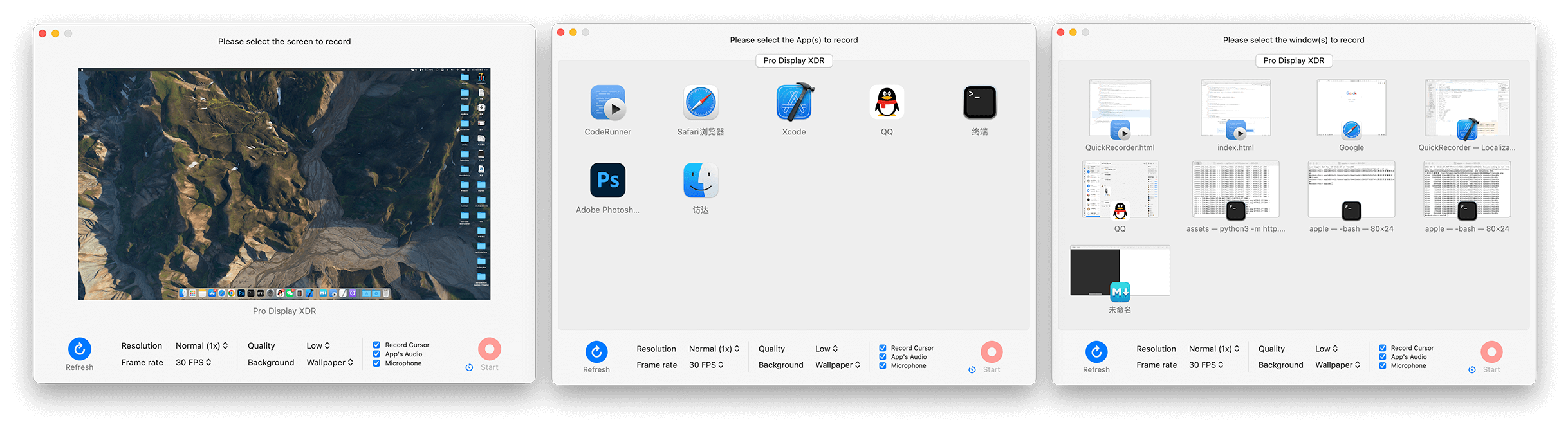
App-level capture is quietly useful: target only the browser, and a notification landing mid-recording never makes it into the file.
Captures system audio with no driver (macOS 13+)
Straight from the official site: "QuickRecorder can record sounds from any app without installing any third-party drivers (macOS 13 and later only)." So you can record what an app is playing, with that OS condition attached.
Keeps microphone and system audio on separate tracks
Records an iPhone or iPad screen
A connected iOS device can be selected as a capture source, so mobile app walkthroughs don't need a second tool.
Presenter Overlay and alpha-channel export
On macOS 14 and later it supports Apple's Presenter Overlay, compositing your camera over the recording in real time, which is useful for presentation and tutorial recordings.
It also exports HEVC with Alpha for transparent backgrounds. Per the project's own note, that format can be edited in iMovie and Final Cut Pro X; with any other editor, export in a standard format instead.
Two things to know before installing
Both come from the official site. Nothing hidden, just rarely mentioned in reviews.
It isn't notarized by Apple
The site states: "This app has not been notarized by Apple. But I'm in the process of applying to Apple to become a certified developer, which will take some time." So macOS shows a warning on first launch, and certification is in progress.
A free certificate expires yearly, and old versions stop launching
Note: "QuickRec" on the Mac App Store is a different app
Search the Mac App Store and you'll find "QuickRec," a similarly named recorder from a different developer with its own in-app purchases. QuickRecorder isn't distributed on the App Store at all. It comes from the official site, GitHub, or Homebrew.
What QuickRecorder doesn't do
Not criticism: the app is deliberately focused on recording, and this list is the flip side of that focus.
| Not included | What that means in practice |
|---|---|
| Transcription | Every recording goes up to a separate service by hand |
| AI summaries / meeting notes | You paste transcripts into ChatGPT or similar and tidy them each time |
| Speaker labels | Attributing who said what is on you |
| Cloud storage and sharing | Local files only; sharing means sending the file or uploading it yourself |
| Notion sync | Pasting notes is manual |
| Video editing | Trimming and captions happen in another app |
Where meeting recording outgrows it
Count the steps between a call and something you can actually share:
- Record (done in QuickRecorder, seconds)
- Export and locate the file
- Upload to a transcription service
- Clean up and summarize the text
- Paste it into Notion, Slack, or your wiki
- QuickRecorder is enough if you record to hand something over, whether tutorials, walkthroughs, or repro clips, and meetings are occasional
- You'll outgrow it if meetings are frequent, each one needs to become text and get shared, and you want to search past ones later
Connecting recording to notes and Notion with Qureco
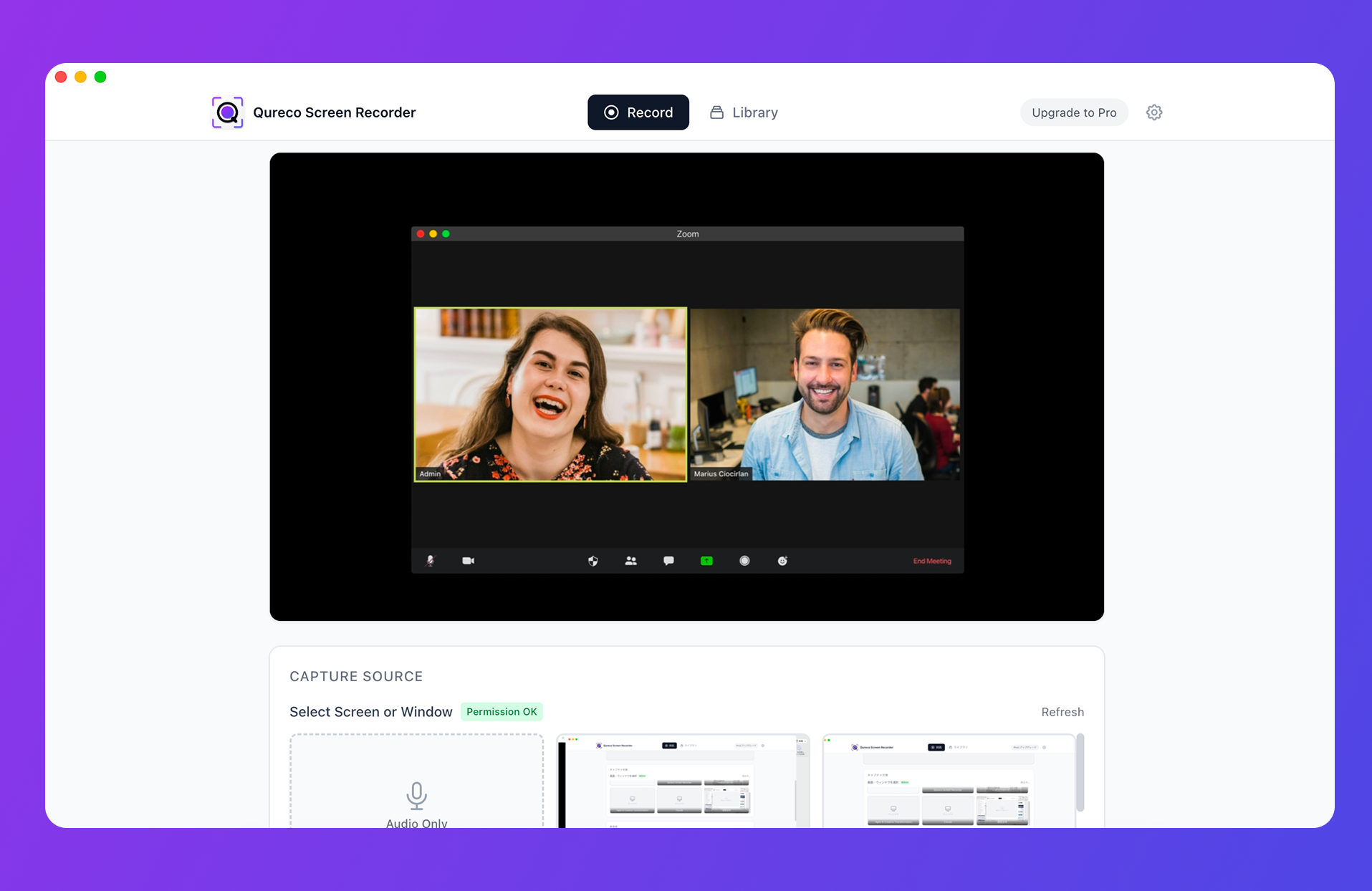
The list above changes shape:
| Step | QuickRecorder | Qureco |
|---|---|---|
| Record with system audio | Yes | Yes |
| Transcription | Manual, via another service | Generated from the recording (Pro) |
| Shaping the notes | You write them | Template-based generation, regenerate with extra instructions (Pro) |
| Saving to Notion | Copy and paste | One-click sync (Pro) |
| Managing past recordings | Your own folders | Library view with cloud storage (Pro) |
Recording and audio capture are free, with no time limit and no watermark. The Pro plan that adds AI meeting notes and Notion sync is $9/month at launch pricing, with the first two weeks free and no credit card required. It's published by a company (Qurio Inc.) and downloaded directly from the site.
One caveat: Qureco has no video editing either. Trimming and captions still need a separate editor, exactly as with QuickRecorder. And it's macOS-only today, with a Windows version in development.
Frequently asked questions
Wrapping up
- Strengths: display / app / window capture, driver-free system audio (macOS 13+), separate mic track, iOS device recording, Presenter Overlay (macOS 14+). All free, no watermark
- Caveats: not notarized by Apple, and a free certificate expiring yearly stops old builds from launching. Both disclosed by the project. "QuickRec" on the App Store is a different app
- Not included: transcription, AI notes, speaker labels, cloud storage, Notion sync, editing

Qureco Screen Recorder
Powerful screen recording app for Mac
Record meetings, let AI handle the notes, just read what arrives in Notion.
Try all features free for the first two weeks.