"How many times did you explain the same thing this week?"
If you run a remote team, you've probably noticed the pattern. Monday morning you explain something to Alice. Wednesday afternoon you walk Bob through the same screen. By Friday a new hire joins and you're explaining it for the third time. Slack threads stretch on for dozens of messages, and somehow you still end up scheduling a "let's just hop on a quick call" meeting on top of all of that.
This article is the story of one fully remote SaaS startup team that built "screen recording + automated meeting notes + Notion archive" into their workflow — and how a 3-message Slack back-and-forth turned into a single 2-minute video. You don't need any special setup to start. Recording one of next week's calls is enough.
Why information sharing breaks down in remote teams — three reasons
Saying "remote teams have communication problems" doesn't help anyone. But if you've actually run a distributed team, you've noticed: the breakdown follows a few specific patterns.
Synchronous meetings keep multiplying, and no one gets into flow
A common observation: once teams went remote, the number of meetings somehow went up.
In the office, a quick "got a second?" was enough. Remote, that same question becomes a 30-minute calendar block. Weekly syncs, 1:1s, project kickoffs, design reviews, retros — before long there are more than ten meetings on the calendar each week, with 500 Slack messages threading through the gaps.
Async-communication research (notably from Asana) points out that remote teams unconsciously over-index on synchronous communication. The cost is well-known: a single 30-minute meeting destroys 80 minutes of flow time when you count the warm-up and recovery on either side.
Text can't carry "motion"
The second breakdown is the limit of text.
UI flows, design nuance, bug repros, data pipelines — anything with motion in it takes multiple round-trips to explain in text and screenshots. Both writer and reader burn time.
Knowledge stays in people's heads, and every new hire triggers the same explanation
The most expensive failure mode is this: knowledge stays trapped in individuals.
"Ask Alice about that spec's history." "Bob's the one who tweaked that setting." A decision made three months ago lives only in one person's head, complete with all the reasoning behind it. A new team member joins and you start from zero again.
When knowledge evaporates the moment it's spoken, the cost compounds with team size. On a team of ten, if each person spends 15 minutes twice a week explaining things to newer members, that's 20 hours a month spent on repeat explanations.
What changed when we made screen recording a daily habit
Here's the actual story — a remote SaaS startup team of 8.
Before: 30-minute meetings to explain a single thing
The earliest pain point was explaining new product specs to designers and engineers.
The spec was written up in Notion, but conveying "what it actually feels like in motion" and "why we chose this interaction" really only worked through live screen-share. So we'd block 30 minutes, hop on Zoom, share the screen, and walk through it.
After: a 2-minute recording dropped in Slack, watched on their own time
One week, half-jokingly, a teammate said, "Why don't you just record it and paste it?" We tried it. It worked better than expected.
The lead recorded the screen while explaining the new spec in two to three minutes. The video went into Slack, with the relevant people @-mentioned. Each recipient hit play whenever their focus broke — between meetings, after finishing a coding task.
Three changes stood out:
- Three synchronous meetings disappeared each week: the spec-walkthrough calls collapsed into a single video.
- We stopped stealing each other's focus time: "watch whenever" actually worked.
- Questions came in informed: people had already seen the context, so the follow-ups were short and specific.
A 3-message Slack thread shrank to "watch the video, then one follow-up" — a single round-trip.
A side effect we didn't see coming: the recordings became a knowledge asset
The unexpected upside was bigger than the original benefit.
The moment you post a recording in Slack, it's a tool for "explaining right now." Three months later, the same video is an archive of "why we decided this."
When a new hire joined, instead of "ask Alice about that spec's history, Bob about that judgment call," we handed them a list of past recordings. Most of the context transferred just from watching. Knowledge that used to evaporate the moment someone spoke now lived as a permanent stock.
Solving the "videos are a pain to review" problem
If you've made it this far, you're probably thinking:
"Sure, recording and posting works in the moment — but what about going back to find something?"
You're right. The biggest weakness of video is poor searchability and the fact that you can only watch it linearly. Hunting for a specific 30 seconds inside a 5-minute video is dramatically more expensive than searching text.
So if you're going to make recording a habit, you need to compensate for that weakness with another mechanism.
The real weakness of video is searchability
Video is great for "first viewing." Motion comes through, voice and tone come through. Watching a 3-minute video often beats reading 2,000 words.
But three months later, when you want to find "that thing about the spec," video falls apart. Notion search finds text; it doesn't index video content. "It was a recording from… maybe April?" Scrolling through a video list is slower than just reading.
AI meeting notes restore searchability
This is where automated meeting notes (transcription plus summarization) earn their keep.
The recording gets transcribed automatically and turned into a structured set of notes — decisions, the path of the discussion, next actions — saved as Markdown. Three months later, finding "the reasoning behind that spec" is just a search.
Centralize notes in Notion so the whole team can find them
The last piece is where the notes live.
If notes scatter across people's local machines and individual Google Docs, the hardest moment in remote team communication is when someone tries to find one. "Where was that again?" is where the system breaks.
Pick one shared location — Notion is the obvious choice — and put a single database there for all team meeting notes. Tag by date, attendees, and topic. Six months from now, a new joiner can walk the entire history of the team's decisions in one place.
Three rules for running screen recording in a remote team
A few practical rules emerged from running this workflow. These aren't absolute — they're the minimum lines you can't cross without the system collapsing.
Rule 1: Keep it under 2 minutes (respect their time)
Long videos don't get watched.
Anything over five minutes raises the psychological cost of pressing play. "I'll watch it later" turns into "I forgot." So aim for under two minutes from the start.
To hit two minutes you have to prep — pick three things to convey, drop the rest. That prep doubles as thinking-clarity for the speaker, which is often faster than writing text anyway.
Rule 2: Add a title and one-line summary
A bare video file is unfindable later.
Whether you're posting in Slack or saving to Notion, attach a title and one-line summary every time. Make it a rule from day one.
Something like this works:
| Field | Example |
|---|---|
| Title | New onboarding screen behavior walkthrough |
| Summary | First-run tutorial spec; includes a decision |
| Attendees | @designer @engineer-a @engineer-b |
| Related links | Notion design doc URL |
This tiny extra step decides whether you can find anything in three months.
Rule 3: Decide the Notion location before you start
"Just record it and drop it in Slack" alone means the video drifts into Slack history, and three weeks later no one can find it.
In the initial setup, build a "Recording Library" database in Notion. When you post in Slack, register it in Notion at the same time. Manual entry won't stick — what you want is a tool that pushes to Notion automatically (more on that below).
Doing record → notes → Notion archive in a single tool
The workflow above is, honestly, very simple.
"Record the screen, get automatic notes, push to Notion" — if a single tool covers all three, your team doesn't have to learn the chain of "record in Loom, transcribe in another tool, copy-paste into Notion."
Multi-tool workflows always lose someone three months in, and within six months they're half-dead. A single-tool, one-pass workflow has a much better chance of sticking.
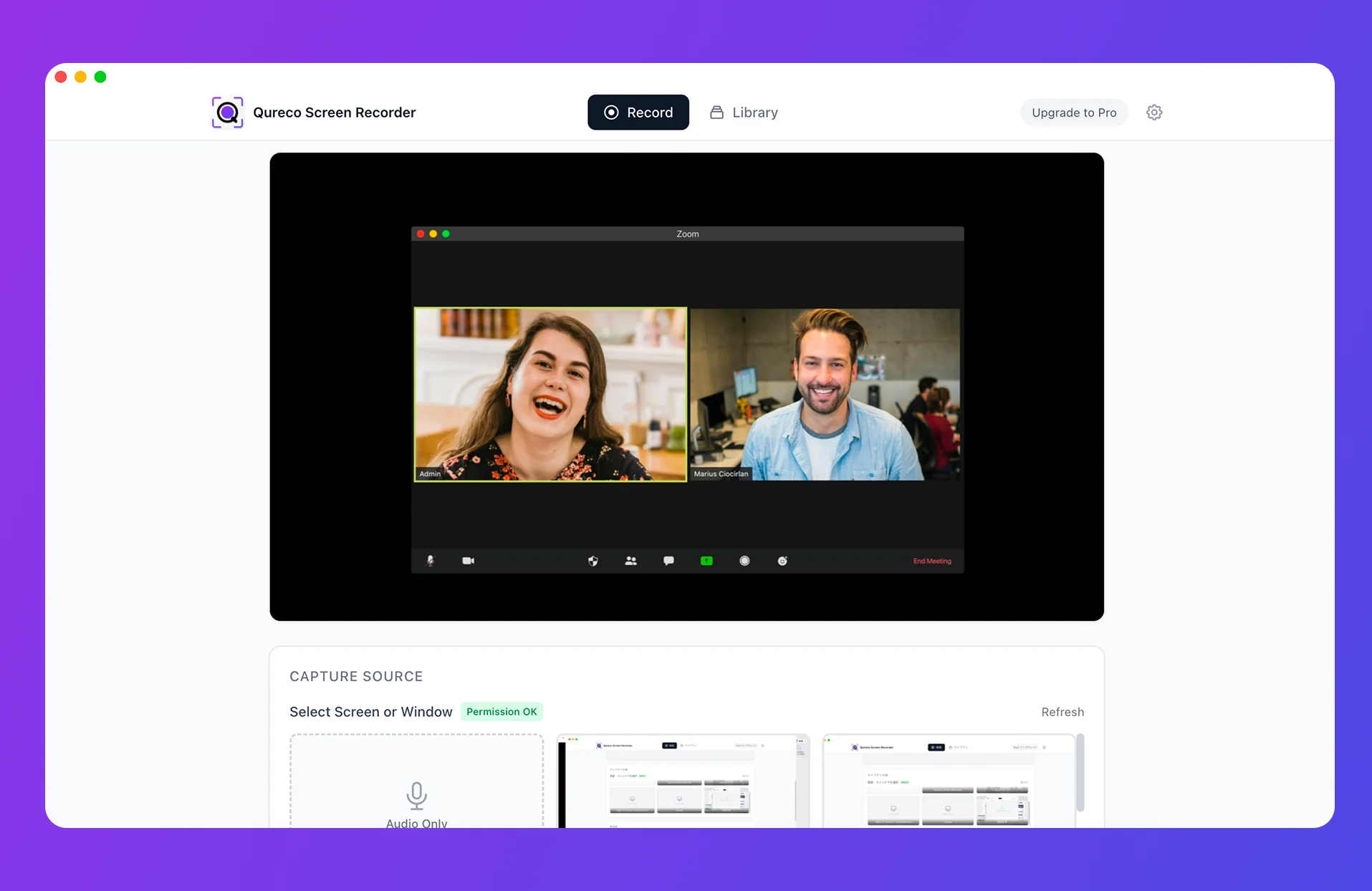
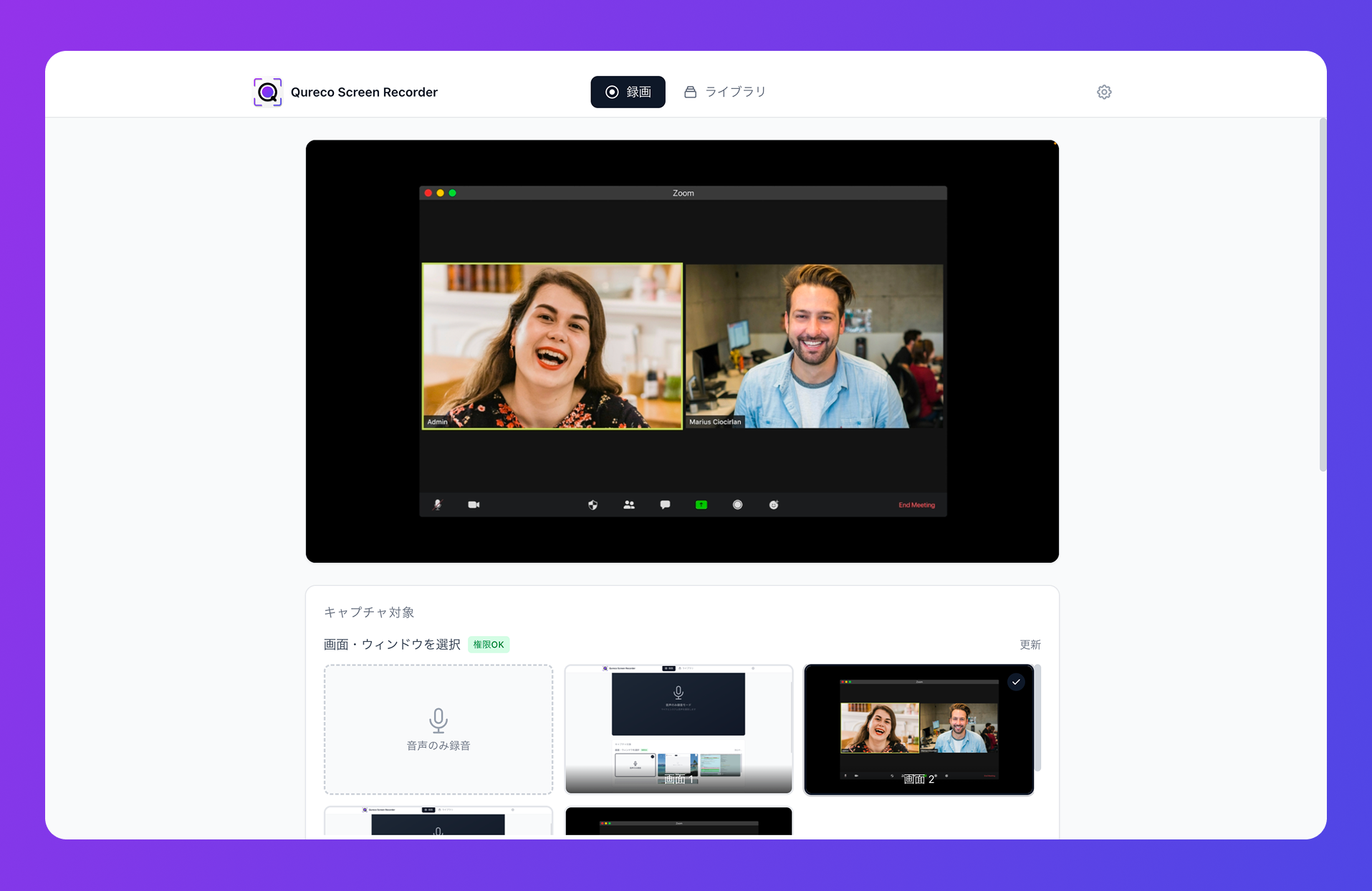
Qureco is a macOS app built around exactly this loop.
How Qureco fits
- Screen recording is free, unlimited in duration, no watermark
- No virtual-audio setup — it works the moment you install it
- Cmd+Shift+R to start/stop; source selection and resolution are inside the app
- Pro tier: automatic AI meeting notes generated from the recording
- The generated notes push to a designated Notion database in one click
Instead of stitching together "screen recorder + transcription tool + meeting-notes AI + Notion connector," the whole flow happens inside one app.
No bot in the meeting
Because Qureco records locally on your Mac, you don't invite a meeting-notes bot into the call.
Internal calls might be fine with bots, but client meetings or candidate interviews get awkward when a "Meeting Notes Bot" shows up in the attendee list. With Qureco the recording is happening on your machine; the call itself looks identical to your participants.
A quick comparison
If you're trying to run "record → notes → knowledge archive" for a remote team, here are the rough trade-offs:
| Setup | Recording | Notes | Notion archive | Tool count |
|---|---|---|---|---|
| Loom + separate transcription + manual Notion | ✓ | △ (separate tool) | △ (manual) | 3+ |
| Mac built-in recorder + handwritten notes | ✓ | ✗ (manual) | △ (manual) | 1–2 |
| Qureco (Pro) | ✓ | ✓ (AI-generated) | ✓ (one-click) | 1 |
The free tier alone is enough to start "record and drop it in Slack." Pro covers the rest of the loop — notes through Notion archive. Pro is free for the first two weeks with no credit card, so you can pilot it across a team for two weeks with almost no commitment.
Wrapping up: a team where "how many times did I explain that?" disappears
Three breakdowns in remote-team information sharing, and the corresponding fixes:
- Synchronous meetings crowd out focus time → drop a 2-minute screen recording; let people watch on their own schedule
- Text can't carry motion → screen recording delivers the UI or process directly
- Knowledge stays trapped in individuals → record + auto-notes + Notion archive turns spoken context into a permanent asset
The first step from here is simple. "Open the recorder, hit start, drop the result in Slack." That's it. The video doesn't have to be polished or even short — start with a single 2-minute recording, and the team will feel something shift. "Oh, this is actually better."
From there, automated notes, Notion archiving, written rules — you can layer in pieces over time. Six months later, "how many times did I explain that?" is no longer a question that comes up.
Knowledge doesn't have to evaporate the moment someone says it. It can compound into an asset that builds itself over time. One call this week is enough to start.
Qureco Screen Recorder
Powerful screen recording app for Mac
Record meetings, let AI handle the notes, just read what arrives in Notion.
Try all features free for the first two weeks.