First meeting after a handover, and the customer says: "I already went through this with your colleague." You apologize, and they explain it again.
This article covers the container, the fields, the input cost, and the operating rules that turn customer conversations into something the team owns rather than something one person remembers.
Why notes exist and handovers still fail
Meeting-level notes do not tell the account's story
"The customer moved from monthly to biweekly check-ins" sits as one line in some note from March. What actually matters is whether the cadence dropped because their internal process finally works, or because they are quietly disengaging. Ten date-sorted notes will not tell you which.
Stock and flow information are mixed together
Their fix was to split information in two:
- Stock: the business, locations, certifications, the key people and their roles, and a chart of goals, problems, and open issues
- Flow: visit records, chat threads, phone calls
Meeting notes are flow. Stacking flow forever does not assemble stock. Handovers break because the stock lives only in someone's head.
Silos are a structural problem, not a personal one
In other words, missing records are not a motivation problem. Either the system never asked for them, or it asked for more than the effort was worth.
Store records per account, not per meeting
Separate the customer chart from the meeting notes, then link them
| Customer chart (stock) | Meeting notes (flow) | |
|---|---|---|
| Unit | One page per account | One entry per meeting |
| Updated | When something changes | Every time |
| Read by | The person taking over, managers, other teams | Attendees and stakeholders |
| Contains | Contract, key people, goals, open issues, usage | What was decided that day |
At handover, the chart is what gets read first. Notes are for going deeper when needed. Get that order right and the separate handover document stops being necessary.
What belongs in the chart
Five fields are enough to start:
- Contract: plan, renewal date, value, seat count
- Key people and roles: economic buyer, internal champion, day-to-day users. Keep departures and moves as history
- Goal: what the customer bought this to achieve, including what sales handed over
- Current problem: where they are stuck today
- Usage: login frequency, adoption of core features, anything measurable
Append issues instead of overwriting them
The Kaminashi account uses the phrase "problems are a living thing": as the customer's proficiency and internal structure change, the goal itself moves, so the record is kept as a chart with time built in.
Practically, do not edit the current problem field in place. Append with dates. "February: data entry effort. May: entry solved, adoption is the issue" tells a reader instantly that this account is moving forward. Overwrite it, and that movement disappears.
If you already run meeting notes in Notion, do not rebuild
Six fields to capture in every customer meeting
The list
Free-form notes vary wildly by author. Fix the fields and ask people to fill only those.
| Field | What goes in it | Why it matters |
|---|---|---|
| Decisions | What was agreed in the room | Ends the "that's not what we said" loop |
| Next actions and dates | Who does what by when, on both sides | Without the customer's side, stalls become unexplainable |
| Usage changes | Features adopted or abandoned | Shows whether adoption is real |
| People and org changes | Moves, departures, reorgs, new contacts | Decisive at renewal. A champion's transfer is the single biggest signal |
| Requests (VoC) | Feature asks, operational pain | Becomes an asset for the product team |
| Sentiment signals | Observable facts only | Lets you check churn and expansion predictions afterwards |
Why six and not sixteen
Every additional field increases the odds that some fields sit empty. A table with empty cells stops being trusted, because a reader cannot tell whether nothing happened or nobody wrote it down.
Six fields keep "no change" cheap enough to write. Adding fields later is easy; removing fields people have grown attached to is not.
Write sentiment as observation
Sentiment only works if the format is fixed, because "felt lukewarm" transfers nothing to the next owner.
- Weak: "Not much of a reaction," "They didn't seem enthusiastic"
- Strong: "Decision maker missed two consecutive calls," "No questions from the operations team this month," "Renewal timing raised, no concrete answer"
Recorded as observations, signals become testable. Churn prediction improves only through that kind of after-the-fact checking.
Capture records without typing during the call
Notes stop because input costs too much
Everything above works perfectly if writing is free. It stops working the first busy week if it assumes thirty minutes of writing after each call. Picture a day with three customer meetings.
Record the call and let AI draft the notes
Record the customer meeting, and generate notes from the recording afterwards. During the call you listen and think. With speaker identification, who said what on the customer's side survives too.
The rep's job becomes reviewing the six fields and correcting them. Editing a draft costs a fraction of what writing from nothing costs, in time and in willpower.
The awkwardness of putting a bot in a customer's call
Many AI note tools join meetings as a participant. Internally that is unremarkable. In a customer QBR it is not: an unfamiliar app name in the attendee list starts a conversation you did not plan, and some customers' security policies do not permit third-party apps in the room at all.
How to ask
One sentence covers purpose, audience, and retention.
I'd like to record this so I can share it accurately with our team internally. It stays within our account team and won't go anywhere else. Is that all right?
Where the recording pays off: handovers and QBRs
Screen-shared content never reaches the written notes
Customer meetings routinely include a walkthrough of the customer's admin screen or internal workflow. The remarks around it, such as "we configured this part this way" or "our predecessor built that, so we don't touch it," almost never make it into text notes.
With video, the person taking over can watch that specific stretch. Not making the customer re-explain their own setup is where the difference shows.
At handover, the receiving side owns the input
Applied to a handover, that means you do not ask the departing rep for a thick document. The incoming rep reads the chart, watches the relevant recordings, and fills the gaps by asking questions. Less burden on the person leaving, more understanding for the person arriving.
QBR prep turns from assembly into review
If quarterly prep currently means rereading three months of notes, the six fields replace that. Decisions, actions, usage changes, and requests are already listed. The time saved on assembly goes into the recommendation you actually want to make.
Doing it with Qureco: record, draft, attach to the account
The workflow above can be assembled from a recorder, a transcription service, and Notion. The friction is the handoff between them, and it is the first thing to disappear in a busy week.
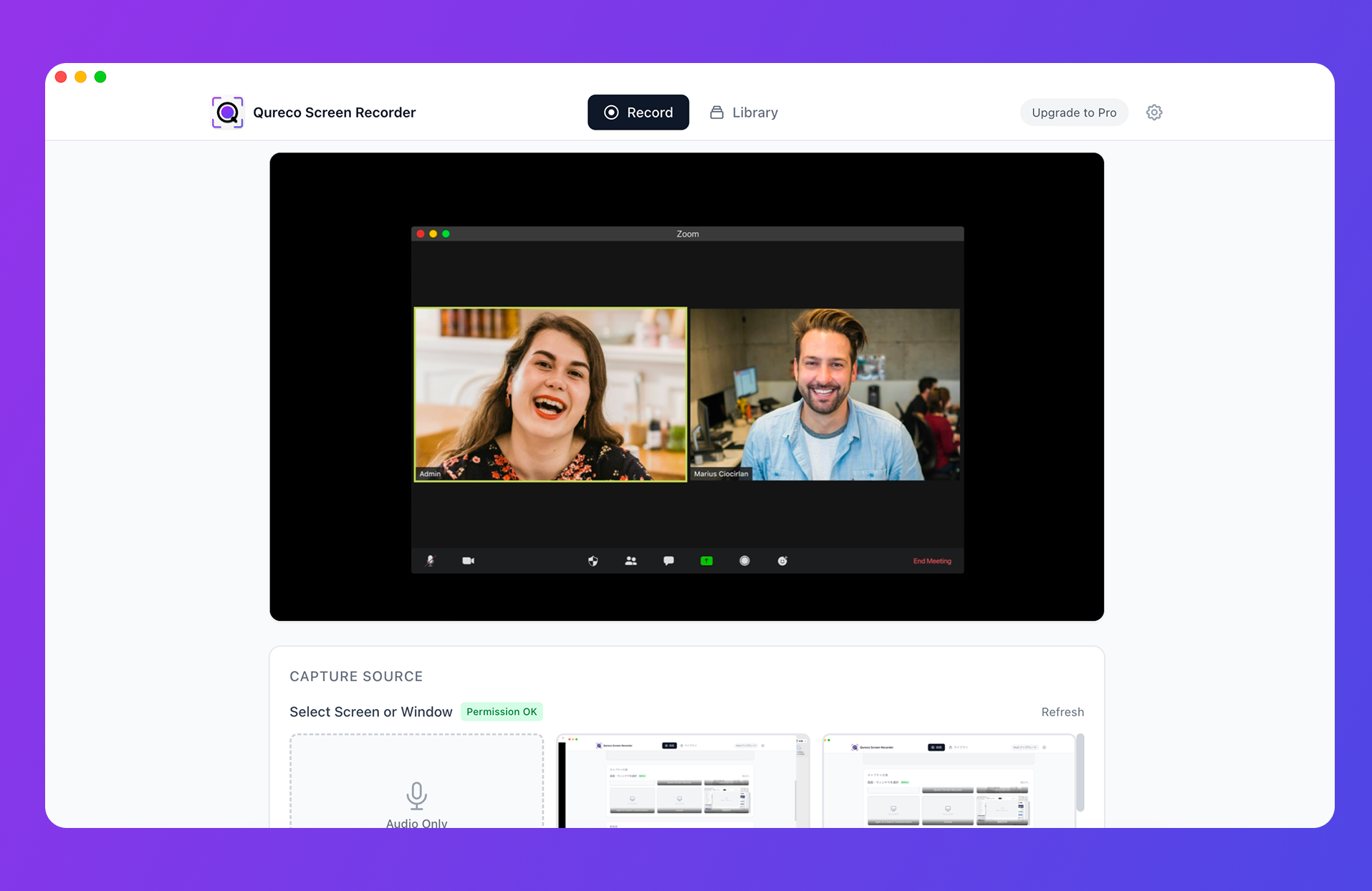
For customer success work:
| CS problem | How Qureco handles it |
|---|---|
| Typing during a call costs you the conversation | Record, and let AI generate the notes afterwards |
| A bot in a customer's meeting is hard to justify | Nothing joins the call. Recording happens on your machine |
| The customer hosts, so you have no record button | Screen capture does not depend on host permissions |
| Screen-shared configuration never lands in the notes | The video keeps it |
| Records scatter across accounts | Send notes to a Notion database and link them to the account |
The note template is customizable, so the six fields above can be the shape the draft arrives in. Screen and audio recording are free with no time limit and no watermark; AI meeting notes and Notion export are part of Pro ($9/month at launch pricing), with the first two weeks free and no credit card required.
Four steps to start this week
- Create one customer chart database. Contract, key people, goal, current problem, usage
- Put the six fields in your meeting note template. If a notes database already exists, just add properties
- Agree on recording and consent. Who records, the wording, where files live, who can view them
- Check the fill rate after two weeks. If a field is consistently empty, either drop it or add an example
Wrapping up
Turning customer conversations into a team asset takes a container and a mechanism, not more discipline.
- Stack records per account. Keep the chart (stock) and the notes (flow) separate and linked
- Append issues with dates instead of overwriting, so movement stays visible
- Capture six fields every time. More fields means more empty ones
- Write sentiment as observable facts, not impressions
- Whether records survive comes down to input cost. Recording plus AI notes removes the typing
- At handover, the receiving side owns the input
Start by filling in a single account's chart. One page in, you will see exactly what your team has never asked its customers.

Qureco Screen Recorder
Powerful screen recording app for Mac
Record meetings, let AI handle the notes, just read what arrives in Notion.
Try all features free for the first two weeks.