When someone says "something's off about this," there are only three things worth asking before the call ends.
- Which part are we talking about?
- What would closer to right look like?
- Is this a decision, or a reaction?
Ask those three and you stop the cycle where you interpret, revise, and hear "that's not really what I meant." Leave without them and no amount of careful note taking will save the next round. In a survey of 464 designers and directors, 84.9% said they find design revision requests burdensome, which tells you this is not a note-taking problem.
This article covers how to actually phrase those three questions, how to record a screen-share review so you can focus on asking them, and the decision list to send within ten minutes of the call.
(This is written for people receiving UI and visual design reviews. If you are looking for design review in the engineering sense, a formal gate where specifications are audited against requirements, this is not that article.)
Three questions that make vague feedback concrete
Question 1: "Which part are we talking about?"
This locks down the scope.
"When you say heavy, do you mean this CTA block, or the overall impression from top to bottom?"
If you are recording, that cursor movement is preserved exactly as it happened.
Question 2: "What would closer to right look like?"
This draws out a reference point.
"Is there a site, or an earlier version, that feels closer to what you have in mind?"
Once one reference exists, you can talk in differences. "To move toward that, are we going wider on whitespace, or lighter on copy?" Again, a choice rather than a request for vocabulary.
Question 3: "Is this a decision, or a reaction?"
This one earns its keep.
"Should I treat that as something to change, or were you flagging it for awareness?"
Phrase it so nobody is on the defensive. Not "I need you to decide," but "should I treat that as something to change." Framed as moving forward, it never sounds like pushback.
Four habits for recording a review
To focus on questions, you have to let go of note taking. Recording is what makes that possible.
1. Record the window where the cursor lives
Capture the side that shows the pointing.
Recording a single window rather than the whole screen also keeps notifications and other clients' work out of the frame.
2. Say something at the start
Mention the recording up front, leading with why.
"I don't want to lose any of the feedback, so I'm going to record just this window. It stays internal for my own work."
3. Say the timestamp out loud when feedback lands
This is your bookmark.
"Right, around here, got it."
Acknowledge out loud while noting the time, or simply repeat the point back a little clearly. The repetition marks the spot in the recording and confirms to the other person that you caught it. Two jobs, one sentence.
4. Read the decisions back before you end
Reserve the last two minutes to say out loud what was decided.
"So we're changing the CTA block spacing and the heading weight. Header color is on hold for now."
For recording reviews, try QurecoA Mac screen recorder that covers per-window capture, no time limit and no watermark in its free tier. It captures the other person's voice with no virtual audio setup.
The decision list you send afterward
Skip this step and the recording becomes dead weight.
Five fields are enough.
[LP design review, Oct 2]

1. CTA block area
   Feedback: spacing reads as cramped
   Decision: increase vertical spacing to 24px
   Owner: Shirai / by Oct 6
   Recording: 08:40

2. Heading weight
   Feedback: overall tone is too assertive
   Decision: H2 from Bold to Medium
   Owner: Shirai / by Oct 6
   Recording: 15:12

3. Header color
   Feedback: wants to reconsider
   Decision: on hold (revisit next review)
   Owner: on hold
   Recording: 22:05
Three things make this work.
- Separate "feedback" from "decision." What was said and what you will do are different things. Splitting them lets someone correct your interpretation early, while it is cheap
- Write down what is on hold. Anything you decided not to act on comes back as "whatever happened to that" unless it is on the list
- Include the timestamp. This is what turns the recording into a usable asset. When interpretations diverge, one minute of video settles it
Why the questions and the recording work together
Here is the mechanism behind the approach, starting from how rework happens.
Burdensome revision requests are the normal experience
The words get separated from what they pointed at
"This part feels a bit heavy, doesn't it."
Spoken feedback is not made of words alone. Where their cursor was, how far the page was scrolled, which artboard was on screen. Those three things are what gave the words meaning.
Taking notes means not watching the screen
What you end up with are fragments. "Spacing." "Color." "Stronger here." None of it means anything the next morning.
Figma comments capture only what was typed
The trouble is the asymmetry.
| How the feedback arrived | Does it survive | Where it lives |
|---|---|---|
| Typed as a comment | Yes | Attached to the element in the design file |
| Typed in chat | Yes | Detached from what it referred to |
| Spoken during screen share | No | The listener's memory and notes |
What to look for in a recording tool
If you are recording every review, the tool's characteristics start to matter.
| Requirement | Why it matters |
|---|---|
| Per-window capture | Keeps notifications and other clients' work out of frame |
| No time limit | Reviews run long. Some free apps cut off at 5 or 30 minutes |
| No watermark | A watermark over the work makes color and spacing impossible to judge |
| Resolution options | 1080p to review the design, 720p when it is only a record |
| Captures the other voice | Feedback comes out of their mouth. Microphone only records your own acknowledgments |
- Whole screen or a single window, picked from thumbnails so you never record the wrong thing
- No virtual audio setup, with independent toggles for microphone and system audio
- No time limit and no watermark. Exports as MP4 or MP3
- Resolution options of 1080p, 720p, 480p and 360p
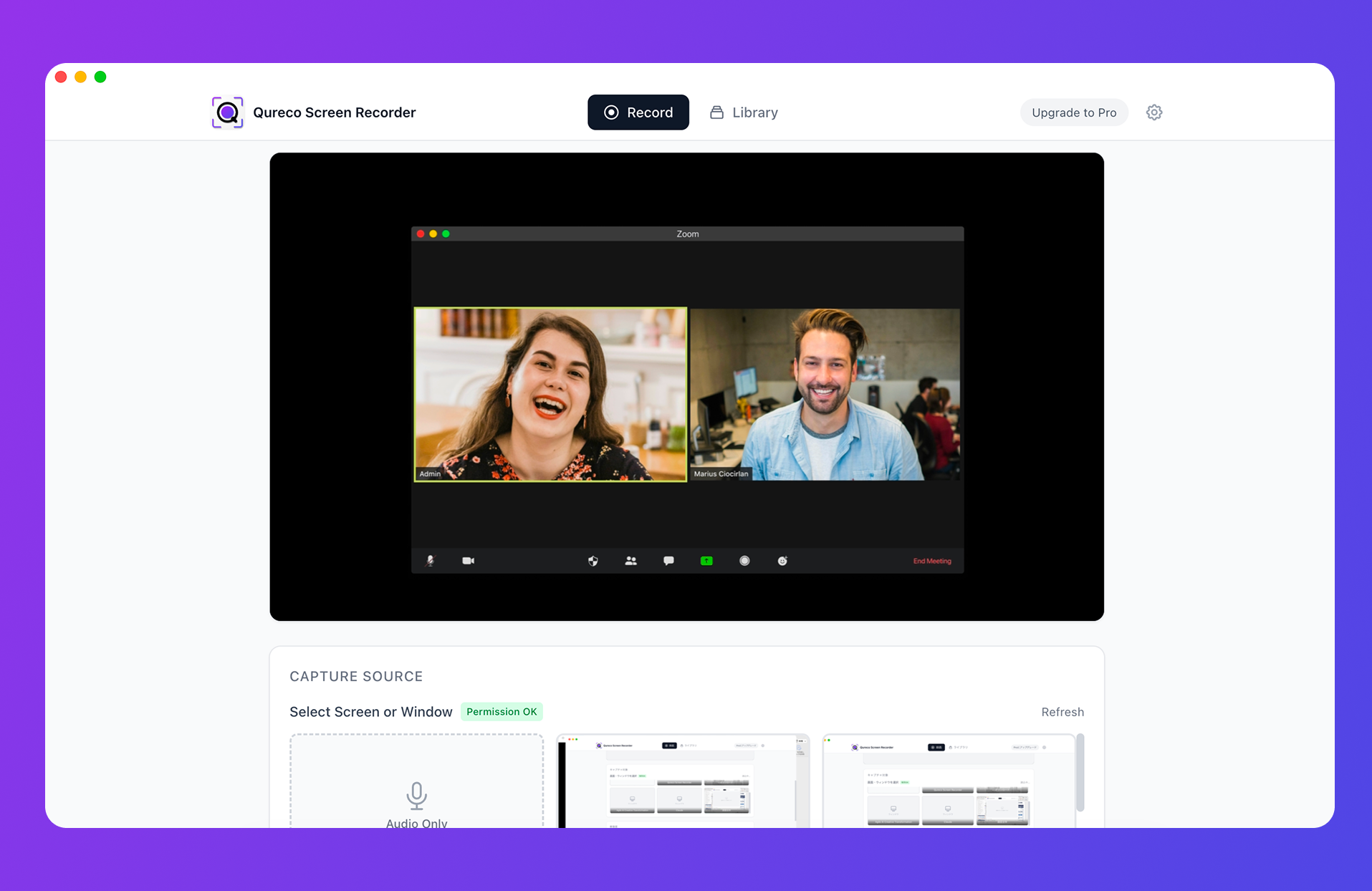
On the Pro plan, AI generates minutes from the recording, which gives you a first draft of the decision list.
Frequently asked questions
Lead with the purpose and it gets easier. "So I don't lose any of the feedback" or "to cut down the back and forth" puts the benefit on their side. It only sounds like surveillance when the reason is missing. For internal reviews, ask once and then let it become how the team works.
For typed feedback, yes. What it does not cover is everything said aloud during screen share, which is where most feedback actually appears. Use both. Writing your decision list back into Figma as comments, attached to the elements, makes it easier to find later.
Summary
- When "something's off" appears, ask "which part," "what would closer look like," and "decision or reaction", always as a choice rather than a request for vocabulary
- To keep your attention on asking, hand the recording job to software. Four habits: capture the window with the cursor, state your purpose at the start, mark timestamps out loud, read the decisions back before ending
- Within ten minutes, send a decision list. Separate feedback from decision, name what is on hold, attach timestamps
- Never hand over the raw recording. Send text, and keep the video as the one minute you watch when interpretations diverge
- The approach works because spoken feedback separates the words from what they pointed at. "This part" lives in the cursor position, nowhere else
- Figma consolidates typed feedback well, but spoken feedback is out of scope. The largest category survives the least
At your next review, try just one of the questions. Start with the third one, about decision versus reaction. It changes how much work you leave with.

Qureco Screen Recorder
Powerful screen recording app for Mac
Record meetings, let AI handle the notes, just read what arrives in Notion.
Try all features free for the first two weeks.