Before deciding whether to record a client meeting, there are four things to settle.
Get the order wrong and you end up holding a file you cannot delete, working out where to store it after the fact. For anyone under a professional duty of confidentiality, that is a bad position to negotiate from.
This article walks through those four decisions, then narrows what you actually keep down to decisions and action items.
(Written for professionals who want to record their own meetings with clients. It does not apply to public advisory services where the governing body prohibits recording, or to recording intended as evidence in a dispute. This is a general framework rather than legal advice, and rules differ by jurisdiction and professional body. Confirm with your own body and counsel.)
The four decisions
| # | Decide | What happens if you skip it |
|---|---|---|
| 1 | Whether this meeting can be recorded at all | Meetings that should never have been recorded get recorded anyway |
| 2 | How consent is taken | "Nobody told me" arrives months later |
| 3 | Where the file lives, and what goes to AI | Client data moves somewhere you did not intend |
| 4 | Retention period and internal access | No trigger to delete, so only the liability remains |
1. Can this meeting be recorded?
Public advisory services sometimes prohibit it outright
Ongoing client work sits on different ground
A meeting your firm holds with a retained client sits inside a continuing engagement. Keeping records of the work is ordinary practice, and recording is one way to do it. That is a different situation from an anonymous one-off consultation at a public desk.
Meetings better left unrecorded
| Do not record | Why |
|---|---|
| Conversations centred on third-party information | Family circumstances in an estate matter, an individual employee's situation. The client's consent does not cover everyone in the file |
| Anything with a live or likely dispute | The existence of a recording becomes an issue between the parties |
| Any meeting where the client hesitated | Consent in form only costs more in relationship than the record is worth |
| Visits that are mostly relationship building | There is nothing to capture, only something to delete later |
2. How to take consent
What to say
Purpose, scope of use, and storage location, in that order.
"I'd like to record this so the details are accurate. It's used to write up the notes, and the file stays inside the firm. It doesn't go anywhere else."
If you are capturing the screen in an online meeting, say that separately.
"When you share the figures on screen, I'd like to capture that part too, just for accuracy."
Record the consent in one line
Verbal consent belongs at the top of the meeting record.
2026-10-15 10:00 Regular review (online)
Present: client CEO / [adviser]
Recording: yes (verbal consent at start. For minutes, retained internally)
If they decline
Then you do not record. The accuracy is recoverable another way.
3. Decide storage and the AI boundary first
On device, or in the cloud
| Stored on device | Stored in the cloud | |
|---|---|---|
| Where client data sits | Only on the firm's machine | On the vendor's servers |
| Internal sharing | By hand or via a file server | Shareable by link |
| Device loss or failure | Data lost with it | Data survives |
| Suits | Sensitive matters, estates, employment disputes | Routine operational reviews |
Draw the AI boundary before you need it
Whether a recording goes to AI for summarising is a separate decision from where the file lives.
A workable line looks like this.
| Goes to AI | Never goes to AI |
|---|---|
| Process, scheduling, document checklists | Names of heirs, family structure, inter-family circumstances |
| Explanations of rules and procedures | Individual employee discipline or health matters |
| Writing up decisions and action items | Anything connected to an active dispute |
Substitute names before you send anything
Record client meetings with QurecoA Mac recording app that keeps recordings on your own machine in the free tier. Whether anything moves to the cloud or to AI is a choice your firm makes by opting into the Pro plan.
4. Decide retention and internal access
Recordings are not kept long
Treat the recording and the written record as separate items with separate lifespans.
- Recording: delete once the written record exists and has been checked. Three months at the outside
- Written record: keep under your normal engagement record policy
In Japan, a tax accountant's duty of confidentiality sits in Article 38 of the Certified Public Tax Accountant Act, and the same duty for employees of the firm sits in Article 54. The obligation covers everyone in the office.
Keep decisions and action items, nothing else
With the four decisions made, narrow what the record contains.
What to keep
| Item | How to write it |
|---|---|
| Decisions | "Proceeding with approach A for this filing" |
| Action items | Who, what, by when. Both sides |
| What you explained | "Explained the eligibility criteria and the deadline" |
| Options presented | Including the ones not taken, one line each |
| Next meeting | Date and agenda |
What to leave out
- Verbatim speech
- Frustration, venting, anything said in the heat of the moment
- Third-party personal information that came up in passing
- Provisional figures that were never confirmed
Split the client-facing record from the internal one
One document trying to serve both does neither well.
- To the client: decisions, action items, next meeting. One page
- Internal: all of the above plus what you explained, the options presented, and open concerns
The internal version carries the reasoning. That is the one that matters when the engagement changes hands.
What to look for in a recording tool
| Requirement | Why it matters |
|---|---|
| You choose where files are stored | Where client data sits is the firm's decision, not the vendor's |
| Works without host rights | Clients often send the meeting link |
| Audio-only mode | In-person meetings do not need video |
| No time limit | Estate and employment meetings run past two hours |
| A library view | Records accumulate per client, and file names stop being enough |
- The free tier keeps recordings on the device. Cloud upload is a Pro feature
- Records on your own machine, so a client-hosted online meeting is no obstacle
- An audio-only recording mode for in-person meetings
- Unlimited recording time, no watermark, with a library for playback and inline title edits
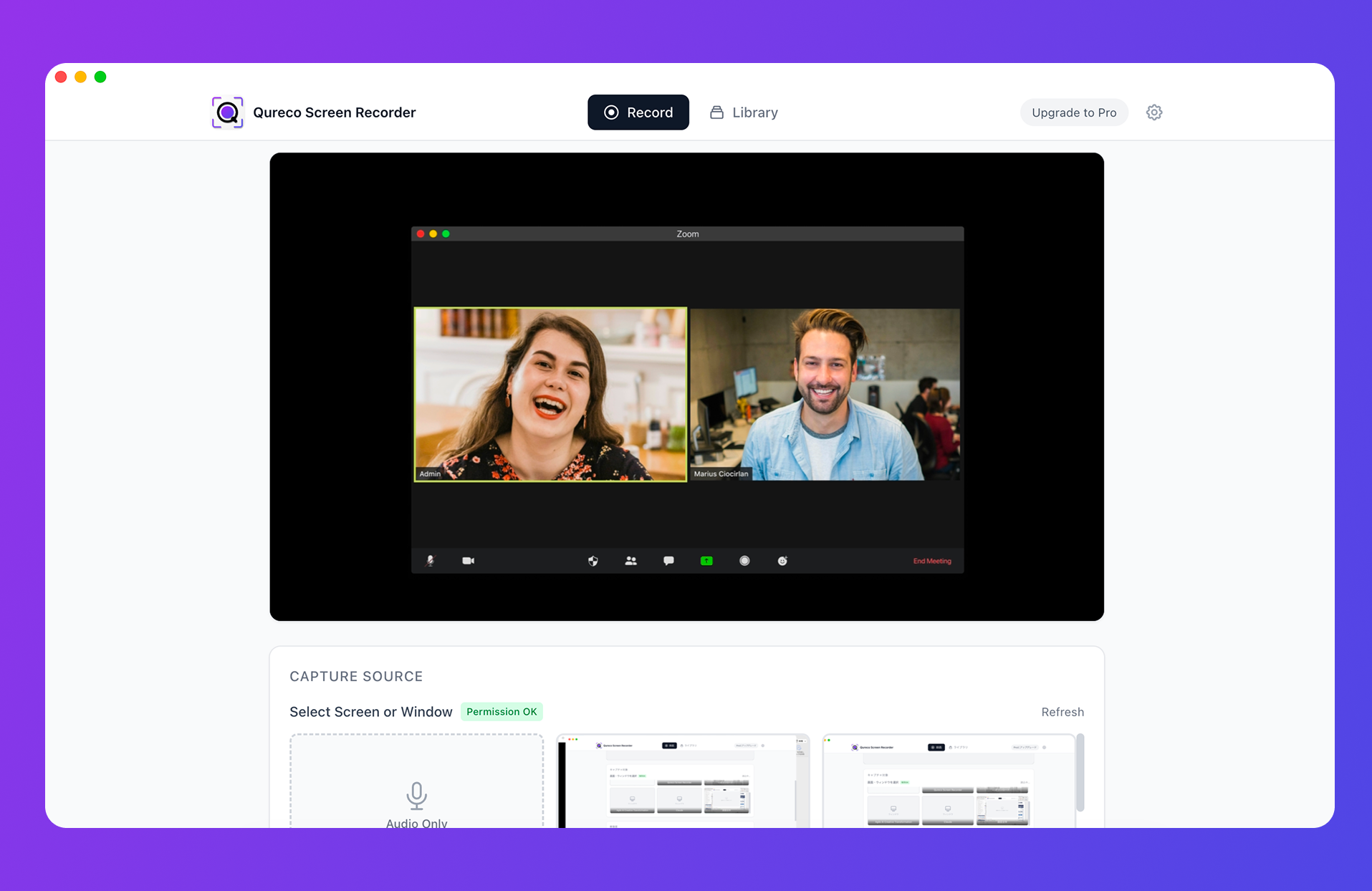
The Pro plan ($9/month) adds automatic cloud backup, AI-generated notes from a recording, and export to Notion. For meetings that fall inside the boundary you set in step 3, that turns the written record into a largely automatic step.
FAQ
Leading with the purpose helps. "So the details are accurate" puts their interest first; "for the record" or "as evidence" puts them on guard. With a retained client, asking once at the start and then treating it as firm practice is the easier path.
Write the four decisions onto a single sheet: which meeting types may be recorded, the wording for consent, storage location, retention period, and who may open the files. It fits on one page, and it travels better than verbal instruction as the firm grows.
Summary
- Before recording, settle four things: whether the meeting can be recorded, how consent is taken, where files live and what goes to AI, and retention plus access
- Some public advisory services prohibit recording entirely. Retained client work sits on different ground, but check your professional body first
- Take consent by stating purpose, scope of use, and storage location, then log it in one line
- Split storage by meeting type. Not everything belongs in the cloud, and not everything has to stay on one machine
- Draw the AI boundary in advance and substitute company and personal names before sending
- The recording is raw material. Delete it once the written record exists. Three months at the outside
- Keep decisions, action items, what you explained, and the options you did not take. Not the transcript
Start by writing the four decisions on one page. Once that exists, the next meeting stops being a judgement call.
This article is a general framework, not legal advice. Confirm the specifics with your professional body, your engagement terms, and your own counsel.

Qureco Screen Recorder
Powerful screen recording app for Mac
Record meetings, let AI handle the notes, just read what arrives in Notion.
Try all features free for the first two weeks.