"Cannot reproduce."
You wrote the steps out. You check again, add a condition, resend. This time: "works as expected on our side." You are three round trips in.
Why written repro steps fail
"Specific enough" means different things to different people
The trouble is that the threshold for "specific" varies by person.
Your "search for a product and open the detail page" reads to someone else as three separate forks: which search box, what term, which result. Take a different branch and nothing reproduces.
The starting state goes missing
- Which permission level you were signed in as
- Whether the cart had items in it
- Whether you navigated in or opened the URL directly
- How wide the browser window was
When the cause lives in that starting state, following the steps correctly still produces nothing.
"Something looks wrong" is unactionable
Fair enough, but describing visual breakage in words is genuinely hard work. Conveying the difference between "overflows," "overlaps," and "gets clipped" to someone who cannot see it takes several sentences. This is exactly where a recording earns its place.
What changes when you record it
The timeline comes across for free
"Only when you click three times in a row," "only if you press it before loading finishes." Timing-dependent behaviour is painful to write and obvious on video.
Fewer round trips
One round trip costs your time and theirs. It is reliably more expensive than the 30 seconds spent recording.
A recording on its own is not enough
Video is not searchable and not quotable. In a tracker list, an issue whose body reads "see the video" becomes unfindable in a month. You need both. The text format comes later in this article.
If you record one of these every week: QurecoA few clips a month, and the built-in macOS capture is fine. Once it is every report, three things start to matter: no watermark, no recording time limit, and capture scoped to a single window. Nothing stamped across a clip you send to a customer, and no notifications from other apps in frame. The full list of criteria comes later, but you can try it first.
Seven habits for recording a bug
1. Start recording before the bug happens
A broken screen on its own does not show what led there. Start from "just signed in" or "about to open the screen." If that makes it too long, start one action before the failure.
2. Move slower than usual
Your hands know the route. The viewer is seeing it for the first time.
Pause briefly before clicking. Wait a second after typing. That alone makes the video show where you clicked. Footage that looks fast-forwarded generates another question.
3. Record the window, not the whole screen, and keep the URL visible
Full-screen capture picks up notifications and unrelated tabs. Record at the window level.
4. On the web, open the console and network tabs
Recording with devtools open changes the quality of the report by itself.
- Console: whether an error is being thrown, at a glance
- Network: which request failed, and with what status code
5. Narrate what you expected
One sentence out loud while recording fixes the meaning of the footage.
"Pressing save here should take me back to the list. And it stays on the same screen."
6. Keep it to 30 to 60 seconds
Long recordings do not get watched. Hand someone five minutes and they defer it.
7. Close what should not be on camera first
Recording a work screen always raises this. Check before you hit record.
- Customer names, personal data, and email notifications
- Chat or calendar entries showing other clients
- Production data where a test environment would do
- Internal system URLs sitting in your bookmarks bar
The three lines that go with it
Always write the text. It does not need to be long.
Expected: pressing Save returns to the product list
Actual:   screen does not change, 500 error in the console (video 0:12)
Env:      macOS 15.6 / Chrome 141 / admin account / production / 11 Sept 10:42
Three things make this work:
- Expected next to actual. This part belongs in text. The video only ever shows "actual"
- A timestamp into the video. Write 0:12 and the viewer starts at 0:12
- Environment on one line. OS, browser, permission level, environment, time. Leave it out and the question comes back
Those lines also make the issue searchable in your tracker, which is the problem a video-only report creates.
When they say they cannot reproduce it
Even with a recording, the bug may not appear on their machine. This is where the real work starts.
Change exactly one condition and record again
What not to do: record the same steps a second time. That produces the same video twice.
Change one thing per attempt.
- A different browser
- A different permission level
- A narrower window
- Throttled network (devtools)
Leave room for it being intended
Whatever you took for a bug may be working as designed.
Adding "close this if it is intended behaviour" to the report makes it easy for the other side to say so. One sentence, one fewer round trip.
Share the workaround
If a reload clears it, say so. That single fact lets someone set the priority on the spot.
What to record with, if you do this daily
What changes when a recording accompanies every report is that four things start to matter.
| Requirement | Why it matters |
|---|---|
| No watermark | A report shared with a customer cannot carry someone's logo |
| No time limit | Fumbling the setup runs you into 5- or 30-minute caps on free apps |
| Window-level capture | Keeps notifications and unrelated information out of frame |
| Selectable resolution | 720p keeps the file small enough to paste into chat |
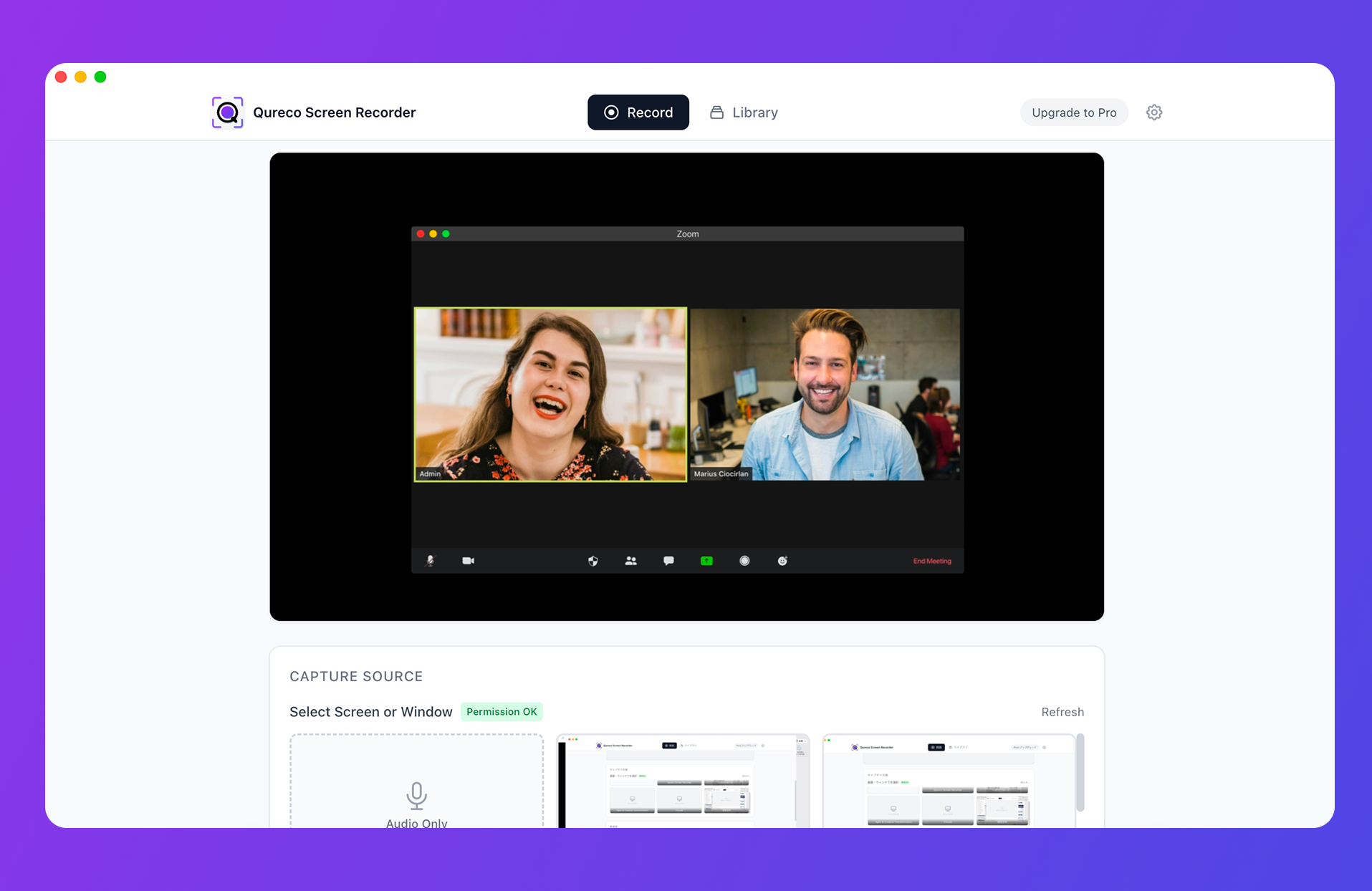
- Pick the whole screen or a single app window, chosen from thumbnails, so you never record the wrong one by accident
- Choose 1080p / 720p / 480p / 360p, so a bug report can be a small 720p file
- Microphone and system audio toggle independently, so you can narrate without capturing system sounds
- No time limit, no watermark, and MP4 export
- No virtual audio setup
Frequently asked questions
Length and accompanying text solve that. Cut to 30 seconds and put "video 0:12" in your three lines so they start at the right moment. What people dislike is being handed five minutes, not video itself.
Dropping the resolution helps most. 720p is perfectly legible for a bug report. If it is still large, cut the length. A 30-second 720p clip pastes into chat.
Walk them through the built-in capture (Command + Shift + 5 on Mac, Win + Alt + R on Windows). Asking a customer to install an app rarely lands. Add two instructions: start recording before it happens, and keep the address bar visible. That is usually enough to get a usable clip.
Not required, but it reduces round trips. If you cannot speak, guide the eye another way, such as selecting the element before you start, and always cover intent in the "Expected" line.
Summary
- Written repro steps fail because the granularity of actions and the starting state differ from person to person
- A recording hands over the timeline for free, which beats prose for timing-dependent behaviour and visual breakage
- Seven habits: start before the bug, move slowly, record the window, show the console, narrate, cut to 30 seconds, and close what should not be on camera
- A recording alone is not enough. Attach expected, actual, and environment, and cite the timestamp in the video
- When they cannot reproduce it, change one condition and record again. The condition that failed to reproduce is information too
On your next report, record 30 seconds starting before the bug appears. If it saves one round trip, the 30 seconds already paid for themselves.

Qureco Screen Recorder
Powerful screen recording app for Mac
Record meetings, let AI handle the notes, just read what arrives in Notion.
Try all features free for the first two weeks.