The moment you think "this question again" is the moment to start recording.
This is not about carving out time to write documentation. It is about recording the screen you are already sharing, adding three lines of text, and putting it somewhere people can find it. The next person then solves it alone.
This article covers when to record, what must never end up in an internal IT recording, how to record it, and how to hand it over so it actually gets used.
(Written for people handling first-line IT questions inside their own company. If you are evaluating a company-wide documentation platform, or building customer-facing support content, this is not the article for you.)
"The same question again" is a time allocation problem
72.3% field a repeat question at least once a week
Read in order, those three numbers tell one story. You handle 30 tickets a day, seven in ten are things you have already explained, and the work you were hired to do never starts.
Most articles land on "build out your FAQ." That advice assumes time to build it. It is being offered to people who just said they cannot find time for their core work, let alone a separate documentation project.
Change documentation from writing to recording
When you answer a question, you usually share your screen and walk through the steps. That screen already is the documentation. It disappears only because nothing was recording.
Leave a recorder running and you finish the explanation with an asset in hand. The extra effort is close to zero.
Record only the third time, and decide what to leave out first
Record everything and you end up with a pile of videos nobody opens. Draw the line first.
The rule of three
- First time: just answer it. No recording
- Second time: mark it in your ticket notes. Still no recording
- Third time: record it
Twice can be coincidence. Three times is structure. It will come again.
What not to record
An IT admin's screen is full of things that should not be shared. Decide this up front.
| Do not record | Why |
|---|---|
| Any screen showing other people's account data | Admin consoles list every user's email address and department |
| Asset registers and license inventories | Your entire infrastructure layout becomes visible |
| One-off incident response | It will not reproduce, and a wrong procedure on file is worse than none |
| Anything with heavy case-specific context | An executive-only setting becomes an accident when someone else follows it |
| The requester's own screen | Their desktop, notifications, and open file names come with it |
Reproduce the steps in your own environment
Finish the support call normally. Record afterwards, walking through the same steps in a test account or your own environment. A three minute procedure takes three minutes to reproduce.
That small extra step keeps personal data and other people's work off the recording entirely, which removes every objection to sharing it internally. In practice it is the faster route.
Four habits that make these recordings usable
1. Record a single window, not the whole screen
Pick the application window instead of the full desktop.
Then switching to another tab in the admin console, or a Slack notification popping up, never makes it into the file. On an IT admin's machine, that kind of leak is easy to trigger.
2. Say what you are about to do before you do it
Do not click through in silence.
"First I'll open System Settings. Network, here. Then I'm deleting the existing VPN configuration."
3. Keep it to two or three minutes
Long videos go unwatched. One topic per recording, three minutes maximum.
If the procedure is long, split it. Keeping "reinstall the VPN profile" and "replace the certificate" as separate files means you can send just the relevant one next time.
4. Leave the fumbling in
When the recording contains "oh, they moved this recently, the setting is over here now," the viewer who gets stuck in the same place feels reassured instead of confused. No editing, no second take.
Record support sessions with QurecoA Mac recording app that covers single-window capture, unlimited recording length, and no watermark in its free tier. No virtual audio driver setup required.
Never hand over the raw video
Get this part wrong and nobody watches anything you record.
Why video documentation gets ignored
The format to send
When you reply in chat, use this shape.
[VPN will not connect (home Wi-Fi)]

1. System Settings > Network, delete the VPN connection
2. Download the latest profile from the intranet portal
3. Reinstall, then restart your Mac

Video (2:40): https://...
 - Deleting the profile: 0:35
 - Reinstalling: 1:20

If it still fails, the certificate has probably expired
People who can work from three lines never open the video. Only the ones who get stuck do, and the timestamps mean they do not start from the beginning.
Do not update. Re-record.
Plan on editing and updates slip, which leaves stale steps on file. That is the main reason video documentation dies. Plan on re-recording and the maintenance burden never appears.
Keep everything in one place
Videos and text buried in chat history are the same as lost. Pick one home for them.
File by symptom, not by category
Organizing internal IT knowledge by category does not work, because the people asking do not know the name of the feature.
A Notion database with these columns is enough.
| Symptom (title) | Scope | Updated | Video |
|---|---|---|---|
| VPN will not connect (home Wi-Fi) | All staff | 2026-10-10 | link |
| Printer not showing up (4th floor) | 4F | 2026-09-22 | link |
| Teams notifications not arriving | All staff | 2026-10-01 | link |
Let AI draft the text from the recording
If even three lines of text feels like too much, have AI draft them from the recording. As long as you narrated what you were doing, the steps come out of the audio.
Trim whatever it produces down to three lines before sending. AI-generated procedures tend to be thorough, which here means too long.
When this works, and when it does not
| Works well | Does not work |
|---|---|
| Procedures with three or more screen steps | Questions answered by naming one button |
| Clicks in places that are hard to describe in words | A single setting value you can type in a sentence |
| Workflows that span several screens | Permission grants that are faster for IT to just do |
| Tasks that happen once a year | Incident response, where the situation differs every time |
What to look for in a recording tool
You will be recording often, so the tool's constraints matter.
| Requirement | Why it matters |
|---|---|
| Single-window capture | Keeps admin consoles and notifications out of frame |
| No time limit | Free apps often cut off at 5 or 30 minutes |
| No watermark | A watermark over internal screens can obscure the text you need read |
| Selectable resolution | 720p is plenty here, and keeps storage manageable as the library grows |
| A library view | Naming and filing individual video files by hand falls apart within months |
- Capture the full screen or a single window, chosen from thumbnail previews
- Unlimited recording time, no watermark, export to MP4 or MP3
- 1080p / 720p / 480p / 360p resolution options
- A recording library for browsing, playback, and inline title edits
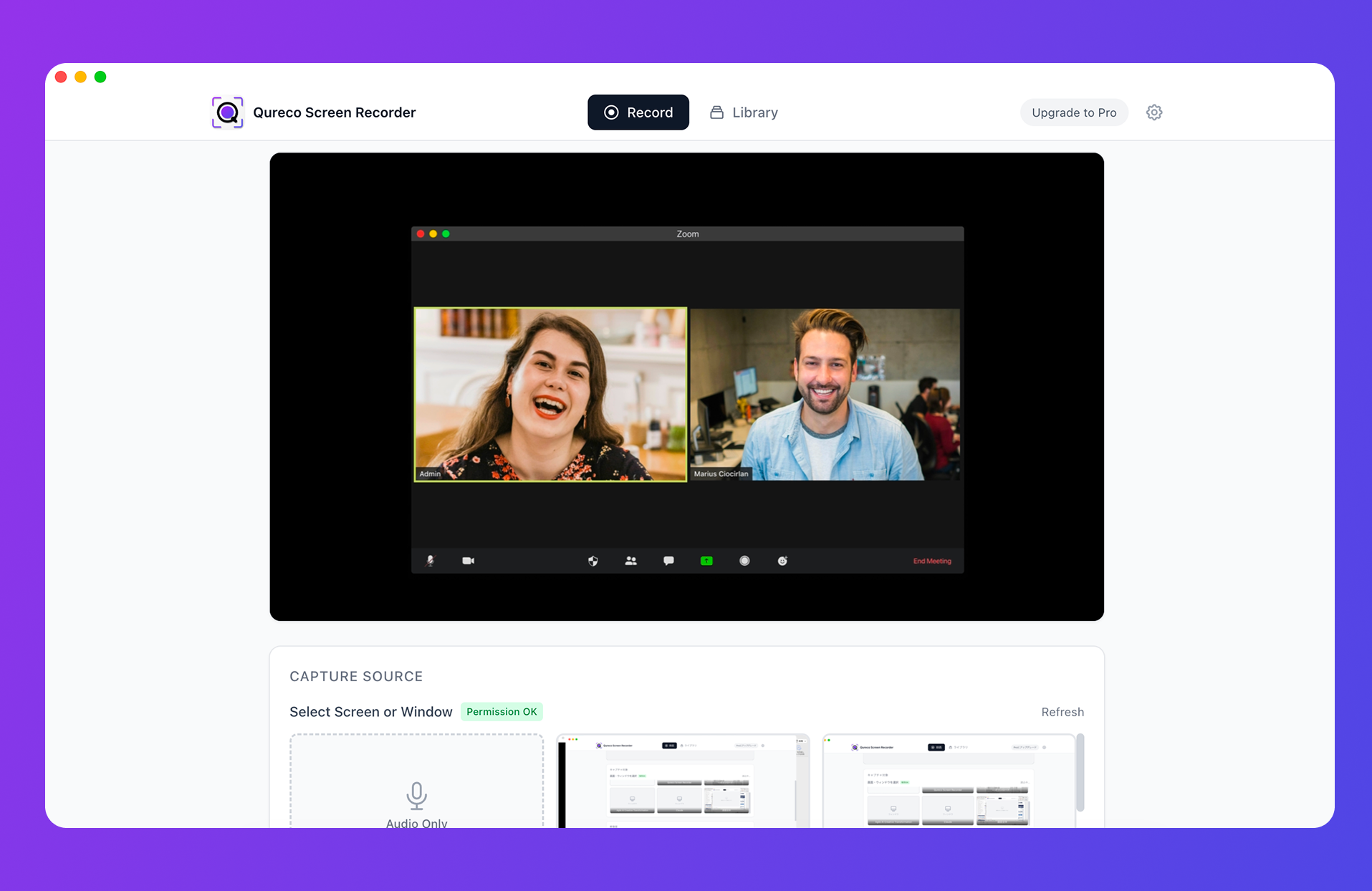
The Pro plan ($9/month) adds automatic cloud backup and AI-generated notes from a recording, which is where the text draft for each procedure can come from. It also exports to Notion directly.
FAQ
Limited to third occurrences, this is one or two recordings a week. At three minutes each, that is under ten minutes. If it still feels like too much, frame it as trading three minutes now for the fifteen you would spend explaining it again. With 30 tickets a day and seven in ten repeating, that pays back quickly.
That happens when the video leads. Put the three lines of text first and the video underneath as backup. Reverse the order and nobody opens it.
The same survey found more than 80% are open to adopting AI chatbots. But a chatbot can only answer from documents that already exist. Producing those documents is still your job, so the two approaches do not compete. If anything, having the material first makes the rollout smoother.
Summary
- 72.3% of internal IT staff field a repeat question weekly. Looking for spare hours to write documentation is not a plan
- Record the third occurrence only. Answer the first, mark the second, record the third
- Never record the requester's screen. Reproduce the steps in your own environment afterwards and nothing private ends up in the file
- Four habits: capture a single window, narrate before you click, cap it at three minutes, leave the fumbling in
- Do not hand over the raw video. Three lines of text first, video below with timestamps
- When things change, re-record instead of editing. At three minutes, it is the faster path
- Keep one home for everything, and title each entry in the words the person asking used
The next time you think "this question again," spend three minutes recording it instead of making a note to write it up later. Once the first one exists, the rest accumulate on their own.

Qureco Screen Recorder
Powerful screen recording app for Mac
Record meetings, let AI handle the notes, just read what arrives in Notion.
Try all features free for the first two weeks.