You try to follow the seminar discussion and take notes at the same time, and end up doing neither well. In lectures it is the slides: you are busy copying them down and lose the thread of the argument. By the following week, only fragments are left.
Recording would solve it. Then you open the syllabus and find "recording this class is not permitted," and you stop.
Is recording a lecture actually against the law?
Recording for your own revision generally falls inside the exceptions written into copyright law. Your institution's own rules are a separate matter, and that is the part that usually stops people. Take them one at a time.
Personal revision falls under an educational exception
Rules differ by country, so if you are studying outside Japan, check your local equivalent. The practical advice in the rest of this article does not depend on which jurisdiction you are in.
Institutional rules sit on a separate floor
From a legal standpoint, a rule that flatly bans all copying for revision may well be void as contrary to public policy, because it defeats the purpose of the statutory exception (STORIA, cited above).
What is clearly out of bounds
| What you do | Where it lands |
|---|---|
| Record for your own revision, keep it to yourself | Inside the exception. With permission, inside the rules too |
| Share with a few classmates in the same course, for revision | Treated as use "in the course of the class" |
| Distribute to dozens or hundreds of people | Very likely beyond "reasonably necessary" |
| Upload to social media or a video site | Public transmission. Infringement |
| Sell the recording or put it behind a paywall | Not a grey area |
The line lawyers draw sits between a handful of classmates and a year group (STORIA, cited above). Handing a file to one friend and dropping it in a 200-person group chat are different acts.
How to ask. One message is enough
Asking is a much smaller task than it feels like. Putting it off costs more than doing it.
Who, and when
Asking mid-semester invites the question of what you were doing for the previous six weeks. Ask at the start and every remaining session is covered.
The three things that get you a yes
Most refusals come from not knowing how the file will be used. So answer that before it is asked. Include:
- Purpose: for your own revision
- Scope: for you only, not shared
- Disposal: when you will delete it (end of term, once grades are final)
As a message:
Dear Professor ______,
I am a third-year student in ______ taking your ______ course.
Would you allow me to record the lectures for my own revision? I would use the recordings only for my own study, would not share them with anyone or post them anywhere, and would delete them once grades are finalised at the end of term.
If a full recording is not acceptable, audio only, or permission to photograph the slides, would be equally helpful. I am happy to follow whatever you prefer.
If the answer is no, accept it
Sometimes the answer is no, and often for good reason.
Fallbacks worth asking about:
- Audio only is often approved when video is not. It feels less intrusive
- Only your own presentation, in a seminar setting
- Photographs of the board or slides
- A five-minute spoken memo right after class. Talking to yourself while it is fresh produces more usable material than you would expect
Capturing a lecture that has no record button
Say permission is granted. The next obstacle is that the button you need is not on your screen.
To record from the attendee side, try QurecoRecording in Zoom and Google Meet belongs to the host, not to participants. Qureco records your own Mac's screen, so the organiser's settings are irrelevant. System audio is captured with no virtual audio driver to configure, and the free tier has no time limit and no watermark.
Participants do not get recording rights
Recording your own screen needs nobody's permission but theirs
The workable answer is to record what is on your own machine. It behaves the same whether the session is a lecture, a seminar, or a webinar.
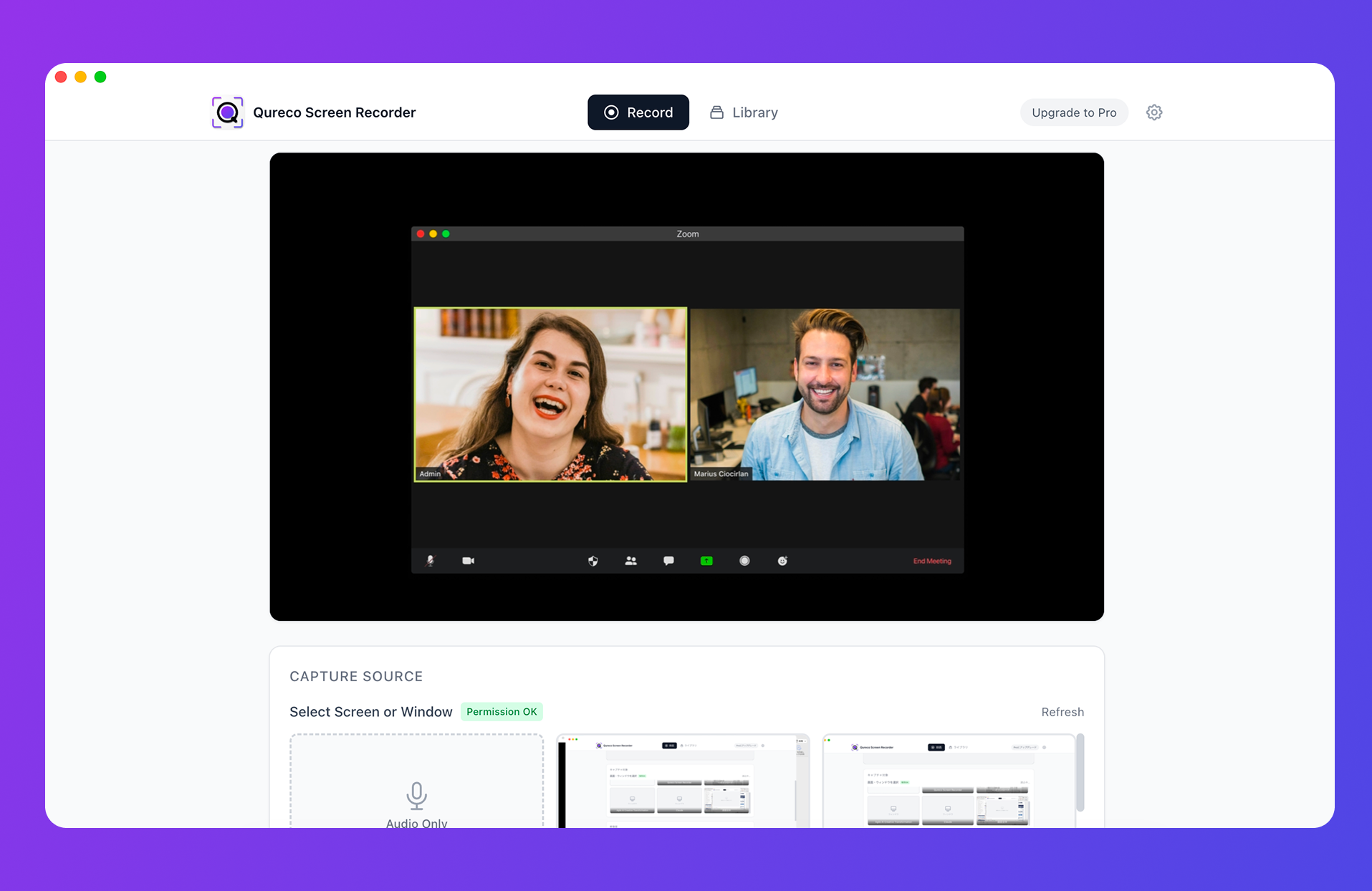
Command + Shift + 5, but capturing the sound coming out of your speakers, which is to say your instructor's voice, takes extra setup. That step is where most people stall, so a recorder that captures system audio without configuration saves real time.Some lectures only need audio
Four steps from recording to notes
A recording nobody opens is not a note. Nobody replays 90 minutes of video when rereading the textbook is faster. Treat note-making as part of the same task.
1. Transcribe
2. Compress it into a summary
Ask for a summary shaped like a lecture:
- The main claim of this session in one sentence
- Three to five arguments covered, two or three lines each
- Anything the instructor flagged as important or examinable
- Works, names, and dates referenced
The third one earns its place. You tune out in the moment, but if it is in the text you can still catch it.
3. Recheck terms, names, and formulas
Read the summary, and whenever a term looks unfamiliar, jump back to that point in the audio. That checking is itself revision. If the course runs on formulas and diagrams, you need the video for this step, so record rather than taking audio only.
4. Keep it by course
Making it a weekly routine
A method you abandon is worth nothing, so fix the times in advance.
| When | How long | What you do |
|---|---|---|
| Straight after class | 5 min | Save the recording, generate the summary, rename to "Course_Week_Date" |
| Weekend | 20 min | Read the summary, look up unfamiliar terms, flag what you did not follow |
| Two weeks before the exam | 60 min | Read all summaries in order and build a list of arguments |
| After grades are final | 5 min | Delete the recordings |
Keep that last row. Actually deleting what you said you would delete is what makes the same request work next term. It also keeps your disk clear.
FAQ
With video, 90 minutes at 720p is roughly 3GB. Three sessions a week across a 15-week term passes 100GB. Audio only is tens of megabytes per session, so use audio for any course where the video adds nothing.
Passing it to a few classmates on the same course, for revision, is treated as use in the course of the class. A year-group chat is a different act. And if you told your instructor you would not share it, that is a promise, which sits above the legal question.
The asking part is identical; the capture changes. From the back of a hall you will not pick up the voice, so sit near the front or place your phone closer to the lectern. Nearby students end up on the recording too, so be more careful about sharing, not less.
Wrapping up
- Recording for your own revision falls within the educational exception, and in Japan's Article 35 students are named in the statute alongside teaching staff
- Institutional rules sit on a separate floor, and most are written as "without the instructor's permission", so getting permission removes the problem
- Ask with three things: purpose, scope, and when you will delete it. Offering audio-only as a fallback raises your odds. When the answer is no, there is usually a real reason behind it
- Recording in Zoom and Meet belongs to the host. Recording your own screen does not depend on their settings
- A recording alone is not a note. Transcribe, summarise, verify the terms, then file it by course as one routine
After your next lecture, just ask. A no ends there, and a yes converts every remaining session into something you can revise from.

Qureco Screen Recorder
Powerful screen recording app for Mac
Record meetings, let AI handle the notes, just read what arrives in Notion.
Try all features free for the first two weeks.