You hit a wall with a free screen recorder on your Mac. Maybe it stamped a watermark on your export, or cut you off at five minutes. So you started looking at the well-known paid options, and every comparison article told you the same thing: ScreenFlow is $199, Camtasia is $199, both one-time purchases.
This guide covers what both products actually cost in 2026 according to their own documentation, and then the part most comparisons skip: whether your particular use case justifies the money at all. It is written for Mac users, so if you are on Windows some of the reasoning will not apply to you.
The 30-second version
| Item | Where it lands |
|---|---|
| ScreenFlow | One-time purchase from $199. Mac only. Major upgrades cost $79 to $119 |
| Camtasia | No perpetual license. Four annual subscription tiers |
| Watermarks | Both free trials watermark exports. Camtasia's Starter tier watermarks too |
| Worth paying for | Editing footage into a finished piece: courses, demos, tutorials |
| Not worth paying for | Keeping a record of meetings. You need three things, and they are free |
Camtasia is not a one-time purchase anymore
Perpetual licenses ended in 2025
The "$199 one-time" figure you keep seeing is the old perpetual license price from 2024 and earlier. It is not that anyone is being dishonest. Most of those comparison articles were written in 2023 or 2024 and have only had the year in the headline refreshed since.
Four tiers, and the differences are not about recording
The cheapest paid tier still watermarks
Watermark-free export starts at Essentials. If your entire reason for going paid was "the free app puts a logo on my video," picking the cheapest paid plan does not solve the problem you set out to solve.
If you are thinking about buying an old perpetual copy
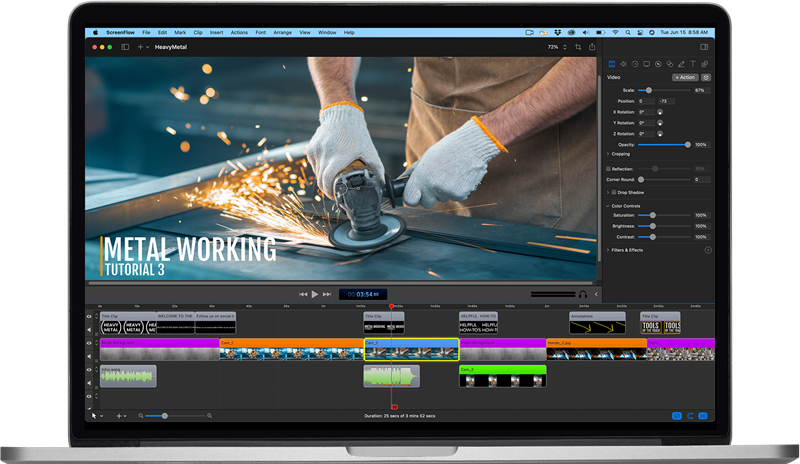
ScreenFlow is a one-time purchase, but not a one-time payment
Current price and requirements
Major upgrades are paid
| Version you own | Upgrade to ScreenFlow 10 |
|---|---|
| v9, v8 | $79 |
| v7, v6, v5, v4 | $119 |
| v1 to v3 | Not eligible, $199 for a new license |
What the free trials leave out
Both trials are genuinely useful for one specific test. Record something the way you normally would, then see whether you ever open the editing timeline. That answer decides the purchase.
So how much are we actually talking about
Here is a three-year view. For ScreenFlow it assumes $199 up front plus one $79 major upgrade along the way.
| ScreenFlow | Camtasia Starter | Camtasia Essentials | Qureco | |
|---|---|---|---|---|
| Model | One-time plus paid upgrades | Annual | Annual | Free, or annual |
| Year one | $199 | Around $40 | Around $200 | $0 (free tier) |
| Three-year estimate | $278 | Around $120 | Around $600 | $0 ($243 for Pro) |
| Watermark on export | None (licensed) | Yes | None | None, including the free tier |
| Video editing | Yes | Yes (watermarked) | Yes | Not applicable |
| AI meeting notes and Notion | Not applicable | Not applicable | Not applicable | Yes (Pro) |
The gaps look dramatic, but notice that these are not the same kind of product. ScreenFlow and Camtasia are production tools that take you from capture to finished video. Qureco is a tool for keeping a record of what was said. Cheaper is not the point here. Different jobs are.
When paying is the right call
You are editing footage into something finished
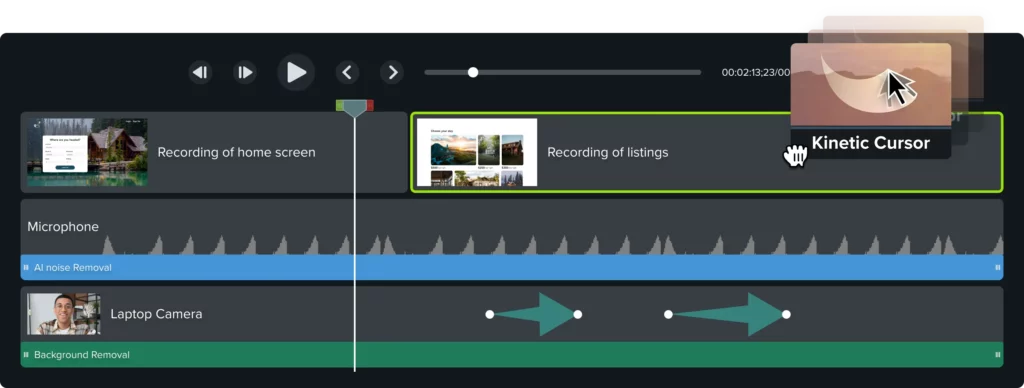
ScreenFlow gives you transitions, text and video animations, multi-channel audio editing, closed captions, ProRes export, and iOS device screen recording. Camtasia brings text-based editing, bulk caption generation, and on higher tiers AI-generated voiceover.
Those features earn their keep when you are:
- delivering product demo videos to a client
- building course or training material
- publishing tutorials on a regular schedule
For that kind of work, a few hundred dollars is reasonable next to assembling a separate editor and asset library yourself. Some capabilities, like ScreenFlow's iOS screen recording, are genuinely hard to replace.
You want capture and editing in one place
Recording, trimming, and exporting without moving between applications has real value, and it compounds the more videos you produce.
When it is not
Now the other pattern.
You record a call to review it later. You keep a client conversation so your team can catch up. You capture a workflow so you can check the steps yourself next week. Nobody in this group opens an editing timeline. And yet it is entirely possible to be paying a few hundred dollars a year for one.
When your goal is a record, you need exactly three things:
- No watermark on export, because that decides whether you can share it at all
- No time limit, because a one-hour meeting that stops at five minutes is useless
- System audio capture, because a recording without the other person's voice makes no notes
If a record is what you need: Qureco
Qureco is a Mac screen recorder that covers those three things at no cost. Exports have no watermark, recordings have no time limit, and it captures the other person's voice without installing a virtual audio driver like BlackHole. You install it and start recording.
The Pro plan ($9 per month, $81 per year) generates meeting notes from the recording with AI and sends them straight to Notion, so the notes are waiting for you when the call ends instead of sitting in a video you never rewatch. The first two weeks are free and no credit card is required.
Recordings export as MP4, so nothing stops you from bringing a file into a paid editor later. Decide for the use case you have now, and add tools when the need shows up.
Frequently asked questions
Can I still buy a perpetual Camtasia license?
Not from TechSmith. Everything from Camtasia 2025 onward is subscription-only. Resellers sometimes still list older versions, but support for Camtasia 2024 ends December 31, 2026 for customers without a maintenance agreement.
Does the cheapest Camtasia plan remove the watermark?
No. The Camtasia Editor included with Starter is watermarked. Watermark-free export begins at Essentials.
Do I have to pay for ScreenFlow every year?
No annual payment is required. You will pay again when a new major version arrives, $79 to $119 depending on the version you own. Owners of v1 through v3 are not eligible for upgrade pricing and pay $199 for a new license.
ScreenFlow or Camtasia on a Mac?
ScreenFlow is built for macOS specifically. Camtasia supports macOS 14.0 and later but is a cross-platform product. Choose ScreenFlow if you want to own a license outright, or a higher Camtasia tier if you want AI voiceover and translation.
Can I use trial exports for client work?
Not really, since exports are watermarked in both trials. Treat the trial as a way to confirm whether you will use the editing features, not as a way to produce deliverables.
Can I make a software walkthrough with only free tools?
If the format is screen plus narration with no cuts or captions, yes. Once you want lower thirds, sound effects, and polish, you need an editor. Record one walkthrough with a watermark-free free app first. Whatever feels missing after that is what you would actually be buying.
Terms used in this article
| Term | Meaning |
|---|---|
| Perpetual license | You buy a version and keep using it. New versions usually cost extra |
| Subscription | You pay monthly or yearly for access, and lose it when you stop paying |
| Major upgrade | A whole-number version jump, like v9 to v10. Usually paid |
| Watermark | A logo or text burned into your export, common on free and entry tiers |
| System audio | Sound playing on your Mac, including the other participants in a call |
| Maintenance agreement | An update entitlement attached to a perpetual license, now called a Legacy License at TechSmith |
Wrapping up
- Camtasia's perpetual license is gone. Everything from Camtasia 2025 onward is an annual subscription across four tiers
- The cheapest paid tier still watermarks. Watermark-free export starts at Essentials
- ScreenFlow's one-time purchase is not a one-time payment. Major upgrades run $79 to $119
- Editing justifies the cost, recording does not. The tiers are priced on editing and AI features, not on capture
Decide one thing first: will you edit the footage you record? Once that is settled, the money question mostly answers itself. If the answer is no, start by recording one session with a free app that has no watermark, no time limit, and system audio, and see whether you were ever missing anything else.

Qureco Screen Recorder
Powerful screen recording app for Mac
Record meetings, let AI handle the notes, just read what arrives in Notion.
Try all features free for the first two weeks.