The reading pile keeps growing — reports, meeting notes, shared PDFs, articles you saved "for later" — but your reading time doesn't.
AI summarization tools can turn a 30-minute read into a 3-minute skim. The problem is choosing one: every "best tools" list features the same names with the same feature tables, and you're left no closer to a decision.
How to Choose: It Comes Down to What You're Summarizing
The four input types
| What you want to summarize | Examples | Best fit |
|---|---|---|
| Text you can copy-paste | Articles, emails, reports | ChatGPT, Claude |
| Files and PDFs | Papers, decks, manuals | Gemini, NotebookLM |
| Multiple documents at once | Research, internal docs | NotebookLM, Notion AI |
| Meetings and audio | Calls, web meetings, interviews | Qureco, Notta |
Check what "free plan" actually means
The other trap is the free tier. "Free plan available" can hide very different realities:
- Message or word limits: daily caps, or a ceiling on how much text fits in one request
- File support: some tools lock PDF upload behind the paid plan
- Audio: free transcription minutes are often tiny (e.g., 120 minutes per month, 3 minutes per file)
We'll spell out the free limits for each tool below, so you don't start "free" and hit a paywall the same afternoon.
The 7 Best AI Summarization Tools Compared
| Tool | Free plan | Best input | Paid plan | Standout trait |
|---|---|---|---|---|
| ChatGPT | Core features with usage caps | Any text | Plus $20/mo | The default choice; most flexible instructions |
| Gemini | File uploads and long docs free | PDFs, long docs, Google apps | Paid tiers for top models | Deep Google integration |
| Claude | Usable free with message caps | Very long documents | Pro $20/mo | Reads huge documents carefully |
| NotebookLM | 100 notebooks, 50 questions/day | Multi-document research | Pro for higher limits | Answers with citations |
| Notion AI | Limited trial | Notes and docs in Notion | Included in paid plans | Summarize where you already write |
| Notta | 120 min/mo, 3 min per file | Audio files | From ~$9/mo | Transcription + summary in one |
| Qureco | Unlimited free recording | Meetings and calls | Pro $9/mo | Record → AI notes → Notion, automatically |
Now let's look at each tool — what it's good at, and how far you can get without paying.
ChatGPT — Best All-Rounder for Text

ChatGPT is the baseline. Paste any text, ask it to summarize, and you'll get something genuinely useful.
- Free plan: core features with usage caps — plenty for everyday summarizing
- Best for: anyone unsure where to start, or who wants one tool for summaries, emails, and brainstorming alike
Gemini — Best for Long Docs and Files
- Free plan: file attachments and summaries free; top models and heavy workloads are paid
- Best for: people who summarize PDFs and decks often, or work Google-first
Claude — Best for Very Long, Dense Documents

It suits "close reading" work — research papers, long reports, anything where a sloppy summary would be costly.
- Free plan: usable with message caps; heavy long-document work realistically needs Pro
- Best for: readers of long, heavyweight documents that must be summarized accurately
NotebookLM — Best for Research Across Multiple Sources
Load ten PDFs, docs, and videos into one notebook and ask, "Summarize these from the angle of X" — for research, nothing else comes close.
- Free plan: 100 notebooks, 50 sources per notebook, 50 questions/day — generous for personal use
- Best for: cross-document research, and anyone who needs verifiable summaries
Notion AI — Best If Notion Is Already Home
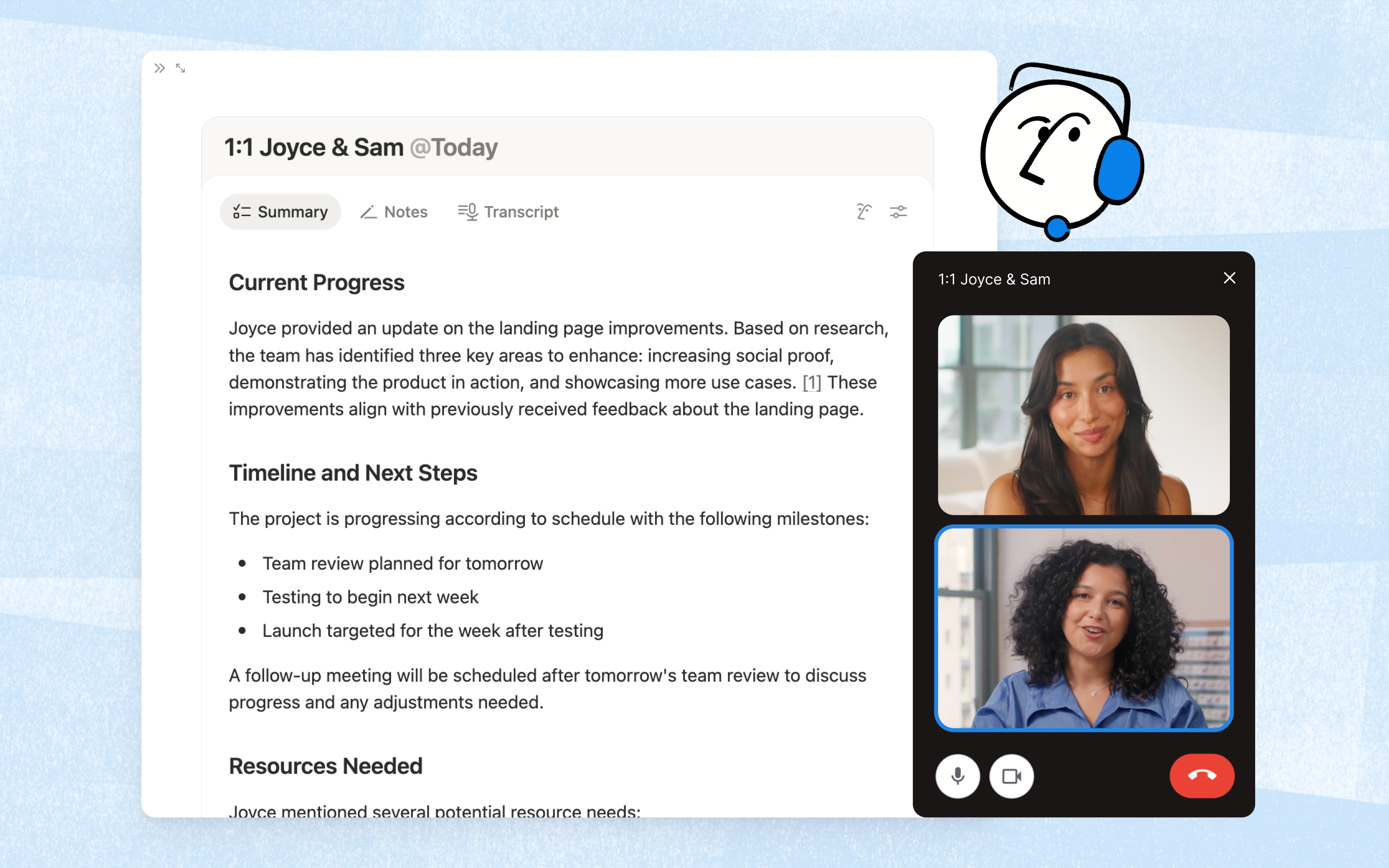
- Free plan: trial-level access; real use assumes a paid plan
- Best for: teams and individuals whose knowledge base is Notion
Notta — Best for Audio Files
Notta specializes in audio: upload a recording, get a transcript, then an AI summary — with speaker separation and real-time transcription on top.
- Free plan: 120 min/month, 3 min per file
- Best for: phone-recorded interviews and standalone audio files
Qureco — Best for Meetings End to End
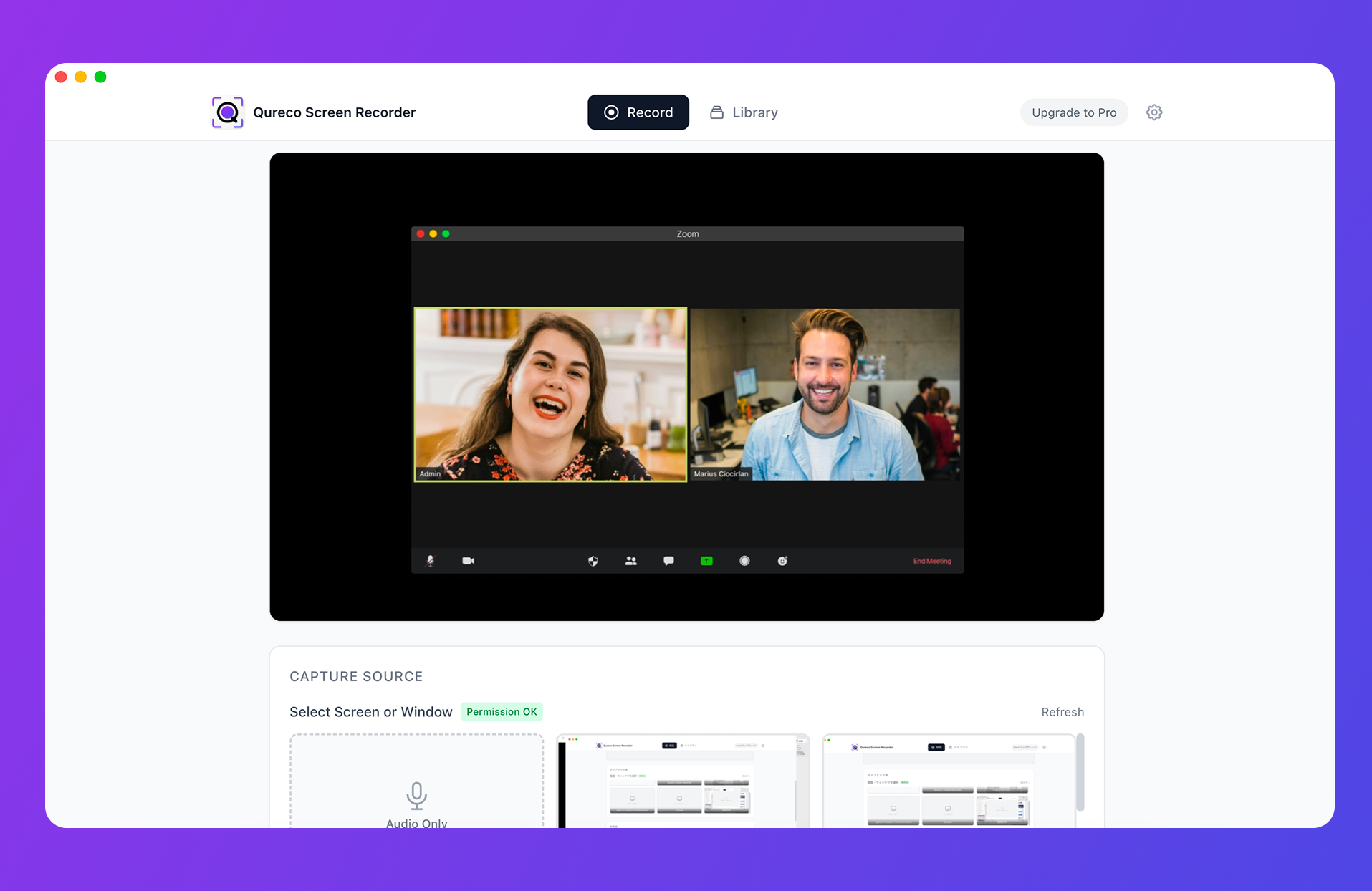
- Recording is free, unlimited, watermark-free, with zero audio-driver setup
- Pro ($9/mo) adds AI meeting notes with customizable format and Notion export
- Speaker identification keeps "who said what" in the record
Prompts That Make Any Summarizer Better
Summarize the text below.

- Audience: a teammate hearing about this for the first time
- Length: under 200 words
- Format: bullet points — conclusion first, then reasons, then caveats
- Keep all names and numbers exactly as written

[TEXT]
(paste here)
For decision-making material, try this shape:
Extract only the information needed for a decision from the document below.
- Separate what is decided from what is still open
- Always include risks and concerns
- Add a one-line quote from the source for each item
Two Cautions Before You Go All-In
Summaries can contain things the source never said
Hallucination risk never fully disappears. Prefer citation-backed tools (like NotebookLM) for anything factual, and verify numbers against the source.
Mind confidential documents
Before summarizing internal material, check whether the tool trains on your inputs (and whether you can opt out), and follow your company's AI policy. On some free plans, training on your data is the default.
The Bottom Line: Choose by Input Source
- Not sure? Start here: ChatGPT (any text, most flexible)
- PDFs and decks: Gemini (free file uploads)
- Long, dense documents: Claude
- Multi-source research: NotebookLM (citations, generous free tier)
- Everything already in Notion: Notion AI
- Audio files: Notta (free: 120 min/mo, 3 min/file)
- Meetings: Qureco (record → notes → Notion, automatically)
The fastest way to reclaim your reading time is to pick one tool and summarize one document today. If meetings are your biggest time sink, start with Qureco's free download.

Qureco Screen Recorder
Powerful screen recording app for Mac
Record meetings, let AI handle the notes, just read what arrives in Notion.
Try all features free for the first two weeks.