Those thirty seconds when you said "はい、大丈夫です" and had no idea what you'd just agreed to. You caught your own name. You caught the project. You didn't catch the actual question, so you nodded, and the meeting moved on.
Search for help with this and you'll get study plans and polite-form drills. That advice is right, but it won't arrive in time for next week's standing meeting.

Qureco Screen Recorder
Powerful screen recording app for Mac
Record meetings, let AI handle the notes, just read what arrives in Notion.
Try all features free for the first two weeks.

It Isn't Only Your Japanese
Start here, because you're probably being unfair to yourself. Real meeting Japanese is structurally harder than any material you studied with.
| Factor | What's happening |
|---|---|
| Dropped subjects | Japanese routinely omits who is doing the thing, so you can miss that the request was aimed at you |
| Keigo and indirect phrasing | The same verb changes shape, and requests arrive as "〜していただけると" rather than as instructions |
| Katakana and in-house shorthand | English-derived words like アサイン, リスケ, コンセンサス, plus abbreviations nobody expands |
| Poor audio conditions | Connection quality, cheap microphones, people talking over each other |
Miss once, and you can't get back in
While you spend three seconds working out whether リスケ meant the meeting or the deadline, the discussion has already moved on. You try to catch up by replaying it in your head, and you miss that too. Once you're in that loop, the remaining forty minutes give you almost nothing.
Understanding and speaking compete for the same attention
So you don't come across as "quiet but following along." You come across as absent. That's where the real cost is.
During the Call: Captions Help, but Only So Much
The first thing to try in the meeting itself is live captions. Just calibrate your expectations first.
Japanese captions on Japanese audio are available on free tiers
Same-language captioning works across all the major platforms, Japanese included. Google Meet's live captions are available even on free accounts, and Zoom and Teams have their equivalents.
Japanese-to-English translated captions sit behind a paywall
What most people actually want, though, is to read it in English. That's where the wall is.
| Platform | Same-language captions | Translated captions |
|---|---|---|
| Google Meet | Available on free accounts | Business Standard and above (Workspace editions) |
| Zoom | Available | Paid plan or add-on |
| Microsoft Teams | Available | Teams Premium |
Most people have no idea which edition their employer pays for, so it's worth asking IT.
Reading captions costs you the ability to speak
Captions help you follow. They don't carry you all the way to understanding and responding. Going silent for an entire call because you were busy reading is a very common outcome.
Reframe: Take the Understanding Afterward
Having a safety net changes the psychology of the whole meeting.
In practice it also lowers the barrier to saying "すみません、もう一度お願いします." You don't need to ask about everything anymore. Just the one or two points that touch your own work.
The Three-Step Catch-Up
Here's the routine. It fits in about thirty minutes after the call.
Step 1: Record the meeting (after saying so)
Bringing an AI notetaker bot into the call is rarely realistic either. Adding an unfamiliar participant to a Japanese client meeting isn't a call you can make on your own, and in a lot of offices it will read as presumptuous.
Step 2: Transcribe with speaker labels
Because subjects get dropped, a transcript without speaker labels leaves you unable to tell who is supposed to do the thing that was just agreed. Once you know the line came from your section chief rather than from the vendor, the missing subject is usually obvious.
Step 3: Summarize with AI, then translate
Rereading a full Japanese transcript isn't realistic. A 60-minute meeting runs well past 10,000 characters.
| What to extract | The question it answers |
|---|---|
| Decisions | What was settled, and what got deferred |
| Requests to you | Who asked you for what, by when |
| Numbers and proper nouns | Dates, amounts, product names (verify these against the audio) |
If you have those three, you followed the meeting. Full comprehension was never the requirement.
Doing all three in one app
Splitting recording, transcription, and summarizing across three tools means shuffling files around after every call. With two Japanese meetings a week, that habit won't survive.
- Independent of the host's setup: it records on your Mac, so there's no host permission to ask for and no bot in the participant list
- Captures the other side's voice: system audio and your microphone are recorded together, with no virtual audio driver to set up. The macOS built-in recorder can't capture the other participants at all, which makes this the practical dividing line
- AI meeting notes with speaker labels: notes are generated from the recording, with speakers identified. You can add your own instructions when regenerating, so asking for the output in English is part of the normal flow
- One click to Notion: your meeting notes pile up in one place
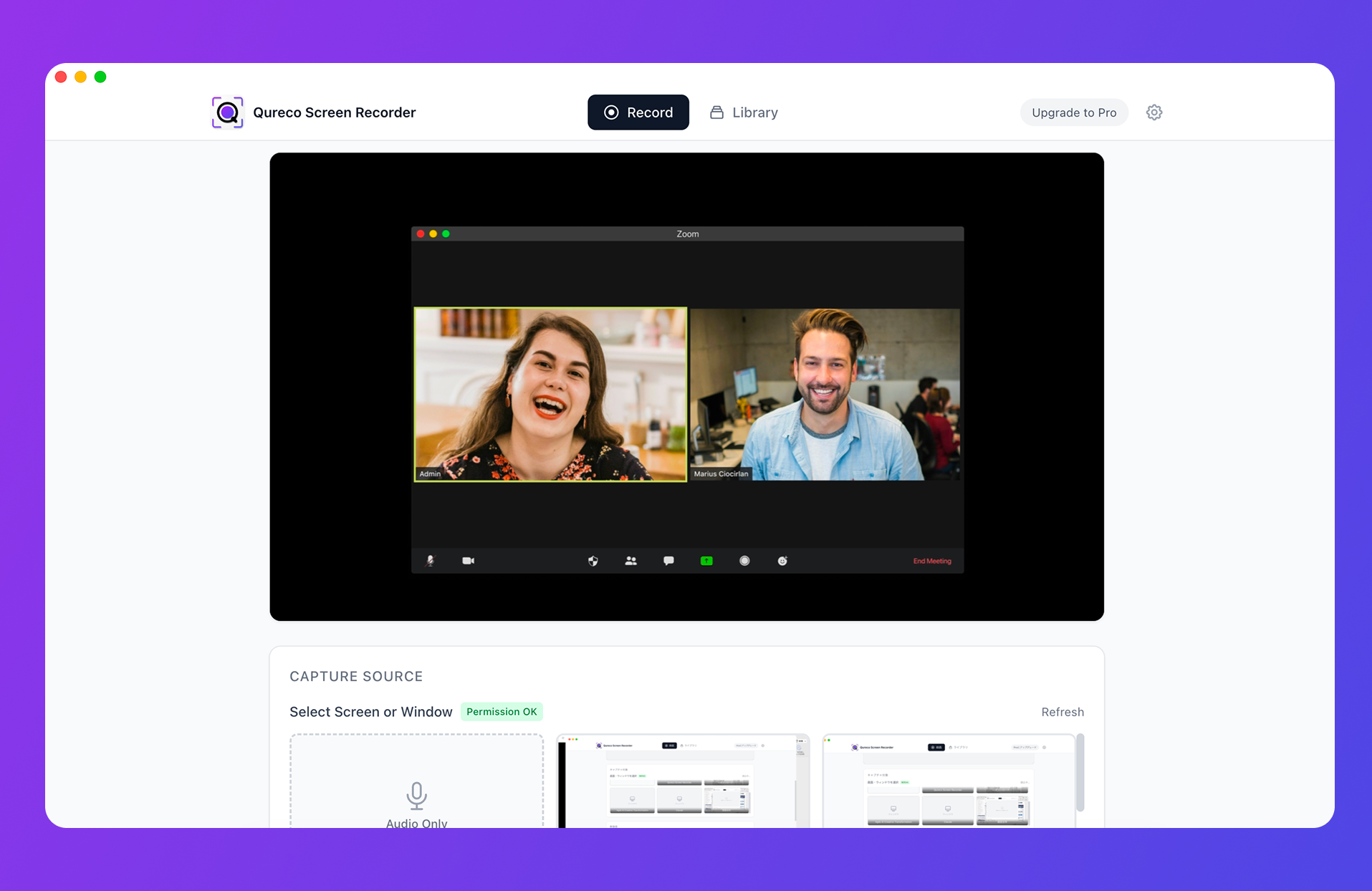
Recording itself is free, with no time limit and no watermark. AI notes and the Notion integration are on the Pro plan ($9/month), which comes with a free two-week trial and no credit card, so a single recurring meeting is enough to judge whether it's worth it.
What Changes by the Third Meeting
Keep this up and you get something you weren't planning on.
Three meetings in, the recurring vocabulary starts to stand out. The next time those phrases come up live, your odds of catching them go up noticeably.
Wrap-Up: Stop Aiming for Perfect During the Call
The essentials:
- Meeting Japanese is hard because dropped subjects, keigo, in-house katakana, and bad audio stack up. Following your textbook but not your meetings is a normal outcome
- Japanese captions on Japanese audio are free and genuinely useful, because kanji is faster to read than speech is to parse. Japanese-to-English translated captions sit behind a paid tier
- Shift the in-call goal from full comprehension to main points plus participation, and take the understanding afterward. That reframe is what creates room during the call
- The after-call routine is record, transcribe with speaker labels, summarize in English. Verify proper nouns, numbers, and kanji conversions against the audio
- When you're not the host and can't add a bot, recording on your own machine is the reliable path. One sentence of disclosure is all it takes
Qureco Screen Recorder
Powerful screen recording app for Mac
Record meetings, let AI handle the notes, just read what arrives in Notion.
Try all features free for the first two weeks.