You installed it, dragged in an audio file, and a transcript appeared. That part took ten minutes.
MacWhisper turns speech into text entirely on your Mac. Can it handle meetings? Yes, and the free tier goes further than most people expect. What it will not do is hand you finished meeting notes. This article covers how far free gets you, where Pro (€64, one-time) becomes necessary, and the four things that trip people up when they point it at real meetings.
Short answer: yes, it transcribes meetings
Recording and transcription are connected inside the app
Processing stays on your machine
If you started looking for a tool because client names and unreleased numbers should not go to a cloud service, this single property is why MacWhisper stays on your list.
What comes out is a transcript
This is where expectations slip. When the meeting ends, what you have is text of what was said.
Turning that into meeting notes still means summarizing it, pulling out what was decided, and putting it somewhere. MacWhisper does have summarization, but as described below, you connect your own AI service to get it.
To go from recording to notes to storage in one pass: QurecoA recorder for Mac that generates the meeting notes inside the app. No API key to obtain, no AI service to wire up, and it sends the result to Notion, so you are not deciding where each meeting goes. Where it differs from MacWhisper is covered later in this article, but you can try it first.
Free versus Pro (€64)
The pricing picture
| Plan | Price | What you get |
|---|---|---|
| Free | $0 ("Free forever") | Recording, transcription, 100+ languages, .txt / .srt / .vtt export |
| Pro | €64 one-time (lifetime updates) | Everything above, plus .md / .pdf / .html / .docx export, watched-folder automation, integrations with Notion, Zapier, Obsidian, n8n, Make.com and webhooks, CLI control, subtitle translation |
It is a one-time purchase rather than a subscription, and updates are included. No transcription minute cap is stated.
What actually justifies Pro
Since transcription itself works on the free tier, Pro comes down to whether one of these applies to you:
- Export format: you hand work off in Markdown or docx
- Automation: you want files processed the moment they land in a folder (watched folder)
- Integrations: transcripts should flow into Notion or Obsidian
- Batch: you have a backlog of recordings to process at once
If you convert a handful of files a month, free is usually enough.
What is reported about speaker separation
The official screenshots show the same thing: the "Speaker Grouping" control carries a BETA label.
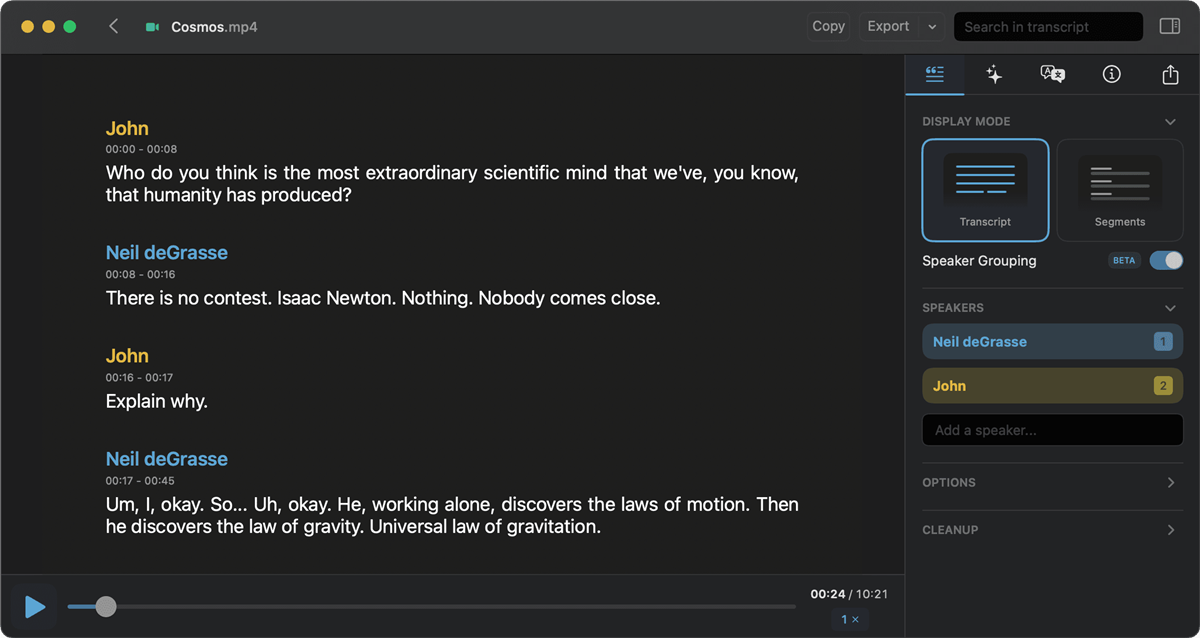
For a two-person call this rarely hurts. For a recurring meeting with five or more people where "who said this" needs to survive, plan on correcting the text yourself.
Four things that trip people up in real meetings
1. Someone still has to produce the audio
2. Browser-based meetings are not named in the app list
3. There is no video
MacWhisper works with audio and text. The screen is not captured.
4. Summaries run on your own AI service
The flip side: summarizing with a cloud model means getting an API key and paying per use. A local model (Ollama and similar) avoids the billing but you set the model up yourself.
Where MacWhisper is enough, and where it is not
Splitting by use case makes the decision quick.
| Use case | Is MacWhisper enough? |
|---|---|
| Converting a backlog of recordings to text | Yes, batch work suits it |
| Confidential meetings that cannot go to a cloud | Yes, processing stays on device |
| Producing subtitles (.srt / .vtt) | Yes |
| Paying once instead of subscribing | Yes, €64 with no subscription |
| Running a weekly meeting through to finished notes | You will assemble summarizing and storage separately |
| Keeping the screen-shared material too | No video, so you need a recorder as well |
| Filing notes into Notion automatically | Pro-side integrations, or another tool |
If "keep it local" is the core requirement, staying with MacWhisper is the right call. What follows is for people whose weight is on the weekly-meeting side.
Connecting recording through to notes in one pass
Once meetings are recorded every week, the work left over is roughly four steps:
- Record the meeting audio, and ideally the screen
- Transcribe it
- Summarize it and pull out what was decided
- File it where it belongs
- Records the screen and audio together. Microphone and system audio toggle separately, and no virtual audio setup is required
- Audio-only mode, for conversations where you would rather not keep video
- AI meeting notes generated in the app, with no API key to obtain. The template is customizable, so output can be shaped into something like "decisions, action items, deadlines"
- Sends to Notion, so filing is not a decision you make every week
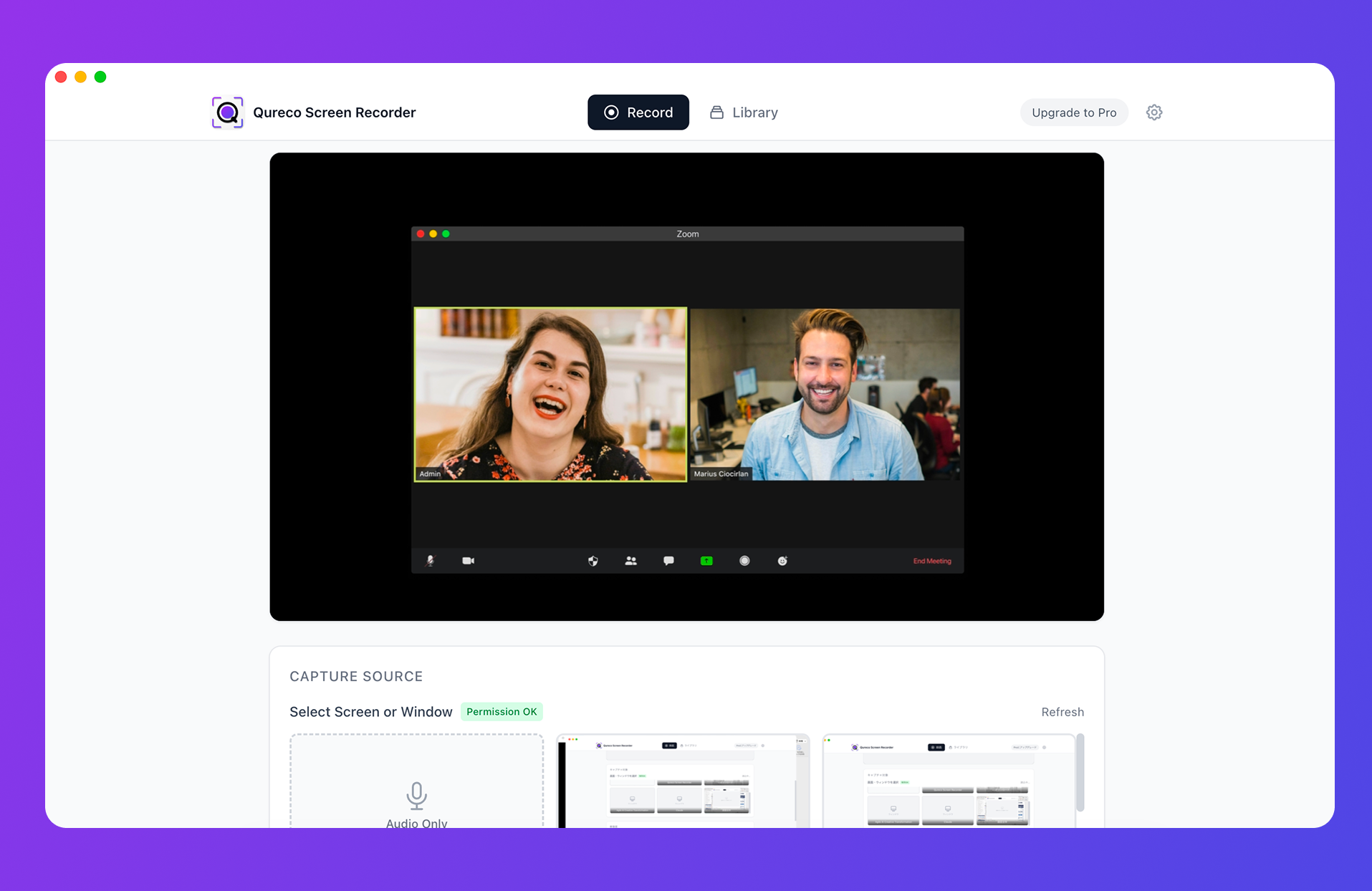
Recording itself is free, with no time limit and no watermark. AI meeting notes and the Notion export are on the Pro plan ($9/month launch pricing, first two weeks free, no credit card required).
Frequently asked questions
The official site states no transcription cap and simply says "Free forever." Higher-accuracy models and some export formats sit on the Pro side, so the practical reading is that free narrows your choice of models and outputs rather than your minutes.
The apps named for automatic recording are Zoom, Teams, Webex, Skype, Chime, and Discord. Meet runs in a browser, so you would target browser audio through App Audio. Test one short meeting in your own environment before relying on it.
For draft-quality text, the smaller models are usable. When proper nouns and company names have to survive intact, the larger models hold up better. Either way, plan to eyeball names and numbers afterwards.
They do different jobs. MacWhisper turns audio files and app audio into text; Superwhisper is dictation that types what you say wherever your cursor is. Meeting records point to MacWhisper, writing email or code by voice points to Superwhisper.
For transcription, the official site says processing happens on the device. But if you connect a cloud model (OpenAI, Gemini and so on) for summaries, that text goes out through the API. To stay fully local, run summarization on a local model too.
Summary
- MacWhisper does transcribe meetings. The site lists automatic recording for Zoom, Teams, Webex, Skype, Chime, and Discord, and App Audio can target app audio
- The free tier is generous. Recording, transcription, 100+ languages, and .txt / .srt / .vtt export are free. Pro is a €64 one-time purchase adding .md / .docx export, watched folders, Notion-style integrations, and CLI
- Four friction points in real use: producing the audio, browser-based meetings, no video, and summaries running on your own AI service
- If you want local processing and a one-time purchase, MacWhisper has a clear reason to exist on your Mac
- If you want weekly meetings to end with notes already filed, a workflow where recording, summarizing, and storage are already connected takes fewer steps
Record one meeting on the free tier and transcribe it. Whatever manual work is left over is your answer: either it is small enough to repeat weekly, or it is time to change the shape of the workflow.

Qureco Screen Recorder
Powerful screen recording app for Mac
Record meetings, let AI handle the notes, just read what arrives in Notion.
Try all features free for the first two weeks.