You have finished three interviews and have not rewatched a single minute of the first one. Three sixty-minute files are sitting on the desktop, and five more sessions are already on the calendar.
Analysis has not started because the recordings are still in the shape of "something to listen to later" rather than something you can analyze. Sixty minutes times eight participants is eight hours of listening. Any workflow that assumes a second listen falls apart the moment the sample size grows.
This article covers how to design your recording around what the analysis actually needs, and how to run recording, transcription, quote extraction, and cross-participant comparison from a single Mac.
Why user interview records stall right before the analysis
Taking notes while moderating kills your follow-up questions
While your hands are moving, the answer is passing you by. Worse, you can only write down what you understood in the moment. The most valuable material in an interview is usually the sentence that confused you or the tangent that broke your script, and those are exactly the parts that never make it into live notes.
Notes also compete with your next question. Interview quality tends to track the number of follow-ups you ask, so trading follow-ups for note-taking gets the priorities backwards.
When the participant hosts the call, you have no record button
Interviews with existing customers often happen on a link the customer sends. In most meeting tools, recording permission belongs to the host, so a guest simply has no record button. You can ask the host to record and send you the file, but that adds days of latency to your own research.
"I'll listen back later" does not survive contact with eight participants
Decide the fidelity of your record by working backwards from the analysis
Verbatim transcript or summary
A simple rule of thumb:
- Choose verbatim if you plan to quote participants to persuade stakeholders, or if the exact phrasing carries meaning
- Choose summary if you only need a factual record of who struggles with what
The three things a record must carry
Mapped onto what you plan to do downstream:
| What the analysis does | What the record must carry | What breaks without it |
|---|---|---|
| Affinity mapping (KJ method) | A transcript you can cut into single-idea units | You end up building cards from a summary, layering one interpretation on top of another |
| Question by participant matrix | Speaker labels, clear question boundaries | You cannot tell who said what, and the matrix stays empty |
| Quoting participants to stakeholders | Exact wording plus timestamps | You cannot verify a challenged quote |
| Reading hesitation and silence | The original audio or video | Everything that was not said in words disappears |
Consent and anonymization
Before recording, cover three points: the purpose, how long you will keep the file, and who will see it. Say it again after you press record, so the confirmation itself lands in the recording.
Today's session will be used internally to improve the product. The recording stays with our team and will not be published anywhere. Is it all right if I record?
If the answer is no, do not record. Fall back to handwritten notes and a voice memo right after the call. When the material moves into shared analysis documents, replace names and company names with labels such as "P03, IT admin at a mid-size retailer."
Recording user interviews on a Mac
Record your own screen instead of borrowing the host's feature
Rather than relying on the host's recording permission, capture what is happening on your own Mac. The meeting platform stops mattering: Zoom, Google Meet, and Teams all work the same way from your side.
You need two audio sources:
- System audio: the participant's voice, coming out of your speakers
- Microphone: your own voice as the moderator
Why this differs from inviting a bot
Many AI meeting-note tools join the call as a participant. That is fine internally, but a user interview is a conversation with a customer. An unfamiliar app name in the participant list invites questions and can make people guard their answers.
Three checks before you hit record
- Both microphone and system audio are on. There is no recovering this after the session
- The capture area covers whatever gets screen-shared. Full screen is safer than a single window
- Resolution. 720p is plenty for faces and on-screen text, and it keeps eight recordings from filling your disk
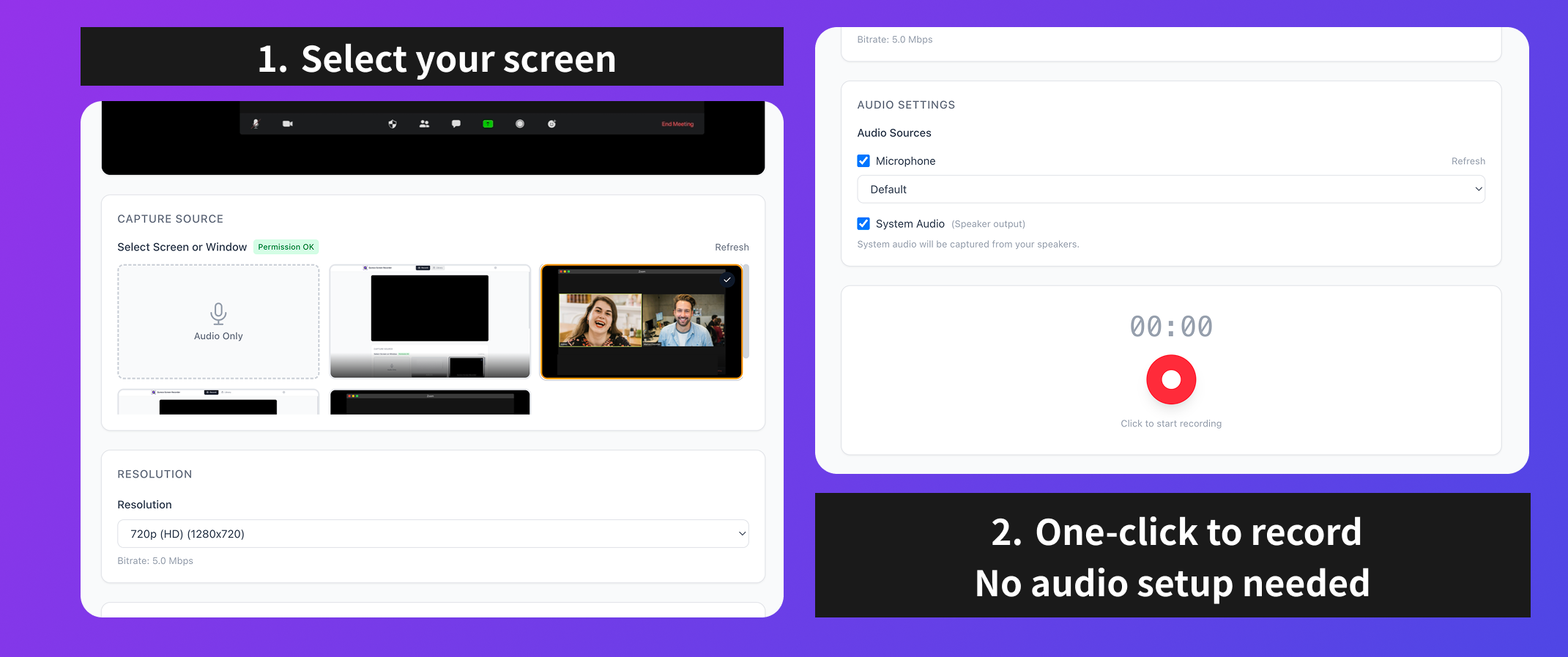
If your recorder shows live level meters for both sources, you can confirm in thirty seconds that sound is actually arriving. Interviews are not repeatable, so make that check a habit.
Turning a transcript into something you can actually analyze
Step 1: produce a speaker-labeled full transcript
Generate a transcript with speaker separation. Automatic labels like "Speaker A" and "Speaker B" are fine, as long as moderator and participant are distinguishable. Questions and answers blended into one block cannot be cut apart later.
Keep timestamps as well. When a line catches your attention, being able to jump back to that moment in the video decides how expensive verification is.
Step 2: cut the transcript into single-idea units
What to pull out of the transcript:
- Concrete described behavior ("Every Friday I copy it all into a spreadsheet")
- Emotionally loaded lines ("Honestly that part drives me up the wall")
- Moments where reality diverged from your model (you were asking about feature A, they were describing a completely different use)
Do not turn an AI summary directly into your cards. A summary preserves the main thread, but analysis usually pays off on the material that falls outside it. The same guide is explicit that you should not skew toward favorable comments or discard inconvenient ones. Let AI draft candidate extractions, then accept or reject each one against the original.
Step 3: group and interpret
For time-ordered themes such as onboarding or churn, laying the units out on a process map works better than clustering. Either way, the input is a set of quote-level cards, and the source of those cards is a speaker-labeled transcript.
Build a place to compare five to ten participants
A question by participant matrix
One participant's analysis cannot tell you whether a problem is idiosyncratic or shared. The framework cited above recommends laying the data out as a question-by-participant table so you can filter, sort, and count code frequency to give qualitative findings some quantitative backing.
A Notion database reproduces this directly: participants as rows, themes as the columns you filter on.
Properties worth having
| Property | Type | Purpose |
|---|---|---|
| Participant ID | Text | P01, P02, kept anonymous |
| Segment | Select | Industry, size, tenure. This is where differences show up |
| Session date | Date | Track shifts over time |
| Theme | Multi-select | Pricing, onboarding, operations. These are your columns |
| Quote | Text | The extracted line, in the participant's words |
| Interpretation | Text | What you read into it, kept separate from the quote |
| Recording link | URL | The way back to the original |
Keeping quote and interpretation in separate properties is the important part. Merged into one field, a later reader cannot tell what the participant said from what the researcher concluded.
Always keep a path back to the original
Running the whole loop on one Mac with Qureco
Every step above can be assembled from separate tools. The friction shows up in the middle: exporting a file, uploading it to a transcription service, and pasting the result somewhere else, once per interview. That routine tends to break down around participant five.
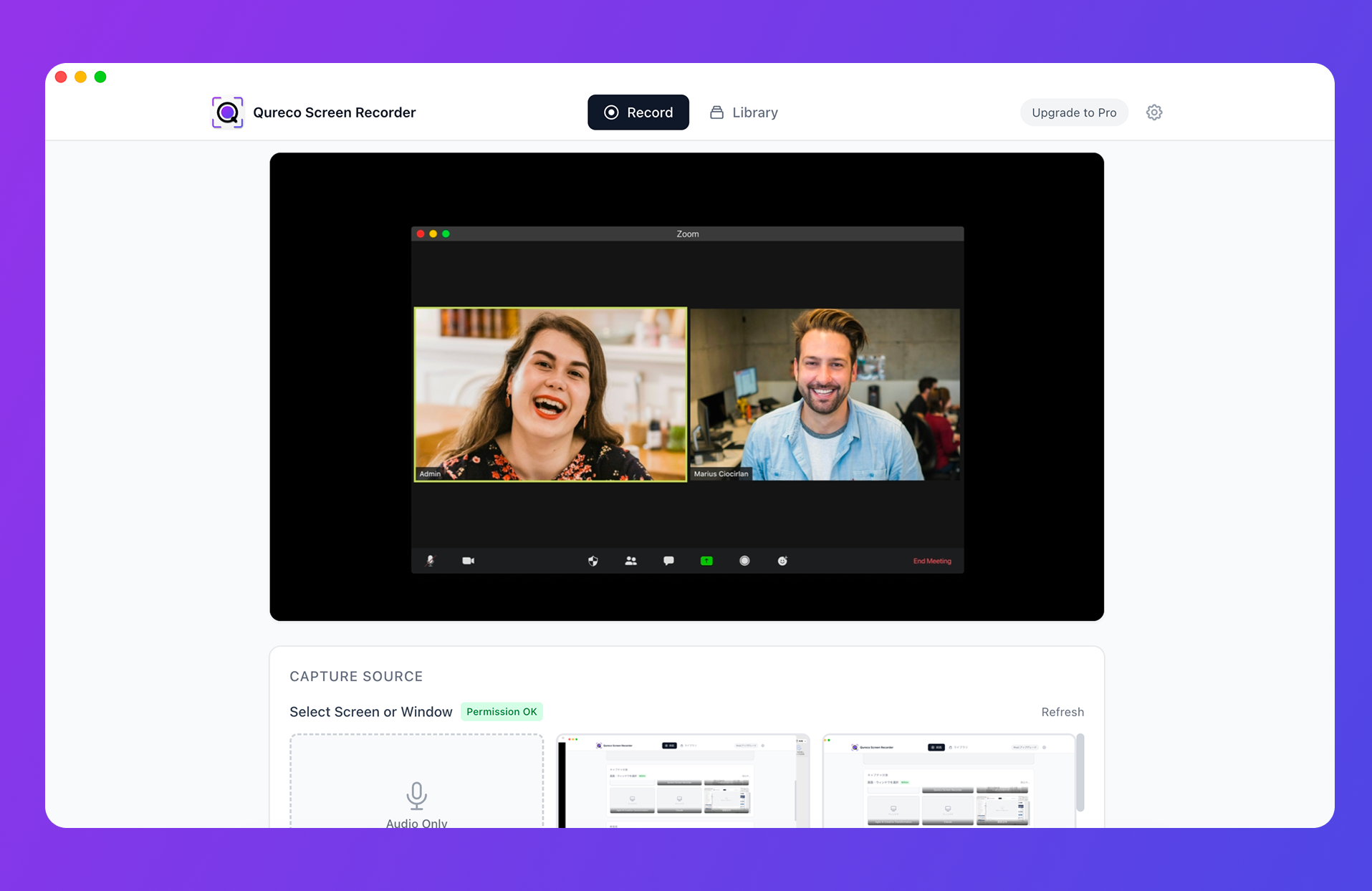
For interview work specifically:
| Interview problem | How Qureco handles it |
|---|---|
| No record button when the participant hosts | Captures your own screen, so host permissions are irrelevant |
| You need both voices | Microphone and system audio captured together, no virtual audio driver to configure |
| You cannot tell who said what | AI meeting notes with speaker identification |
| You do not want a bot in a customer call | Nothing joins the meeting. Everything runs on your machine |
| Records scatter across participants | Send notes into a Notion database and compare them in one view |
Screen and audio recording are free with no time limit and no watermark. AI meeting notes and Notion export are part of Pro ($9/month at launch pricing), and the first two weeks are free without entering a credit card. Running one research cycle of eight interviews is a reasonable way to decide.
FAQ
In a meeting room you are relying on the Mac's microphone for everyone in the space. With three or more people, or a large table, the built-in mic struggles with distance. An external conference microphone makes it reliable.
Not for analysis. Filler words do not interfere with searching or extracting. Cleanup only matters when the transcript is going to be published as an article or a customer story.
Wrapping up
When interview analysis stalls, the cause is usually the record, not the method.
- Record to extract and compare quotes, not to listen again
- Verbatim text, speaker labels, and timestamps keep your downstream options open
- Capturing your own screen removes the dependency on host permissions
- Build the comparison container (participants as rows, themes as columns) before the interviews pile up
- Keep quote and interpretation separate, and keep a link back to the original recording
If your next session is already booked, change the recording setup first. A speaker-labeled transcript on your desk makes starting the analysis dramatically less expensive.

Qureco Screen Recorder
Powerful screen recording app for Mac
Record meetings, let AI handle the notes, just read what arrives in Notion.
Try all features free for the first two weeks.