"We talked about that last time."
If you've heard that in a 1-on-1 and couldn't recall what you'd actually promised, you know the feeling. The notes exist somewhere, split across files by month, and none of them are findable in the moment.
The problem usually isn't that you don't take notes. It's that the format isn't built for a 1-on-1.
A 1-on-1 is the one recurring meeting where you talk to the same person and continue the previous conversation. Yet most people record it the same way they record a meeting with rotating attendees. This article covers how to cut what you keep down to three items, stop writing during the conversation, and get to a place where every 1-on-1 starts from where the last one ended.
Why 1-on-1 notes never stick
Typing makes the other person stop talking
You've probably seen it happen. They get to the heart of what they wanted to raise, you start typing, and their pace drops. For the few seconds your eyes are on the screen, they're looking at you, waiting.
Keep everything, and it starts to look like evidence
The second problem is volume.
A verbatim transcript reads differently than a set of notes. Read back by the person it's about, a full record of everything they said looks less like meeting notes and more like surveillance. Saying "this won't be used for your review" doesn't change what the artifact looks like.
Keep nothing, and you repeat yourself
Drop the notes entirely and every 1-on-1 resets.
Biweekly meetings with six reports means the next conversation with the same person is two weeks out, with five other 1-on-1s and your actual job in between. Nobody holds that many open commitments in their head.
So the answer isn't more notes, it's fewer and connected
Stacked up, 1-on-1 notes face three conditions at once:
- write during the meeting, and the other person goes quiet
- keep everything, and it looks like review material
- keep nothing, and nothing connects to last time
Keep only three things
In a 1-on-1, three things are worth keeping.
1. Commitments (who does what before next time)
"I'll look into that." "I'll bring it up at next week's meeting." Actions due before the next conversation.
2. Open threads (what you didn't settle today)
Recording what you didn't conclude is the part people skip.
3. Changes you noticed (what was different from last time)
- Good: "Didn't raise any topics of their own today"
- Bad: "Seems demotivated"
The first is something you observed. The second is an interpretation. Start writing interpretations and your notes become review notes. Keep the facts and you can draw your own conclusion once three of them line up.
How the three look on the page
| Item | Write this | Not this |
|---|---|---|
| Commitment | "(Me) introduce them to the counterpart in the other team by next week" | "Discussed cross-team work" |
| Open thread | "No decision on the transfer request, revisit next time" | "Talked about career" |
| Change noticed | "Didn't raise any topics of their own today" | "Looked down" |
Three items comes to five or ten lines per 1-on-1. That volume survives contact with a real week.
Write them as if the person will read them
Deciding to share does the filtering for you. Anything you couldn't show them is, by definition, not something the 1-on-1 record should hold.
Decide what you won't keep
| Don't keep | Why |
|---|---|
| Anything usable as review evidence | Creates the worry that notes feed the performance process, and people shrink |
| Third parties (complaints or gossip about other teammates) | Stores someone else's information without their consent, and can't be shared |
| Health, family, personal circumstances | You heard it to be considerate, not to accumulate it |
Decide when notes get deleted, too
If you're keeping records, set the deletion rule at the same time.
- How long you hold 1-on-1 logs (a year, or while the person is on your team)
- What happens when someone transfers or leaves
- Who has access (only you, or does the next manager inherit them)
Without these, you end up with years of logs and no clear owner.
"Not for reviews" needs more than a statement
Line the practice up with the promise. Two concrete moves:
- Keep the notes physically separate from review material. A folder holding both review forms and 1-on-1 logs undercuts the claim
- Tell the person before you hand notes over. Passing them to a new manager silently is the fastest way to lose trust
The routine that keeps you from typing
With the three items settled, change when you write. For a 30-minute 1-on-1:
| When | Time | What you do |
|---|---|---|
| Before | 30 seconds | Read out the three items from last time |
| The meeting | 30 minutes | Don't write. Laptop closed |
| After | 3 minutes | Write the three items |
Thirty seconds up front, reading back last time
This is the center of the whole routine.
"Last time I was going to introduce you to the counterpart in the other team, and we left the transfer question open."
Saying that at the top means the 1-on-1 starts where the last one ended. If a record is never used, it just accumulates. Reading the most recent entry is enough.
Don't write during the meeting
Close the laptop and spend the time listening. Once you've decided on three items, there's almost nothing to capture live. Commitments are memorable, and open threads are obvious from the conversation.
Three minutes after
When the 1-on-1 ends, take three minutes before moving on. While it's fresh, three items take three minutes.
For the days when three minutes don't exist
Some days the next meeting starts immediately. For those, there's the option of keeping the audio, which is the next section.
Let the other person decide whether you record
Before the audio question, get the order right.
The order matters
- State the purpose: "not for your review, but so we can pick up where we left off"
- Say what you'll keep: "commitments, open threads, and anything I noticed"
- Say who sees it: "just me, and I'll share the notes with you"
- Then ask whether recording is OK. If they'd rather not, don't
A no costs you nothing. The three minutes afterward covers it. Recording is insurance for the days those three minutes don't exist.
A 1-on-1 doesn't need the screen
This gets overlooked: the only thing you need from a 1-on-1 is audio.
Wording you can use
I keep forgetting what we agreed on, so I'd like to record just the audio and keep notes on commitments and open threads. It won't be used for your review, and I'll share the notes with you. If you'd rather I didn't, that's fine.
Getting the three items without doing the work
If you do keep audio, the flow is three steps:
- Record audio only during the 1-on-1
- Reduce it to commitments, open threads, and changes noticed
- File it under the person
Step 2 done by hand every time is what eventually stops. Automating it is what keeps the routine alive.
- There's an audio-only mode, so you never record the screen. In a 1-on-1 that matters
- The AI meeting-note template is customizable, so the output can be steered toward those three items instead of a verbatim transcript
- Speaker identification means a two-person conversation keeps track of whose commitment was whose
- It exports to Notion, so entries stack chronologically on the person's page
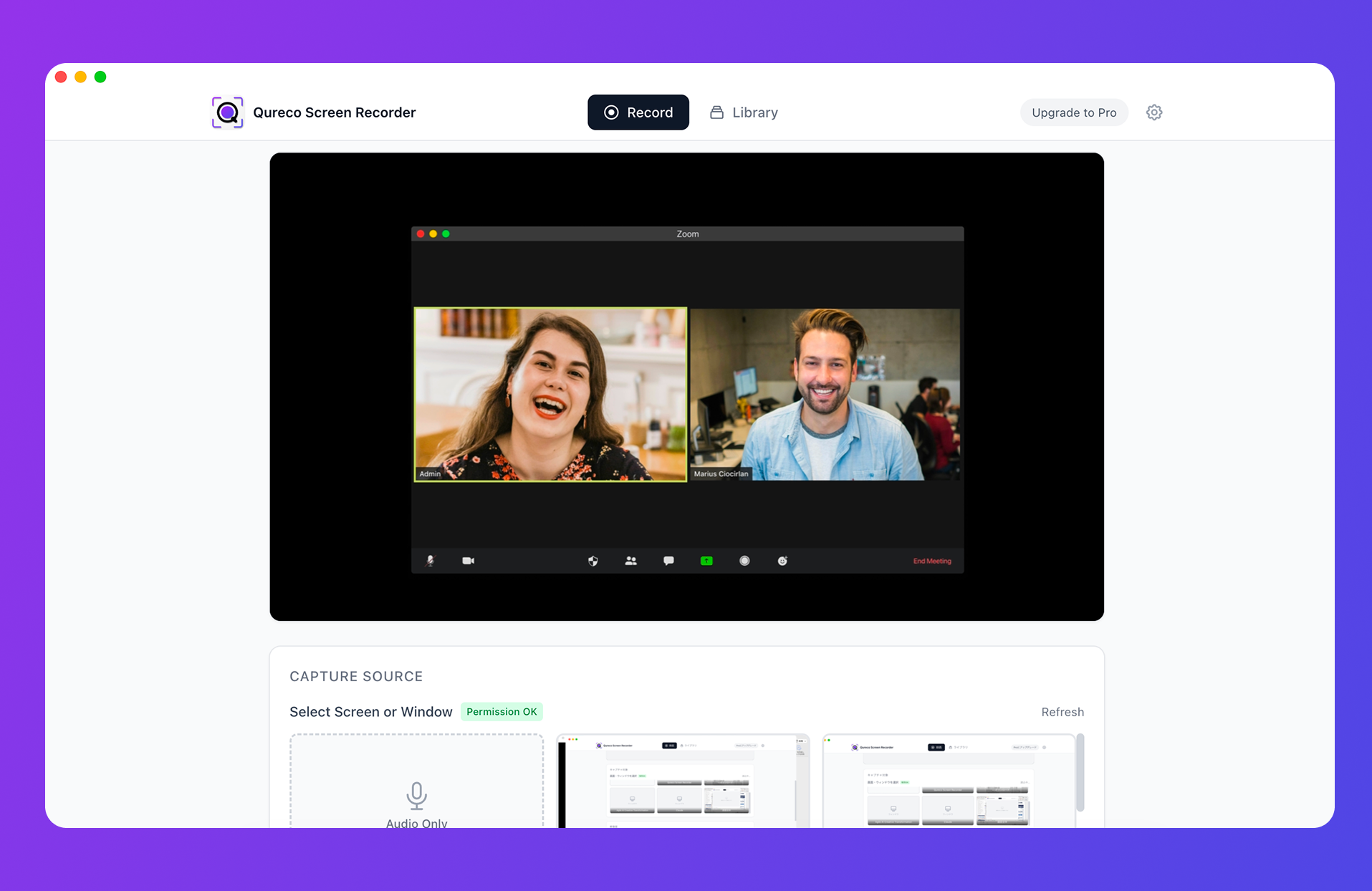
Recording itself is free, with no time limit and no watermark. AI meeting notes and the Notion integration are on the Pro plan ($9/month launch price, first two weeks free, no credit card required).
To be straight about the limits: it's macOS only, with no Windows build yet. And what the AI produces is the factual extraction. The interpretation is still yours to add.
File notes by person, in order
Where notes live decides whether they get used.
By person, not by meeting
- Good: an "Alex" page with entries for Sep 4, Aug 21, Aug 7
- Bad: a "Meeting notes" page with every person and every meeting by date
Before a 1-on-1, the only thing you open is that person's most recent entry. Whether it opens in three seconds decides whether this routine lasts.
Read a quarter at a time
To get value from the accumulation, read one person's entries end to end every three months. Look for three things:
- Were commitments kept (yours included)
- Have open threads been left to rot
- Did a change you noticed persist, or was it a one-off
Read it as preparation for the next conversation, not as evaluation. A single "didn't raise anything today" means nothing. Three in a row is worth naming.
FAQ
Yes. The core of the routine is cutting to three items and reading them back in the first 30 seconds. Recording is insurance for days when the three minutes afterward don't exist. If they decline, don't record, and don't note that they declined either.
For 1-on-1s, yes, in my view. They're hard to share with the person and slow to reread. If you do generate one, treat it as raw material for the three-item note and delete it once the note exists.
If you're rolling 1-on-1s out across an organization, reminders and sentiment trends are genuinely useful. Those purchases also take approval and time. Everything here is scoped to what one manager can start at their next 1-on-1. Getting the routine right yourself first tends to make the org-wide version work better.
Wrapping up
- 1-on-1 notes fail because there's too much to write. Writing during the meeting quiets the other person; keeping everything looks like review material
- Keep commitments, open threads, and changes noticed. Five to ten lines per meeting is enough
- Decide what you won't keep: review evidence, third parties, personal circumstances. Listen without recording
- Don't write during the meeting. Read back the three items in the first 30 seconds, write them in three minutes afterward
- Let the other person decide about recording. If you do record, you don't need the screen, only the audio
- File by person, in order, and open the most recent entry before the next conversation
The point of 1-on-1 notes isn't the archive. The only test is whether they're usable in the first 30 seconds of the next conversation. Try three items at your next one.

Qureco Screen Recorder
Powerful screen recording app for Mac
Record meetings, let AI handle the notes, just read what arrives in Notion.
Try all features free for the first two weeks.