There is an unfamiliar bot in the participant list of your client call, and someone asks what it is. You explain that it takes notes.
For the people who quit after that happens once, Tactiq looks like the next thing to try. It never joins the call, because it runs as a Chrome extension on your side.
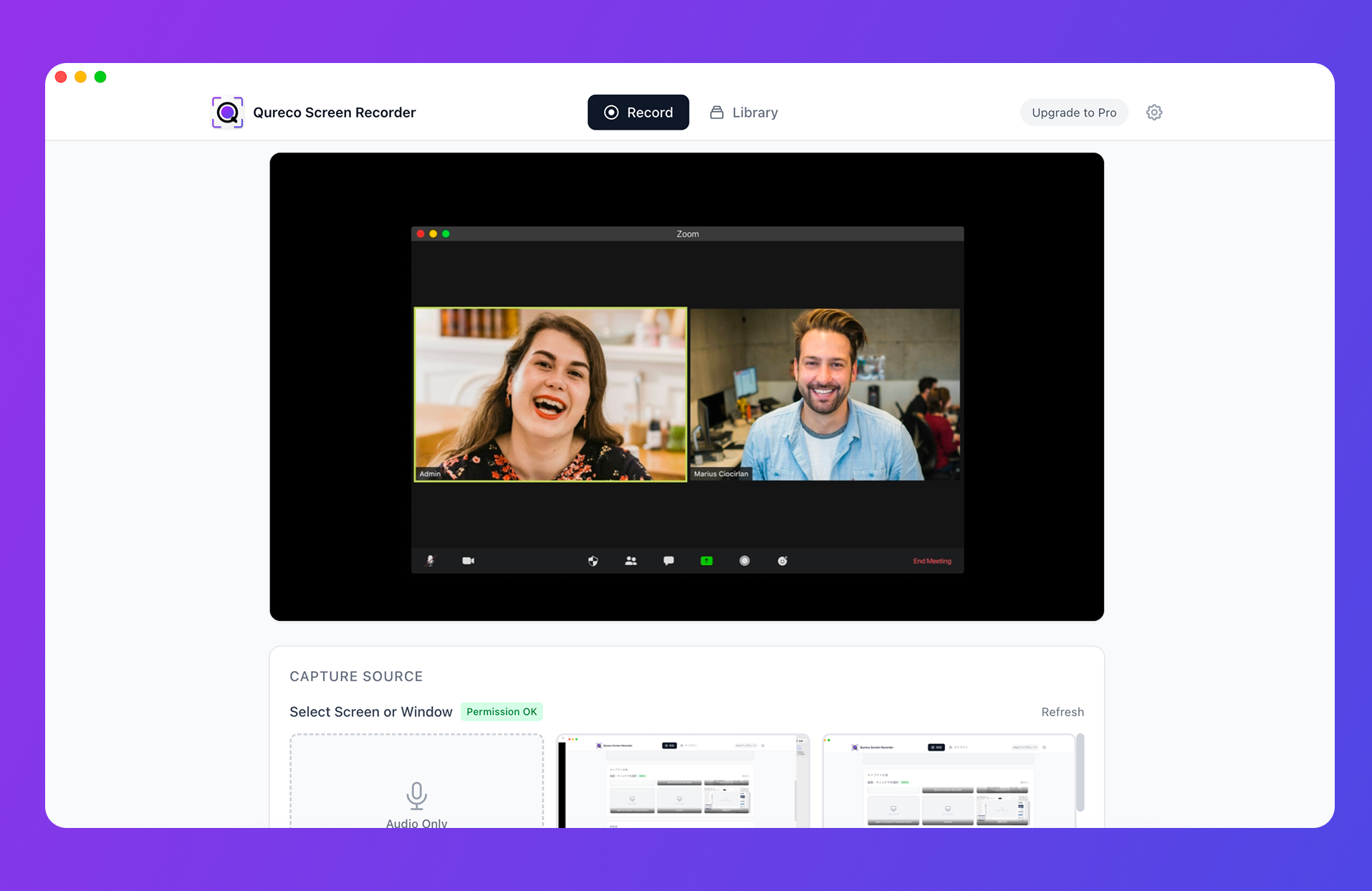
If you want the screen kept as well: QurecoA recorder for Mac that, like Tactiq, never joins your call as a participant. The difference is what survives: the screen and the audio stay as a recording, so shared slides and figures are still there later. Recording itself is free, with no cap on meetings or length. The comparison comes later in this article, but you can try it first.
How it transcribes without joining the meeting
It reads the captions your meeting platform already makes
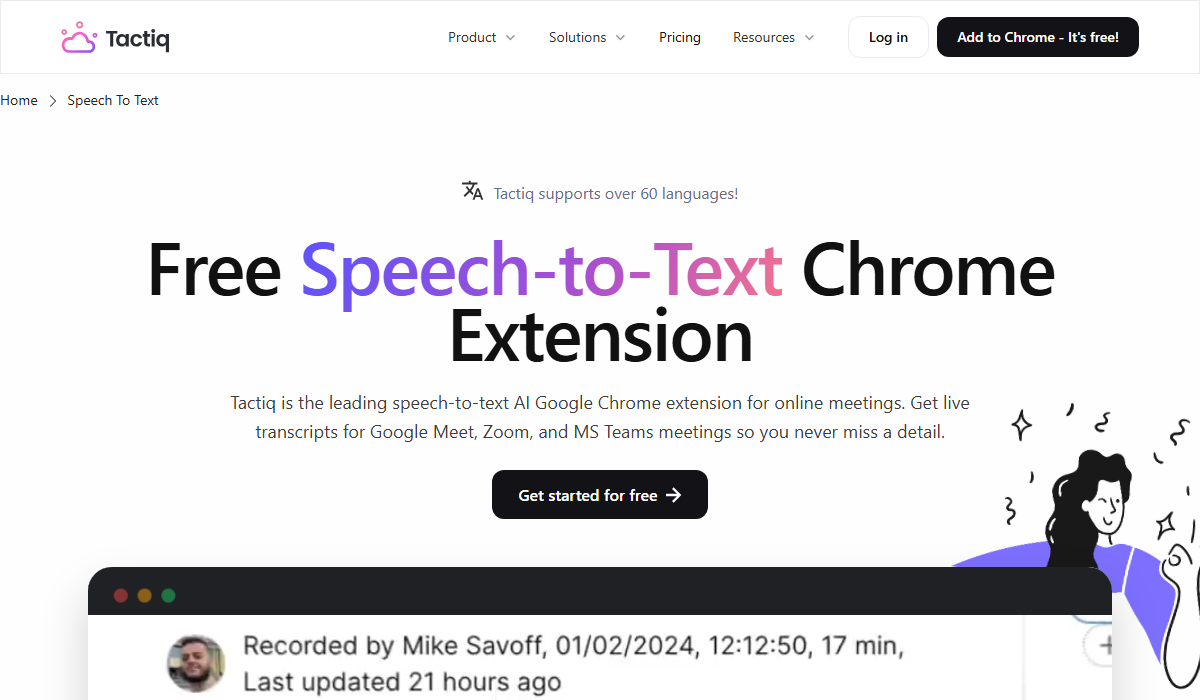
It runs as a Chrome extension
Google Meet, Zoom, and Microsoft Teams are supported, through an extension you add to Chrome. Join the meeting in the browser and it starts.
The Mac app is in beta and covers Zoom desktop calls only
If your team is in the habit of opening Zoom in the desktop app, check this before you roll it out.
No audio is recorded or stored
The consequence of the design is that nothing but text survives the meeting. That is both an advantage and a limit, and we come back to it below.
The two settings it depends on
Setting 1: turn on live captions in the meeting platform
Finding this out after the call is the expensive version, so confirm the captions are showing the first few times.
Setting 2: match the transcription language to what is being spoken
Text that was already captured in the wrong setting does not get fixed later.
Language support varies by platform
ja), Microsoft Teams (ja-JP), and Zoom (ja).Note that the site quotes both "30+" and "60+" languages in different places, because transcription languages and translation languages are counted separately. For transcription, the help center list is the one to check.
Accuracy follows the platform's captions
That is a property of caption-based capture rather than a flaw in the tool. If you quote names and figures straight out of a transcript, keep a step where someone checks them.
Pricing and what the free tier covers
| Plan | Price (per user, billed annually) | Transcripts | AI credits |
|---|---|---|---|
| Free | $0 | 10/month | 5/month |
| Pro | $8/month ($12 billed monthly) | Unlimited | 10/month |
| Team | $16.70/month | Unlimited | Unlimited |
| Business | $29.17/month | Unlimited | Unlimited |
| Enterprise | Custom | Unlimited | Unlimited |
What happens at the limit
The record itself is never the thing you lose, so you can spend the AI credits on the meetings that need a summary.
In meetings
| Your week | Transcripts per month | Does Free cover it |
|---|---|---|
| Two standing meetings | about 8 | Yes |
| Three meetings a week | about 12 | Runs out in the fourth week |
| Four client calls a day | about 80 | Runs out in three days |
If your calendar is client calls, treat Free as a trial rather than a plan.
What does not survive
No audio to go back to
Nothing is recorded, so you cannot listen again. Whether a response was enthusiastic or merely polite is only recoverable from whatever the text captured.
Shared screens are out of scope
Reading captions means video was never in scope. Slides and spreadsheets someone shared are not part of the record.
| What is kept | Tactiq | A screen recorder |
|---|---|---|
| Full transcript | Yes | Yes |
| Summary and action items | Yes (within AI credits) | Yes |
| Meeting audio | No (never recorded) | Yes |
| Shared screen | No | Yes |
Bot-free tools split into four mechanisms
Tools that promise no bot do not all work the same way, and each mechanism fails in a different place.
| Mechanism | Example | How it gets the words | Where it trips |
|---|---|---|---|
| Caption capture | Tactiq | Reads the platform's captions | Needs captions on and the language set |
| Device audio | jamie / Granola | Processes what your computer plays | Some designs keep no audio afterwards |
| Virtual microphone | Krisp | Sits in the microphone path | Audio routing has to be switched |
| Screen recording | Qureco | Records the screen and sound directly | You have to decide where files live |
Where Tactiq fits
| Situation | Does Tactiq cover it |
|---|---|
| You do not want a bot in the call | Yes, that is the design |
| You would rather hold no audio at all | Yes, nothing is recorded |
| You join Meet from the browser | Yes |
| You open Zoom in the desktop app | Through the Mac app (beta) |
| Around two meetings a week | Free tier covers it |
| You need to check what was on screen | You need a recording as well |
| You quote names and figures exactly | Keep a verification step |
When you want the screen too
- The screen and audio stay as a recording, so shared material is still there later
- An audio-only mode covers conversations where video is unnecessary
- Recording is free, with no cap on meetings, no time limit, and no watermark, so running it alongside Tactiq costs nothing extra
- AI meeting notes and the Notion integration are on the Pro plan at $9 a month, free for two weeks with no credit card
FAQ
Yes, within 10 transcripts and 5 AI credits a month. At the cap, transcription continues and only the AI features pause.
There is nothing to read, so that meeting has no transcript, and you cannot recover it afterwards. Make checking the captions part of how you start a call for the first few weeks.
The Chrome extension assumes browser attendance, so the beta Mac app is the path. On Windows, the choice is whether to switch to joining in the browser.
Summary
- Tactiq reads the captions your meeting platform produces, never joins the call, and records no audio
- It depends on two settings: captions turned on and the transcription language matched to what is spoken. Text captured under the wrong setting cannot be corrected afterwards
- The free tier is 10 transcripts and 5 AI credits a month. At the limit, transcription keeps going and only AI features pause. Pro starts at $8 per user per month billed annually
- Accuracy tracks the platform's captions, so keep a check on names and figures you intend to quote
- With neither audio nor video retained, meetings where what was on screen matters call for a recording alongside it
Try one call with captions on and the language set, then count how many names you had to correct. That number is your running cost.

Qureco Screen Recorder
Powerful screen recording app for Mac
Record meetings, let AI handle the notes, just read what arrives in Notion.
Try all features free for the first two weeks.