You installed Krisp because your neighbour's dog was making it into every call. Then, poking around the settings, you found something called AI Note Taker.
If that covers meeting notes too, you get to keep using one tool instead of two.
The short version: the notes feature is genuinely good, and there are three things worth knowing before you rely on it. This article covers what it produces, which languages the transcription actually supports, what the pricing really is, and the setup step that comes with not using a bot.
What the meeting notes feature produces
Summaries and action items when the call ends
Krisp's AI Meeting Assistant generates, alongside the transcript:
- A summary with decisions and action items
- A speaker-identified transcript with timestamps
- Task assignments for team members
- Minutes covering commitments and next steps
No bot joins the call
The distinguishing feature is that Krisp does not add a participant to your meeting.
A bot option does exist for platforms like Zoom if you would rather use one.
Check the language list before you commit
This is the part that decides whether Krisp fits your meetings.
For meetings in a language Krisp does not transcribe: QurecoA recorder for Mac that, like Krisp, never puts a bot in the call. The difference is coverage: it is built around Japanese meetings and generates AI meeting notes from them. Recording itself is free, with no time limit and no watermark. How the two fit together is covered later in this article, but you can try it first.
What the official list covers
Spanish, French, German, Russian, Italian, Dutch, Polish, Portuguese, Hindi, Danish, Swedish, Norwegian, Czech, Ukrainian, and Korean.
If your meetings run in a language outside that list, transcription is not something the product currently claims. Japanese, for instance, is absent while Korean is present, which catches out plenty of teams in Asia who assume the two ship together. Third-party guides sometimes describe unlisted languages as supported, so the official list is the safer basis for a decision.
Noise cancellation is language independent
What the pricing really is
The plans
| Plan | Price | Noise cancellation | Transcription & recording | AI notes | Storage |
|---|---|---|---|---|---|
| Free Trial | $0 (7 days) | Unlimited | Unlimited | Unlimited | - |
| Core | $16/mo billed monthly, $8/mo billed annually (per user) | Unlimited | Unlimited | Unlimited | 10 GB |
| Advanced | $30/mo billed monthly, $15/mo billed annually (per user) | Unlimited | Unlimited | Unlimited | 60 GB |
| Enterprise | Custom | Unlimited | Unlimited | Unlimited | Unlimited |
Core includes integrations with Slack, Notion, Zapier, Teams, HubSpot, Pipedrive, Affinity, and the API. Advanced adds Salesforce and ConnectWise.
The $8 you keep seeing is the annual rate
If you built your comparison on $8 without noticing, the first invoice will not match.
The free entry point is a 7-day trial
Third-party roundups report that free usage after the trial caps noise cancellation at 60 minutes a day and AI summaries at two a day. Those figures do not appear on the official pricing page, so confirm the current limits when you sign up.
"No bot" and "no setup" are different claims
These two get conflated when people evaluate Krisp.
It routes audio through a virtual microphone and speaker
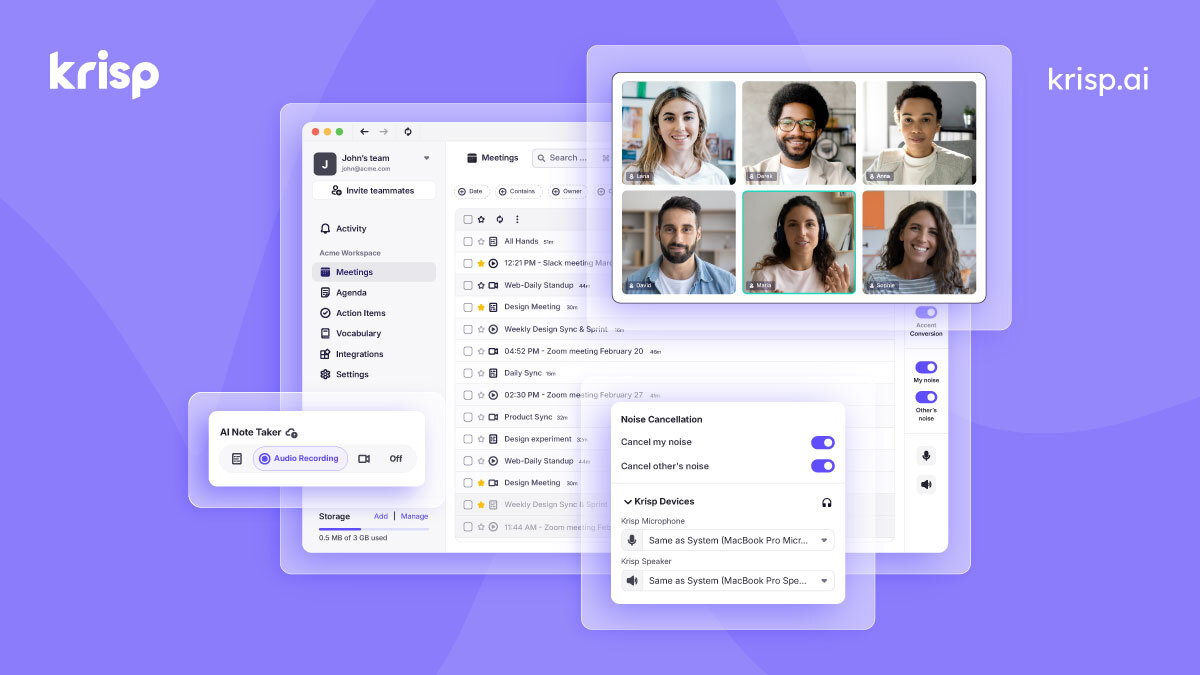
The flow: point Krisp's audio input and output at your real microphone and speakers, then point your meeting app's input and output at the Krisp virtual devices. Call audio now passes through Krisp (per the ASCII piece above).
You can see the selectors in the screenshot: "Krisp Microphone" and "Krisp Speaker." Lining those up is a step you perform.
The trade is real, and it favours coverage
The upside of working at the device layer is that you never wait for a per-app integration. New meeting tools work the same way on day one.
Where Krisp fits, and where it does not
| Situation | Is Krisp enough? |
|---|---|
| Removing background and keyboard noise | Yes, regardless of language |
| Notes for English-language meetings | Yes, English runs on-device |
| Korean or European-language meetings | Yes, those are on the list |
| Keeping bots out of the call | Yes |
| Notes in a language outside the official list | Not currently claimed by the product |
| Never touching audio device settings | Virtual device setup is required |
| Keeping screen-shared material | Audio only, so no video is kept |
If your calls are mostly in a supported language, consolidating on Krisp is a reasonable plan. What follows is for the case where the transcript side does not line up.
When you also want the recording
If the notes have to cover a language off the list, or you want the screen kept as well, you add a tool shaped differently.
- AI meeting notes with a customizable template, so output can be limited to decisions and action items
- No virtual audio setup. Microphone and system audio have their own toggles, and you do not reconfigure the meeting app's audio devices
- The screen is kept as a recording, so shared material and figures can be checked later. There is an audio-only mode too
- Recording itself is free, with no time limit and no watermark. AI notes and the Notion export are on the Pro plan ($9/month launch pricing, first two weeks free, no credit card required)
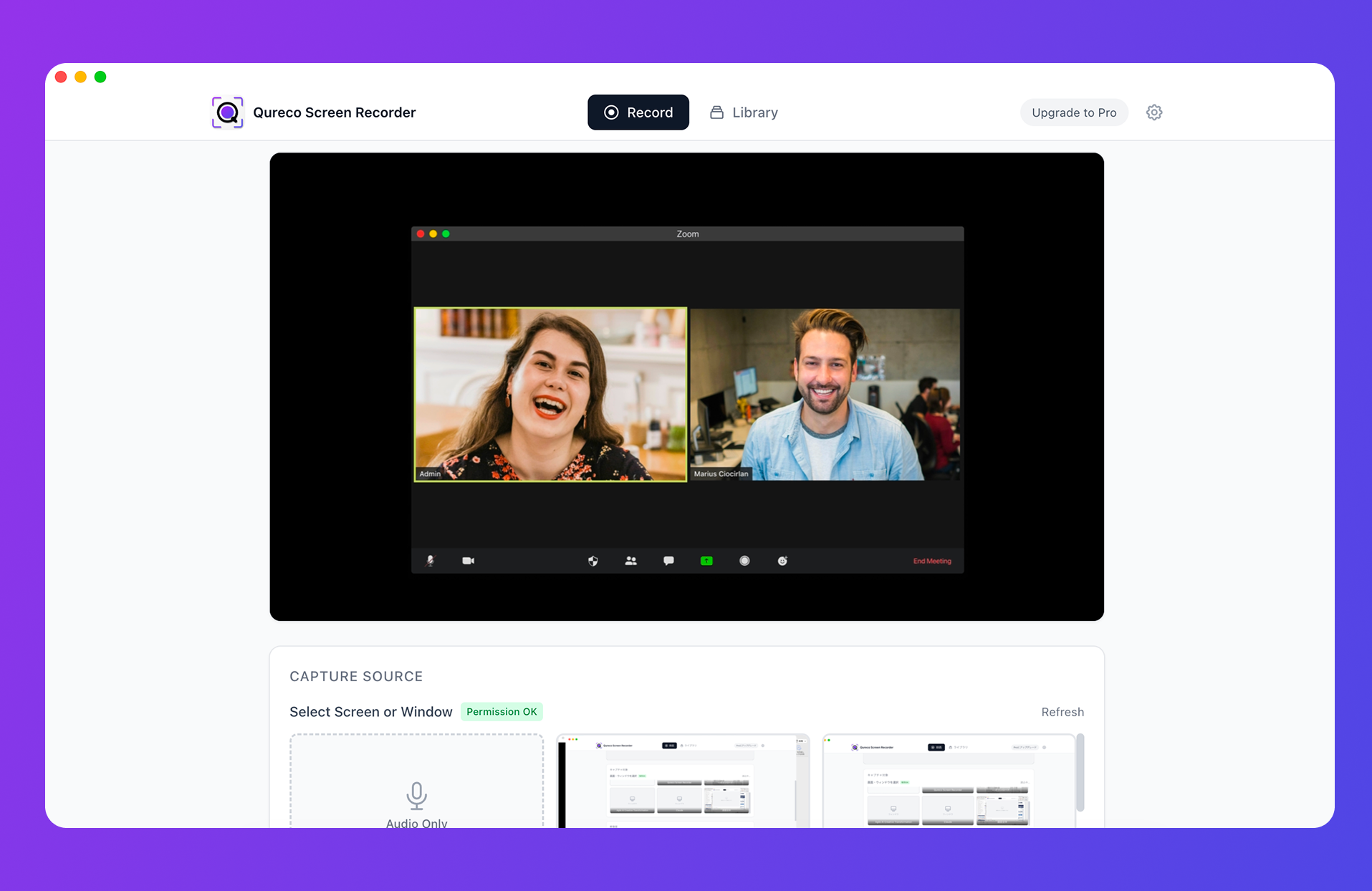
One caveat: Qureco has no noise cancellation. Keeping your background out of other people's ears is Krisp's job, not its. Transcription and note generation also run in the cloud, so if on-device processing is a requirement, Krisp's Enterprise tier is the closer match.
Frequently asked questions
Third-party roundups report a 60-minutes-a-day cap on free noise cancellation. The official pricing page does not list that figure, so check what your account shows. The free entry point for Meeting AI, including notes, is the 7-day trial.
Summary
- Krisp's notes feature produces summaries, action items, and a speaker-identified transcript, and no bot joins the call
- Transcription covers English on-device plus 15 further languages. Check that list against your meetings before committing; Japanese is absent while Korean is present
- Noise cancellation is language independent, so that side of the value holds either way
- Core is $8/month billed annually, $16 billed monthly. The free entry point for Meeting AI is a 7-day trial
- "No bot" is not "no setup." You point your meeting app at Krisp's virtual microphone and speaker once
If your meetings run in a supported language, Krisp can be the only tool you need. If the transcript side does not line up, keep Krisp for the audio and add something that records.

Qureco Screen Recorder
Powerful screen recording app for Mac
Record meetings, let AI handle the notes, just read what arrives in Notion.
Try all features free for the first two weeks.