Is it a screen recorder or an AI note taker? If the name left you unsure, the answer is that it is both, in one app.
Qureco is a Mac app that records meetings and screens, turns the recording into AI-generated meeting notes, and sends those notes to Notion. Recording alone is free, with no time limit and no watermark.
This article is written by Qurio Inc., the team that builds it. What the free plan covers, what Pro adds, what it costs, and who should look elsewhere, based on the actual specification.
Qureco records on your Mac and turns it into notes
Three steps collapsed into one app
Keeping a record of a meeting usually means moving between tools.
| Typical stack | Qureco | |
|---|---|---|
| Capture | A screen recorder, or the meeting tool's own recording | Record in Qureco |
| Transcribe | Export the file, upload it to a transcription service | Generate AI notes from the recording |
| Organize | Copy the output, paste it into Notion | Export to a Notion database |
Splitting the work across tools is not inherently wrong. The problem is that exporting, uploading, and pasting once per meeting is the first routine to break during a busy week. Qureco keeps those three steps inside one app.
Nobody gets added to your meeting
Some AI note takers join the call as a participant. Calendar integration makes that convenient, but in a sales call or a job interview an unfamiliar app name in the attendee list creates a conversation you did not plan for.
Qureco records your own Mac's screen and audio, so the participant list does not change. It behaves the same whether the other side is on Zoom, Google Meet, or Teams, and it works when you are a guest with no record button of your own.
What is free, and what Pro adds
The free plan
Create an account and these cost nothing:
- Screen and audio recording, with no time limit
- No watermark
- System audio capture with no virtual audio driver to configure
- Local storage
- MP4 / MP3 export
Free screen recorders often cap recording length or stamp a logo on the export. Neither applies here, so internal walkthrough videos and long webinars fit inside the free plan.
Pro
Pro includes everything in Free, plus:
- 30GB of cloud storage
- AI meeting notes, with speaker identification
- Notion integration
- Automatic cloud backup
Side by side
| FREE | PRO | |
|---|---|---|
| Screen and audio recording | No time limit | No time limit |
| Watermark | None | None |
| Virtual audio setup | Not required | Not required |
| Storage | Local | Local plus 30GB cloud |
| Export | MP4 / MP3 | MP4 / MP3 |
| AI meeting notes | Not included | Included |
| Speaker identification | Not included | Included |
| Notion export | Not included | Included |
| Automatic cloud backup | Not included | Included |
The features in more detail
Recording
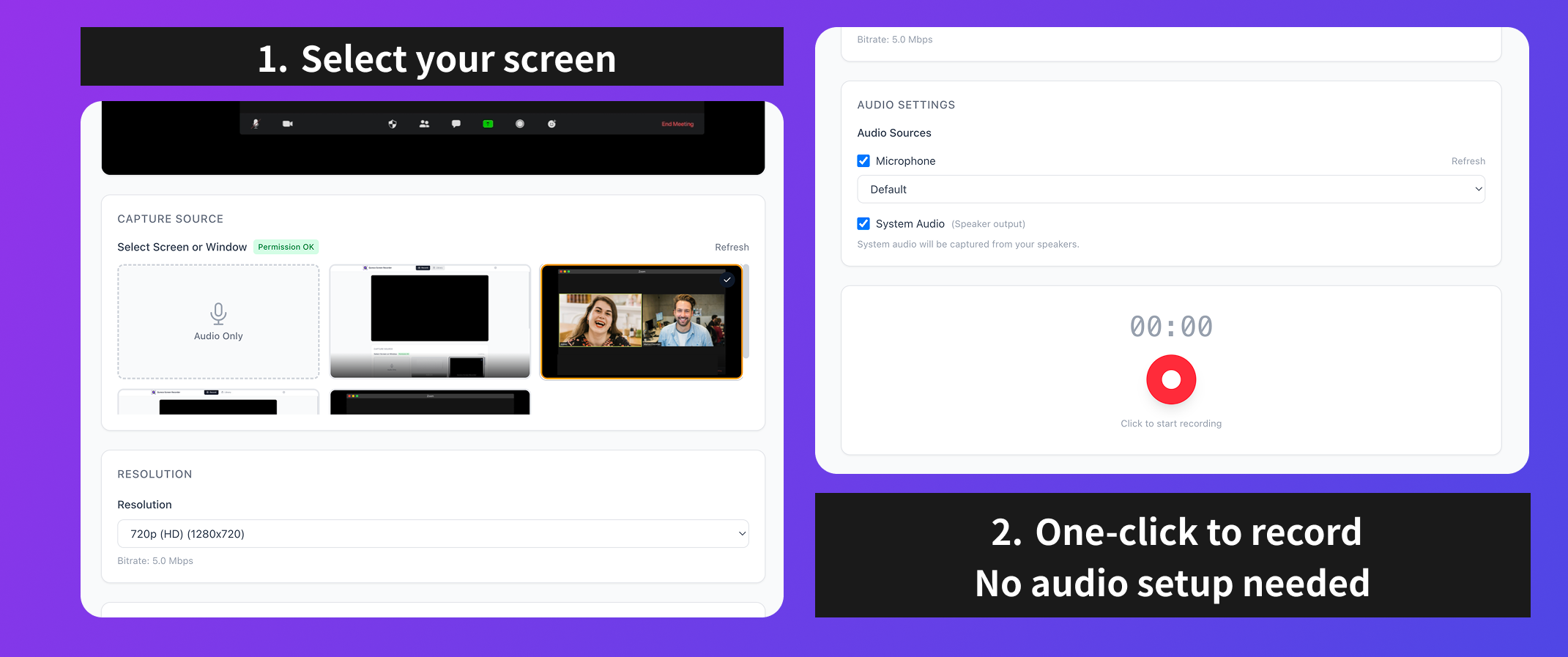
Capture the full screen or a single application window. Sources are shown as thumbnail previews, so recording the wrong window is hard to do by accident.
- Four resolutions: 1080p / 720p / 480p / 360p
- Pause and resume
- Keyboard shortcuts (Cmd+Shift+R to start and stop, Space to pause and resume)
- Control from the system tray
Audio
Microphone (your voice) and system audio (the other side, or anything playing on the Mac) toggle independently, each with a live level meter so you do not record thirty minutes of silence by mistake. There is also an audio-only mode that skips the screen entirely.
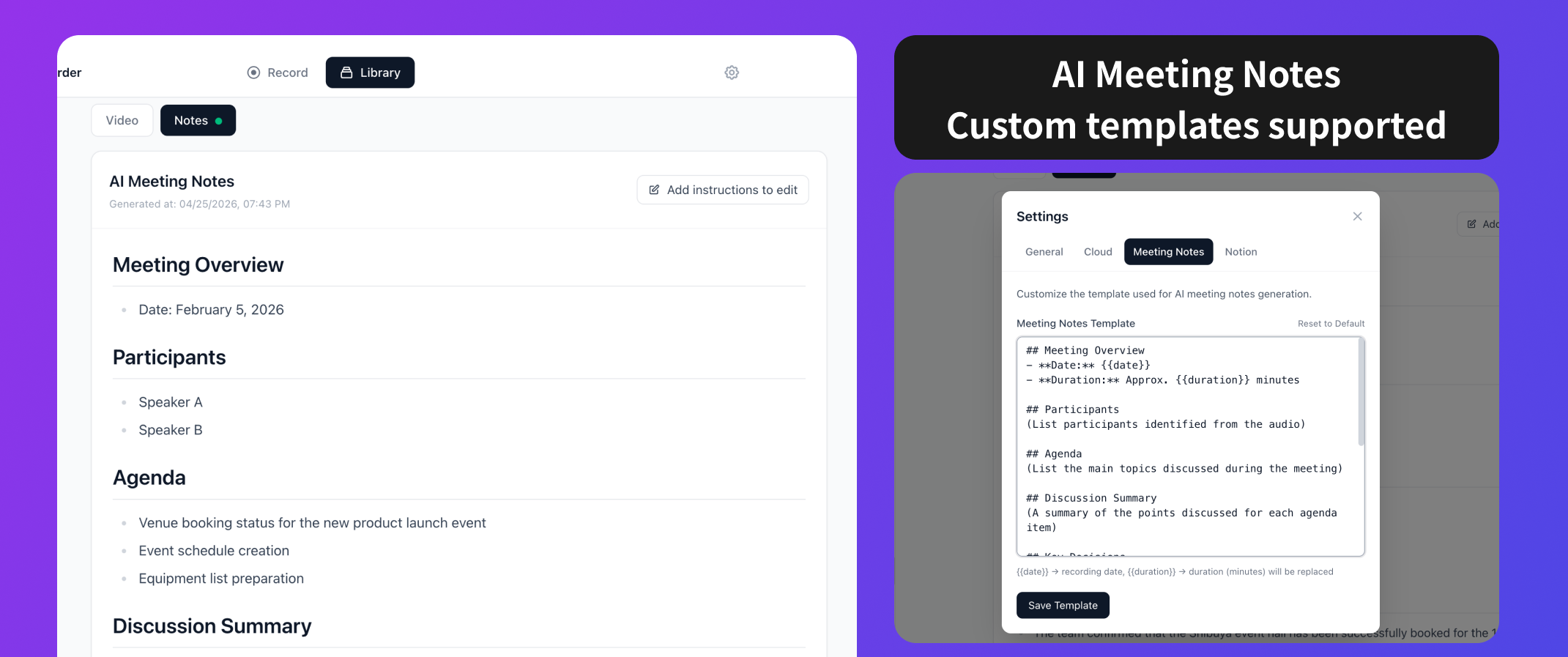
AI meeting notes (Pro)
The default template produces an overview, attendees, agenda, a summary of the discussion, decisions, action items, and next steps. Action items come out with an owner and a due date attached.
- The template is editable in settings, with variables such as
{{date}}(recording date) and{{duration}}(length in minutes) - Notes can be regenerated with an added instruction, for example "list only decisions and action items"
- Output is Markdown, and can be copied to the clipboard
Being able to add an instruction and regenerate matters in practice, because the first pass rarely matches how your team writes. Keeping separate templates for one-on-ones, sales calls, and standing internal meetings works well.
Notion integration (Pro)
Generated notes export to Notion. Pick the destination database, press the button, and the notes are created as a Notion page. Multiple workspaces can be connected, and connected databases are listed in the app.
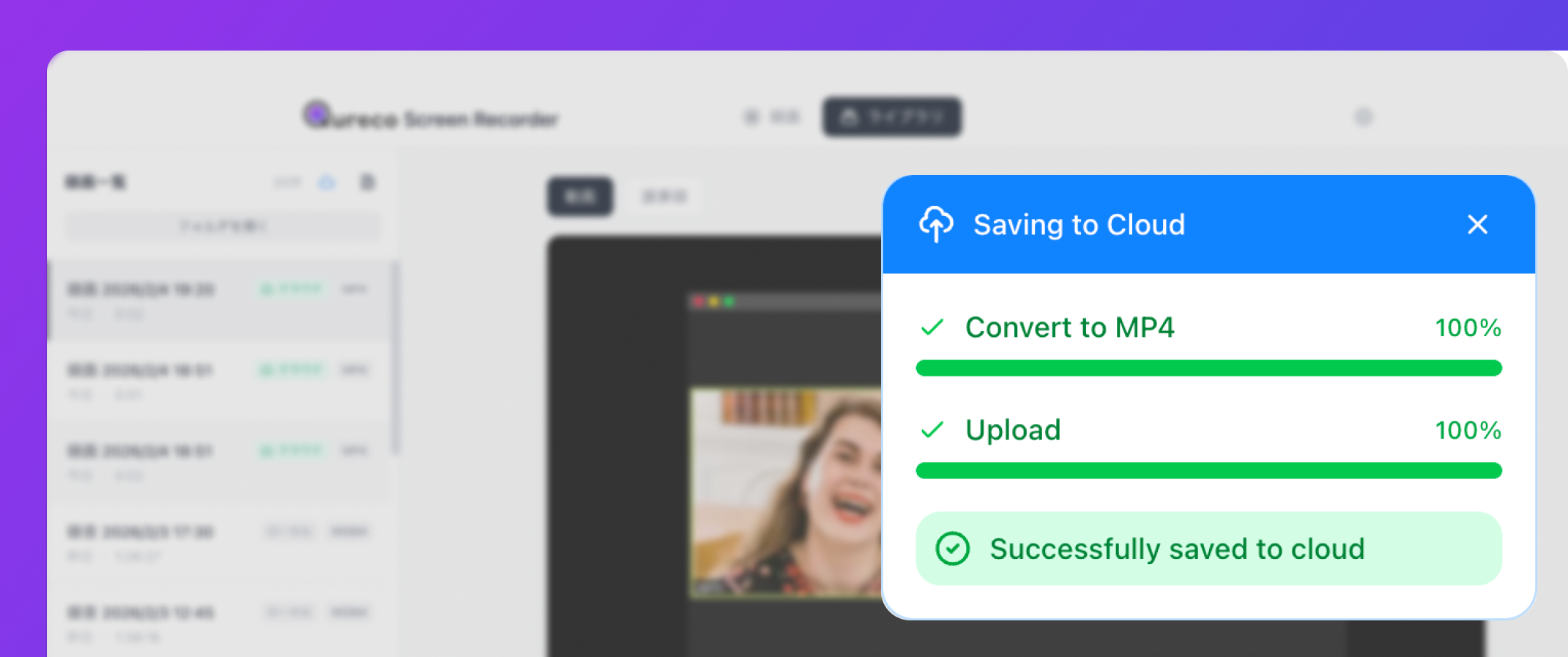
Cloud storage (Pro)
Recordings upload automatically once they finish, with live progress, and play back directly from the cloud. A sync indicator shows what lives where, so you are never guessing. The allowance is 30GB.
Pricing and the free trial
| Launch price | Regular price | |
|---|---|---|
| Monthly | $9 | $12 |
| Yearly | $81 | $108 |
The prices shown now are launch pricing, a 25% discount for early users. As long as the subscription stays active, that rate continues to apply.
Two tiers, and no metered pricing
The shape of the pricing is worth knowing too. There are two tiers, Free and Pro, and Pro is billed either monthly or yearly, with yearly working out cheaper. There is no plan ladder that steps up with minutes recorded or notes generated. The one ceiling stated on Pro is 30GB of cloud storage.
Recording on the free tier has no time limit either, so a month with an unusual number of meetings does not end with a used-up allowance.
If you want to see how this sits next to other tools, these articles lay out pricing and free tiers:
- Seven tools compared on features and free tiers: AI meeting assistants in 2026
- Notion AI's Business plan versus paying for an external tool: using Notion AI meeting notes without the Business plan
- Pricing and free tiers for bot-based tools: how tl;dv, Fireflies, and Fathom differ
Who it fits, and who it does not
A good fit if you
- Need to record calls you do not host. No host permission required
- Are stuck on Mac internal audio. No virtual audio driver to install
- Spend time writing up notes. They are generated from the recording
- Keep meeting notes in Notion. Export goes straight to a database
- Need clean exports. No watermark, no time limit, on the free plan
- Would rather not add a bot to the call. Nothing joins the meeting
One caveat
Qureco is not the right pick in these cases:
- You are on Windows. The app we ship today is for macOS
- You want to edit video. There is no trimming or captioning. Qureco handles capture and export; editing belongs in another tool
- You want AI notes and Notion export for free. Those two are Pro features. Recording and audio capture are free
Related reading by use case
- Comparing ways to record a screen on a Mac: five ways to record your screen on a Mac
- Fixing missing audio in a recording: why your screen recording has no sound
- Automatic meeting transcription: transcribing meetings automatically on a Mac
- Training videos and course material: making training videos on a Mac
FAQ
Yes. Screen and audio recording are free with no expiry, no recording cap, and no watermark. Moving to Pro is a decision you make when you actually need AI notes or Notion export.
On the free plan, locally on your Mac, in a folder you can change in settings. Pro adds automatic cloud upload, so recordings are available in both places.
Subscriptions run through Stripe, and plan changes or cancellation happen in the customer portal. After canceling, the free plan features (recording, local storage, export) keep working.
No. Because it captures the screen and the audio, the meeting platform is irrelevant. Zoom, Google Meet, and Teams all work, as does anything else playing on the Mac.
Wrapping up
In one line: Qureco records on your Mac, turns the recording into meeting notes, and delivers them to Notion.
- Screen and audio recording are free, with no time limit and no watermark
- Mac system audio is captured without a virtual audio driver
- AI meeting notes, speaker identification, Notion export, and 30GB of cloud are Pro ($9/month at launch pricing)
- Pro's first two weeks are free, with no credit card required
- Nothing joins the meeting, which makes it workable for customer calls and interviews
- The app we ship today is macOS only, and it does not edit video
The fastest way to decide is to record one meeting on the free plan. If writing up the notes is still on your plate afterwards, that is the moment to try Pro.

Qureco Screen Recorder
Powerful screen recording app for Mac
Record meetings, let AI handle the notes, just read what arrives in Notion.
Try all features free for the first two weeks.